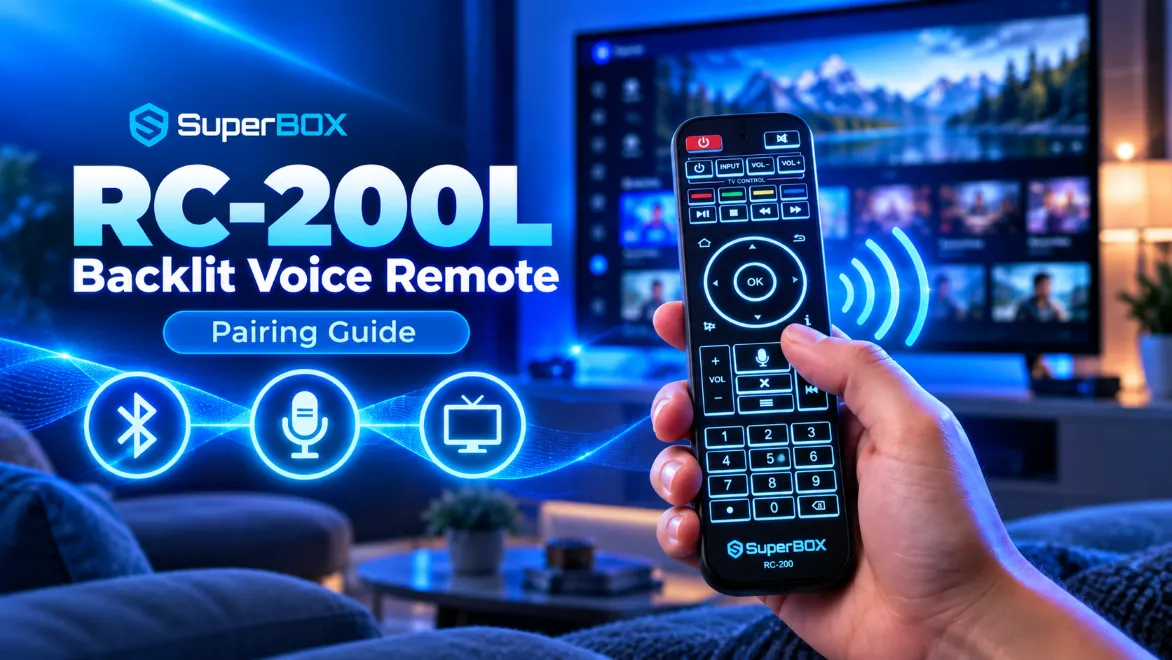
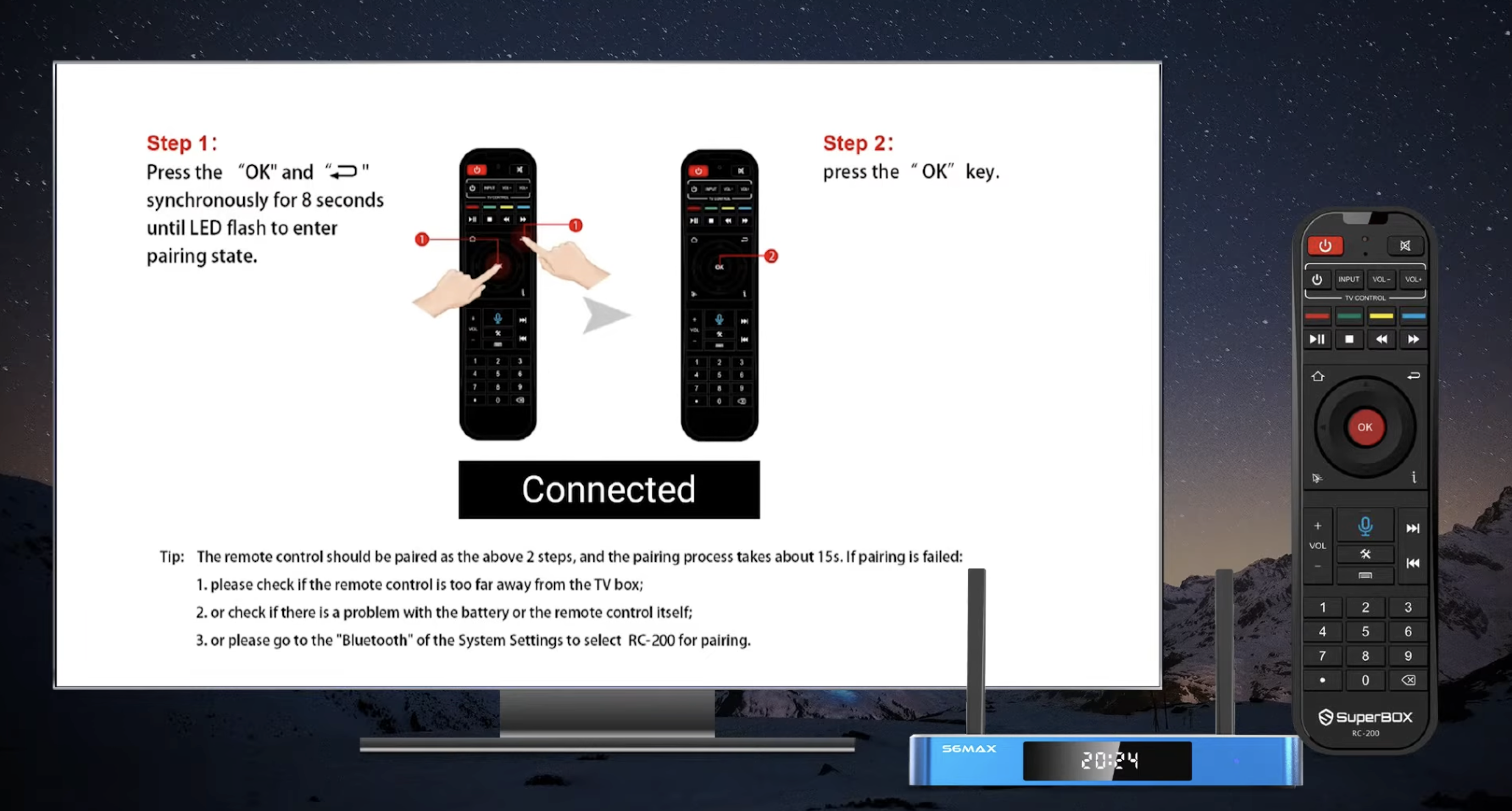
Pairing the SuperBox RC200 remote requires holding the OK and Return buttons simultaneously for 8 seconds within two meters of the console until Connected appears on screen. I serve as Founder and CEO of SuperBox for Sale with an engineering background from UCI. I inspect every hardware batch at our Chino facility to guarantee smooth Bluetooth voice control, responsive navigation, and effortless TV programming for North American cord-cutters.
Summary
- Instant Bluetooth Pairing: Press and hold OK and Return simultaneously for 8 seconds within two meters of the console until Connected appears.
- Dual-Mode Operation: Operates in line-of-sight Infrared mode out of the box, requiring Bluetooth pairing to unlock 360-degree range and voice search.
- Two-in-One TV Learning: The top TV Control Zone learns your television power, volume, and input commands directly from your existing TV remote.
- Visual LED Diagnostics: 3 LED flashes confirm successful TV button programming, while 5 rapid flashes indicate transmission failure requiring closer alignment.
- Universal Model Compatibility: Works seamlessly across SuperBox S8, S7, and S6 generations with backwards compatibility for replacement units.
How does the SuperBox RC200 remote control work?
The SuperBox RC200 is an ergonomic dual-mode hybrid wireless remote control that communicates with Android TV consoles via 38kHz infrared light pulses and Bluetooth 5.2 radio frequencies. Engineered with low-power internal microprocessors, directional voice microphones, and an integrated infrared learning array, the RC200 combines full television control and Android navigation into a single handheld unit.
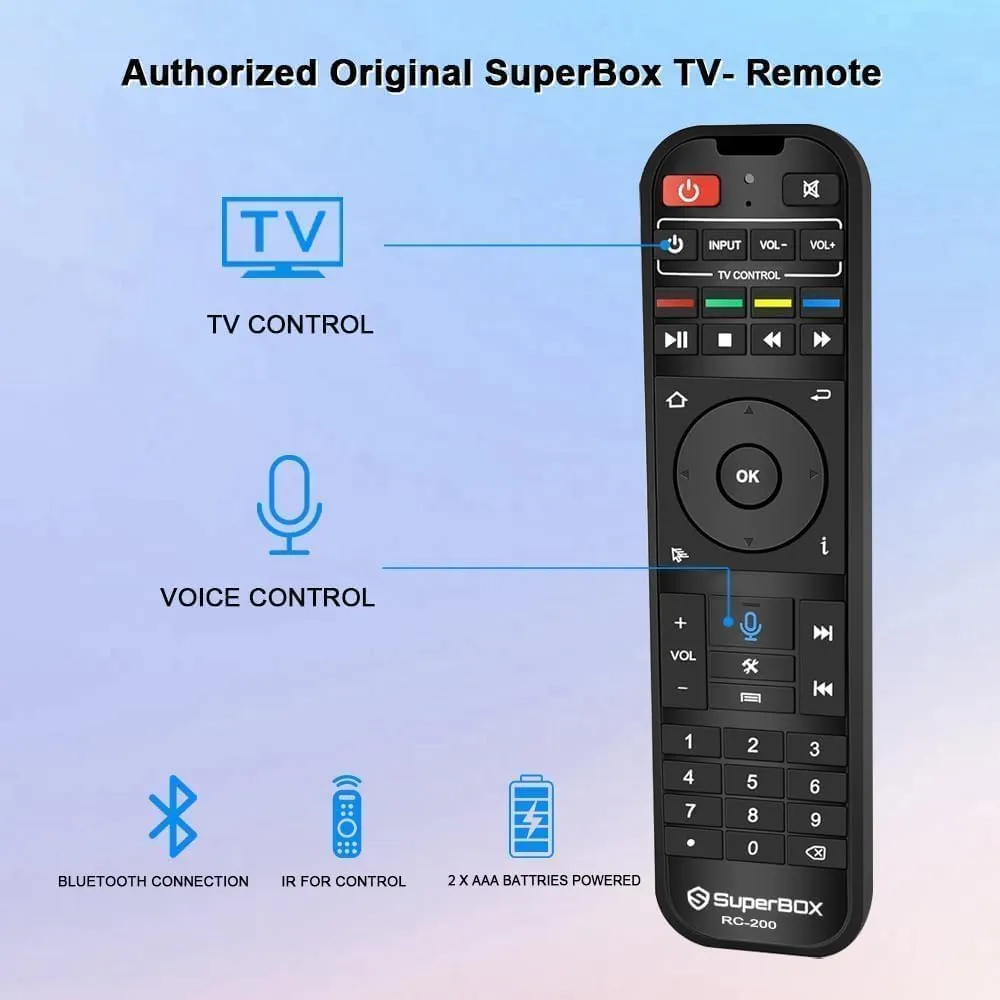
Before completing the Bluetooth pairing sequence, the remote operates exclusively through infrared light. In this default unbonded state, users must aim the transmitter directly at the front receiver window of the SuperBox console. Pressing the microphone button triggers an on-screen warning stating that voice control is unavailable.
| Remote Model | Compatible SuperBox Editions | Wireless Transmission Protocols | Voice Control Support | Key Distinctive Hardware Features |
|---|---|---|---|---|
| SuperBox RC200L Backlit | SuperBox S8 Ultra, S8 Max, S7 Ultra | Bluetooth 5.2 BLE + 38kHz IR Learning | Google Assistant & Blue TV Voice Engine | Smart motion-activated white LED key backlighting |
| SuperBox RC200 Standard | SuperBox S8 Pro, S7 Max, S7 Pro, S6 Max | Bluetooth 5.0 / 5.2 + 38kHz IR Learning | Google Assistant & Blue TV Voice Engine | Textured ergonomic grip with dedicated TV Control Zone |
| SuperBox RC100 Legacy | SuperBox S6 Pro, S5 Max, S4 Pro | Bluetooth 4.2 + Standard IR Mode | Standard Android Speech Recognition | Single-band Bluetooth without smart backlighting |
Completing the Bluetooth pairing sequence fundamentally alters remote operation. Bluetooth transmission provides omnidirectional control up to ten meters away. You can navigate menus, change live sports channels, and issue voice commands without pointing the remote at the television cabinet.
Method 1: Pairing the RC200 remote using quick shortcut keys
The quick shortcut key method provides the fastest way to pair your RC200 remote during initial hardware setup or after a factory reset.
- Step 1: Position within range: Stand within one to two meters of your SuperBox console to ensure strong signal detection.
- Step 2: Open the pairing guide: Click the microphone icon on the home screen or press the Mic button on your remote control.
- Step 3: Hold the pairing keys: Press and hold both the OK and Return (Back) buttons simultaneously for eight full seconds.
- Step 4: Confirm connection: Release both keys when the red indicator blinks and the television displays the Connected confirmation banner.
Method 2: Pairing the RC200 remote through Android Settings
If the quick shortcut fails to trigger automatic binding, use the Android system settings menu to register the remote manually.
- Open Settings: Select the Settings gear icon in the top-right corner of the SuperBox home dashboard.
- Access Accessories: Scroll down the settings sidebar and select Remotes & Accessories.
- Start discovery scan: Click Add Accessory to activate the internal Bluetooth antenna and search for nearby devices.
- Activate remote broadcast: Hold the OK and Return buttons on the remote for eight seconds until the red LED flashes continuously.
- Finalize pairing: Highlight RC200, RC200L, or SuperBox Remote on the screen and press OK to pair.
Method 3: Programming the TV Control Zone to manage television power and volume
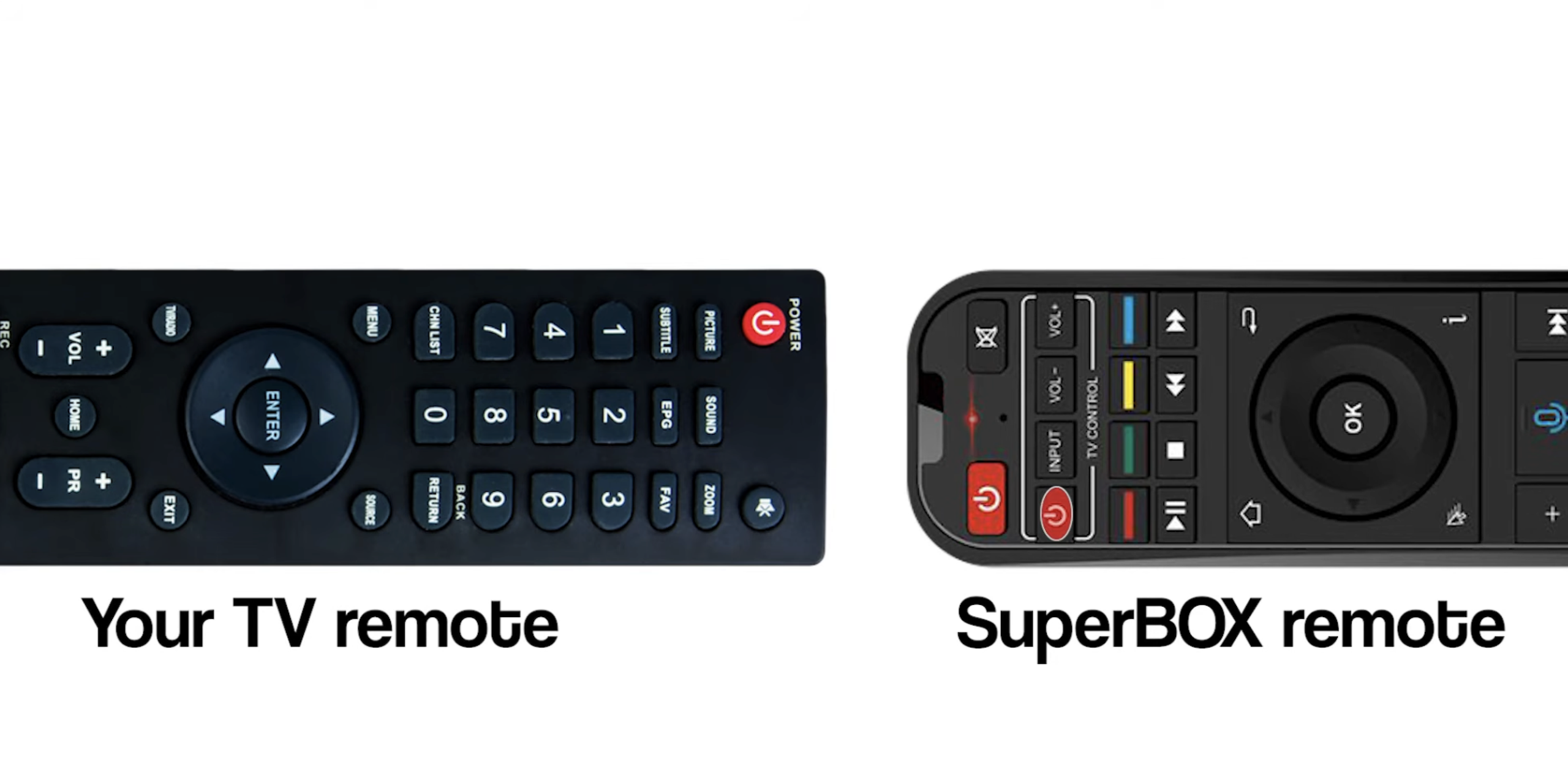
The top section of the RC200 remote features an infrared learning bank labeled TV Control. This feature clones buttons from your existing television remote, eliminating the need to hold two separate remotes.
| Programmable Button Name | Default Factory Assignment | Recommended Cloned Function | Practical Household Value |
|---|---|---|---|
| TV Power (Top-Left Button) | Unassigned IR Memory Slot | Television Main Power (On / Off) | Turn on TV and SuperBox with a single remote control |
| Volume Up (TV Section) | Unassigned IR Memory Slot | Television Audio Volume Increase | Directly adjusts internal TV soundbar volume |
| Volume Down (TV Section) | Unassigned IR Memory Slot | Television Audio Volume Decrease | Prevents digital audio clipping on TV speakers |
| TV / AV (Input Selection) | Unassigned IR Memory Slot | Television Source / Input Switch | Easily switch TV inputs back to SuperBox HDMI |
Follow this checklist to clone commands from your television remote onto the SuperBox controller:
- Enter learning mode: Press and hold the TV Power button in the top TV section for five seconds until the red LED stays solid red.
- Choose target button: Press the specific key you want to program (e.g., TV Power). The red LED will begin blinking slowly.
- Align remote emitters: Place the TV remote and SuperBox RC200 head-to-head on a flat surface, spaced one to three centimeters apart.
- Transmit the TV remote signal: Press and hold the corresponding button on your television remote for two to three seconds.
- Verify LED response: The LED flashes three times rapidly for success, or flashes five times if the signal transfer fails.
- Save and exit: Repeat the steps for Volume and TV/AV keys, then press any key outside the TV section to exit and save.
Method 4: How to unpair and reset a frozen SuperBox RC200 remote?
If your remote control experiences intermittent disconnections, lagging directional inputs, or voice command timeouts, executing a full Bluetooth unpairing cycle clears corrupted cache tables.
- Remove existing pairing: Connect a USB mouse, open Settings, select Remotes & Accessories, choose your remote, and click Unpair.
- Power cycle the console: Disconnect the SuperBox power cable for fifteen seconds to purge active memory registers, then reconnect.
- Discharge remote capacitors: Remove both AAA batteries and hold down every button across the remote keypad for ten seconds.
- Insert fresh batteries and re-pair: Install two fresh 1.5V AAA alkaline batteries and repeat the eight-second OK + Return pairing shortcut.
Where to buy authentic SuperBox with warranty coverage
When investing in a high-performance streaming console, ordering directly from superbox website guarantees authentic hardware and verified server licensing. Our central distribution and customer care facility operates at 13951 Pipeline Ave, Chino, CA 91710, USA, led by founder Riley Cooper.
For the ultimate cord-cutting setup, we recommend the flagship SuperBox S8 Ultra priced at $449, featuring 4GB DDR RAM, 128GB storage, Wi-Fi 6, and Gigabit Ethernet. Every order includes our Official Reseller License Code #SP20250928002 and full warranty protection:
- Free Shipping: Fast 2 to 5 business day delivery across the United States and Canada with full real-time package tracking via FedEx or USPS.
- 24/7 Technical Support: Dedicated technical specialists available 24/7 via live chat and email for troubleshooting assistance.
- 30-Day Money-Back Guarantee: Hassle-free return policy if you are not completely satisfied with your streaming hardware performance.
- 1-Year Manufacturer Warranty: Full replacement coverage safeguarding against any hardware defects or system component failures supported directly by our customer care center in Chino, California.
- 100% Authentic Hardware: Direct factory units guaranteed genuine without modified firmware, unauthorized alterations, or security risks.
SuperBox for Sale is a leading authorized dealer of SuperBox, specializing in the supply of genuine SuperBox TV boxes Series S6, S7, and S8 in the US & CAD.
Join the Conversation: This article has been shared on our official Facebook page. Head over to our Facebook post to join the community discussion, share your thoughts, and follow SuperBox for Sale on Facebook for the latest updates and streaming tips!
Experience Unrivaled Streaming Performance with SuperBox
Discover lightning-fast quad-core processing, dual-band Wi-Fi 6, 7-day playback, and crisp 6K ultra HD output engineered for discerning media fans.

![SuperBox Remote Control Functions: Complete Button Guide [2027]](https://superboxforsale.com/wp-content/uploads/2026/10/SuperBox-Remote-Control-Functions-768x432.webp "SuperBox Remote Control Functions: Complete Button Guide [2027] 8")
![How to Set Up Voice Control on SuperBox S7 Full Guide [2027]](https://superboxforsale.com/wp-content/uploads/2026/10/How-to-Program-SuperBox-Remote-to-TV-1-767x432.webp "How to Set Up Voice Control on SuperBox S7 Full Guide [2027] 14")