
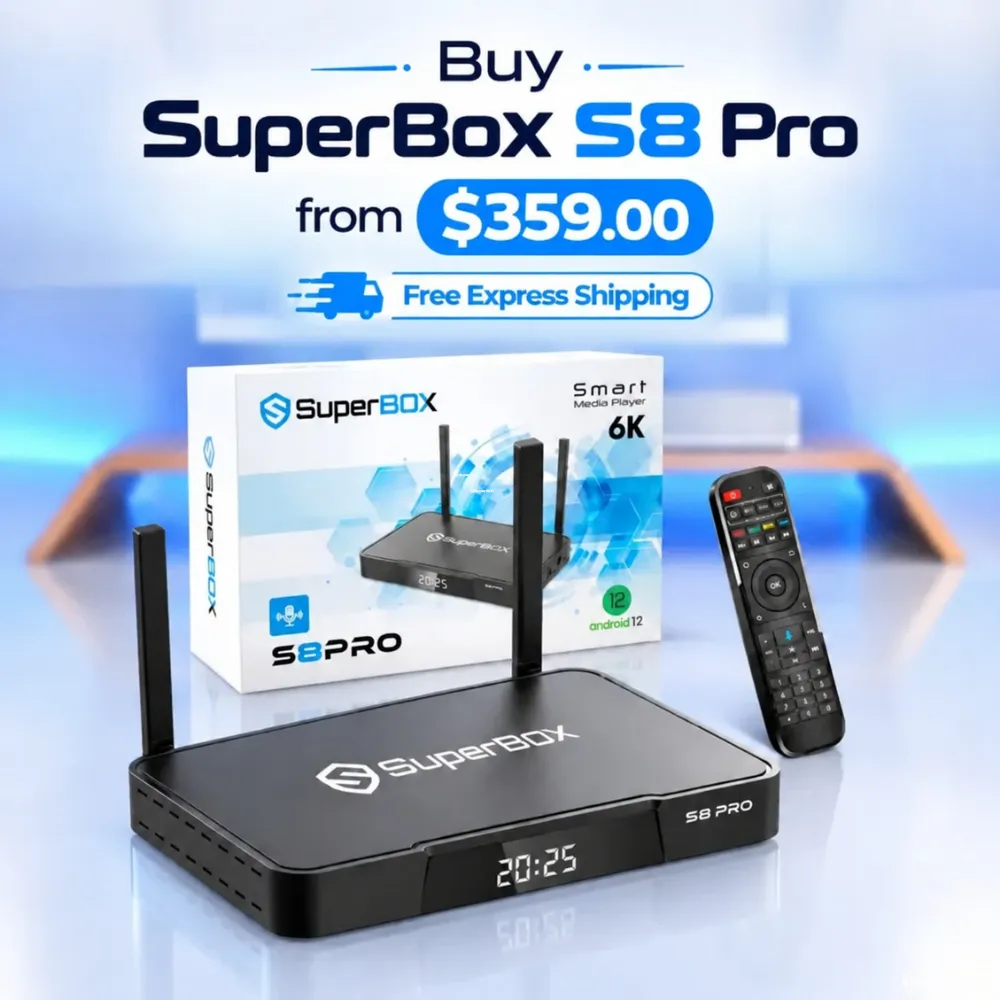
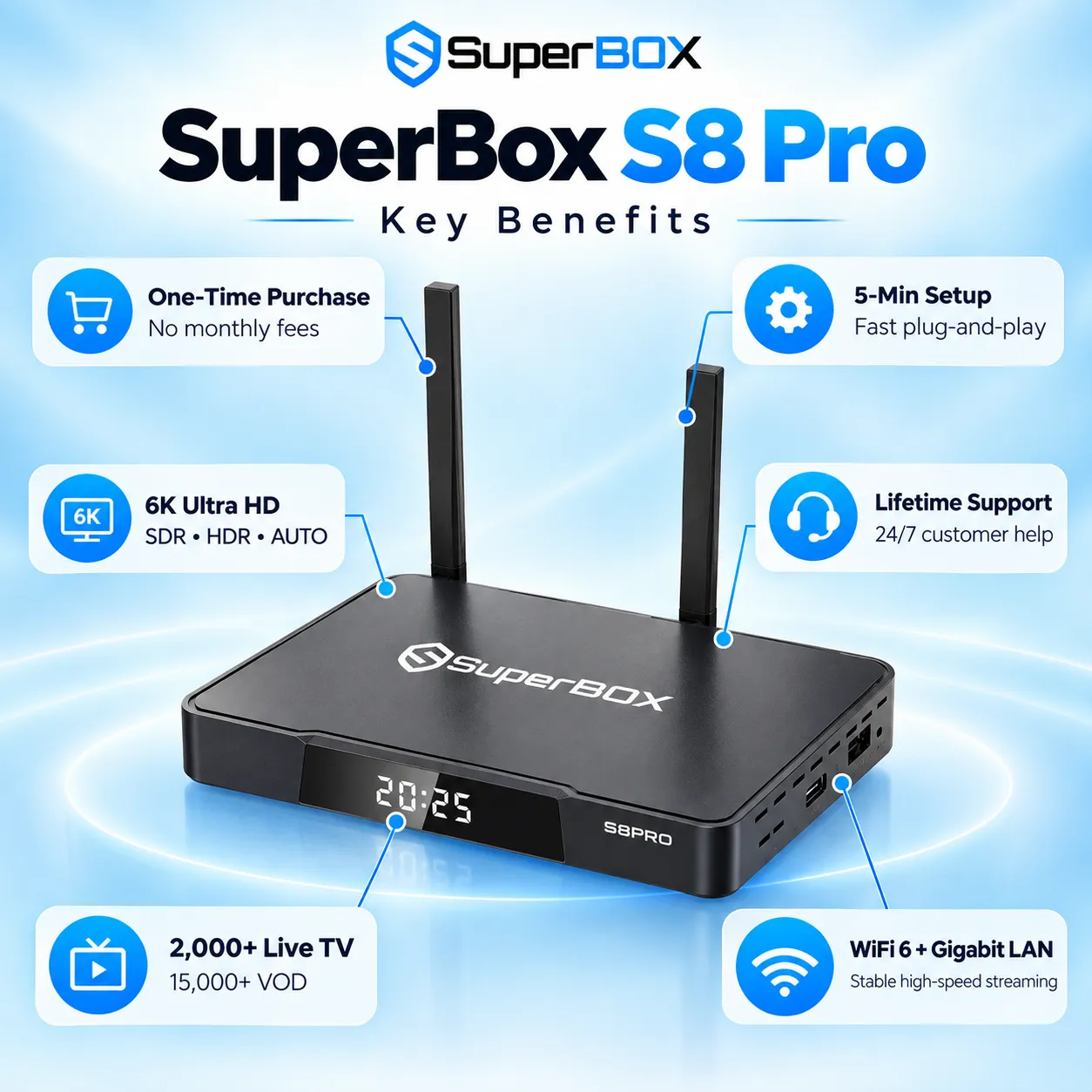
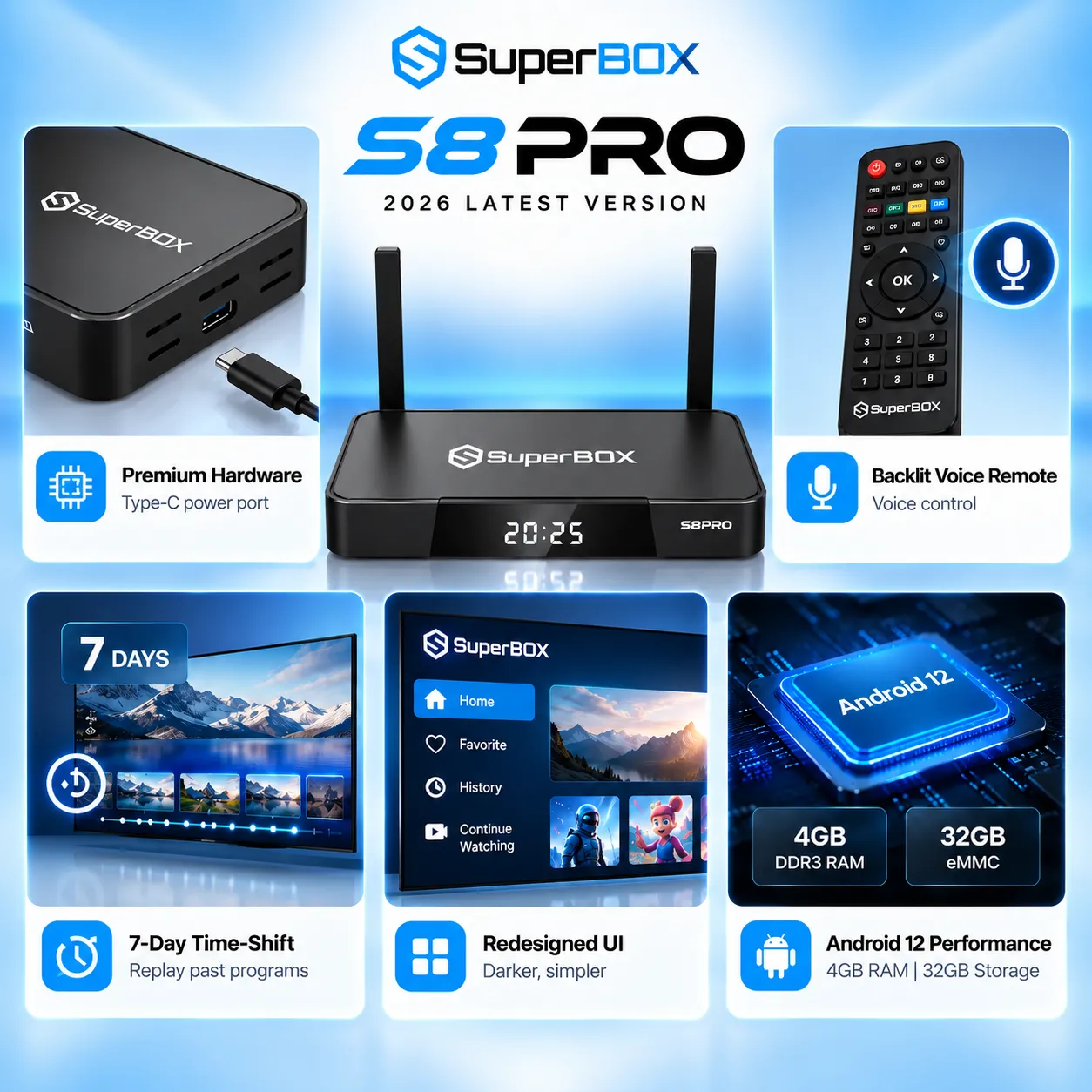
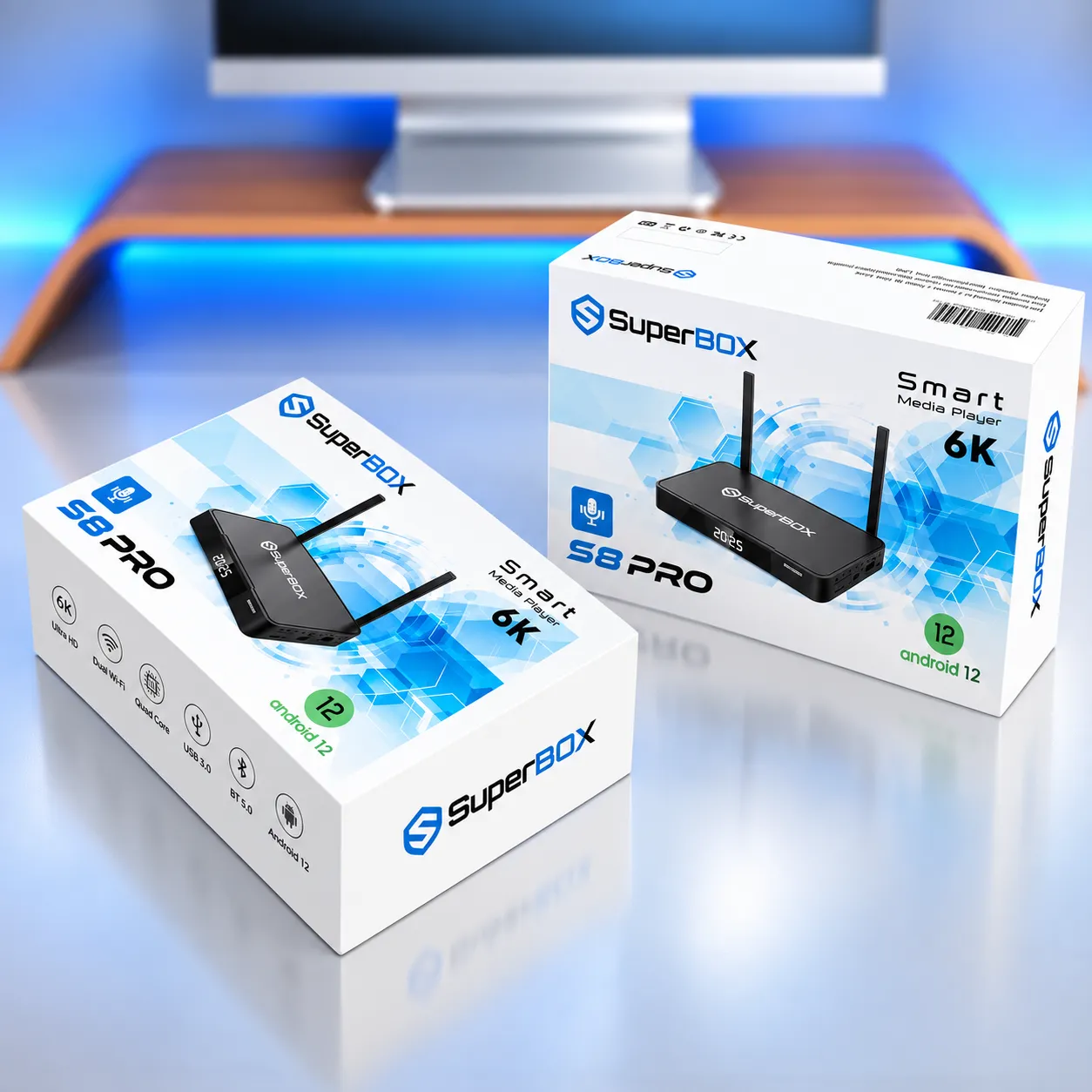
The SuperBox S8 Pro is the entry model in the S8 series, with 4GB RAM, 32GB eMMC storage, Android 12, Wi-Fi 6, Gigabit Ethernet, and H.265 decoding up to 6K at 60fps. Its main S8 upgrades are Picture-in-Picture, two-screen Multi-View on a limited channel selection, built-in recording, and a redesigned interface. The listed price is $359.00, subject to current availability.
Quick takeaways and key highlights
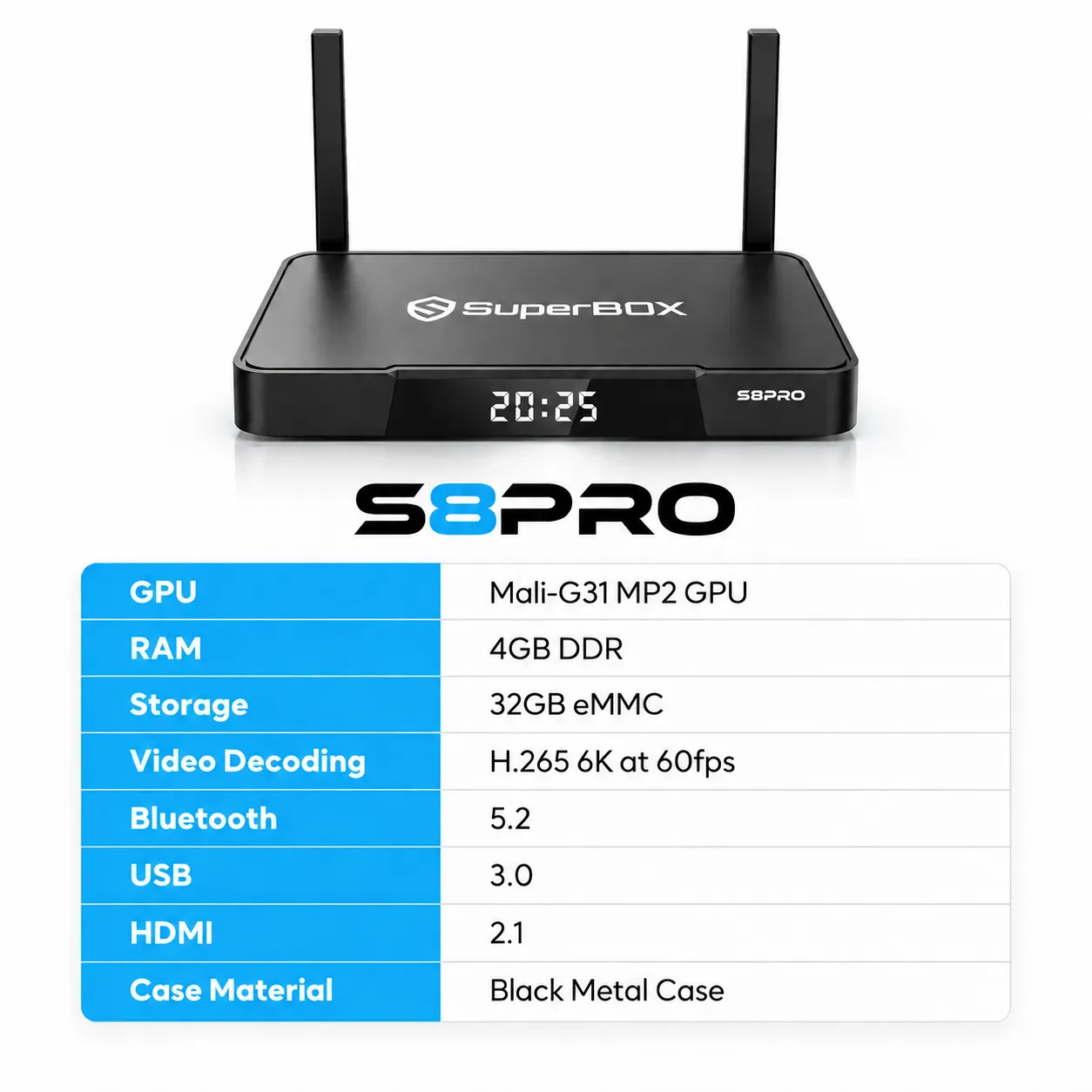
- Hardware: Android 12, quad-core ARM Cortex-A53 CPU, Mali-G31 MP2 GPU, 4GB DDR RAM, and 32GB eMMC storage.
- Video: H.265 hardware decoding up to 6K at 60fps, plus 4K playback on compatible content and displays.
- Multi-View: PiP and split-screen let you follow two live programs at once, with access limited to approximately 250+ supported channels.
- Recording: A built-in recording app supports later viewing; available content and storage destination can depend on the app and connected storage.
- Network: Dual-band Wi-Fi 6, 2T2R antennas, 1000Mbps Ethernet, and Bluetooth 5.2.
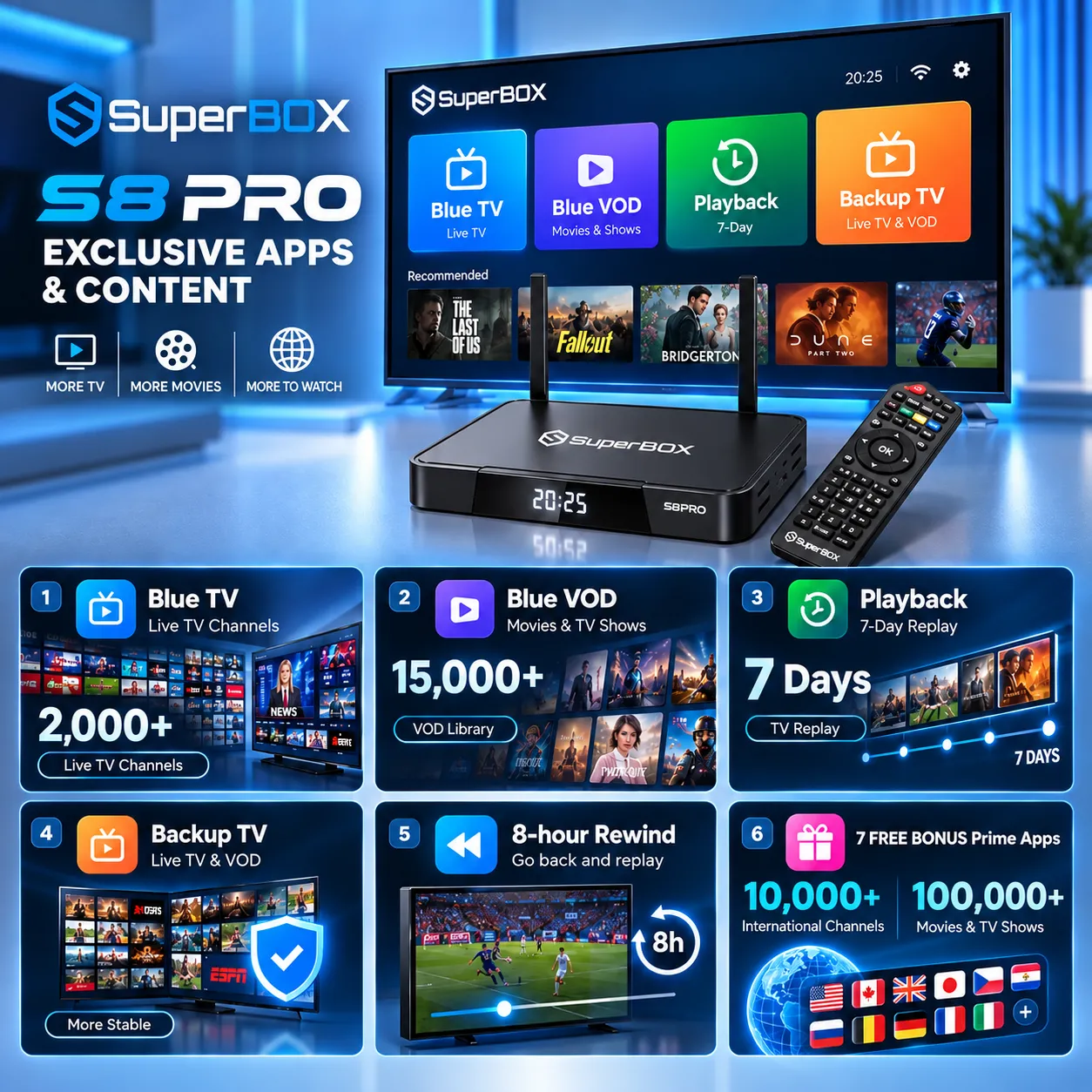
- Catalog: Blue TV lists 2,000+ live channels, Blue VOD lists 15,000+ movies and shows, and 7-Day Playback covers 86 to 87 supported channels.
SuperBox S8 Pro overview and value
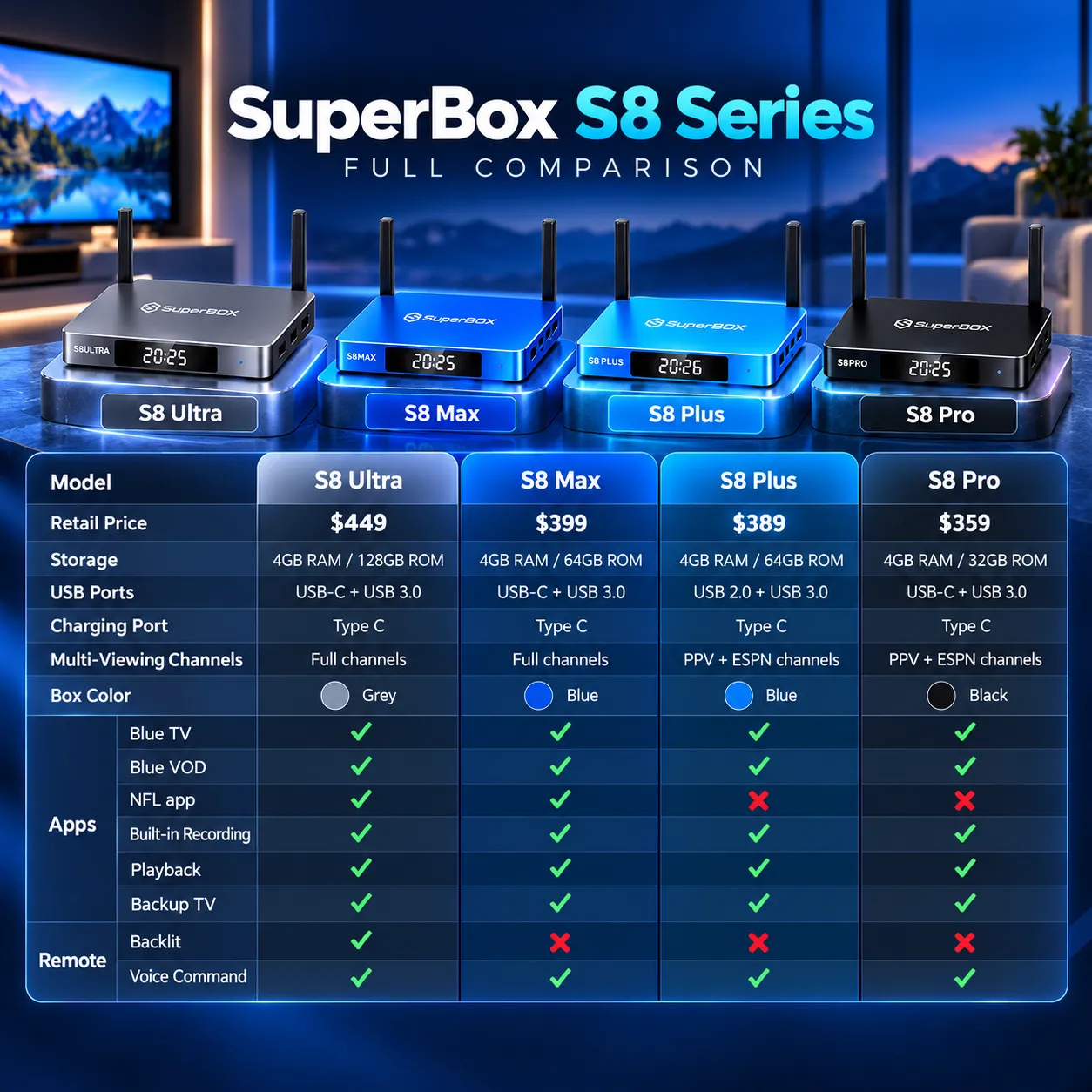
The SuperBox S8 Pro combines the core S8 generation features with 32GB of internal storage. It suits households that want PiP, limited two-screen viewing, recording, voice navigation, and a modern Android-based media box without paying for the larger storage options in the S8 Max or S8 Ultra.
The listed price is $359.00. The product’s 32GB storage is the main capacity trade-off: recordings and installed apps can use space quickly, so users with large local media libraries should plan storage carefully and confirm compatibility before connecting external drives or memory cards.
Key benefits of the SuperBox S8 Pro
- Picture-in-Picture and Multi-View: Keep one live program full screen while showing a second in a floating window, or split the display into two panels. S8 Pro access is limited to around 250+ supported channels, rather than the full channel catalog.
- Built-in recording: The S8 generation adds a recording app for supported on-screen programs. Use compatible external USB storage when required, and check app prompts for the recording destination and content restrictions.
- Updated streaming system: SuperBox describes the S8 platform as redesigned for more stable playback and fewer interruptions. Actual results still depend on the internet connection, Wi-Fi environment, source stream, app, and network traffic.
- 4GB RAM and 32GB eMMC: The processor, GPU, system memory, and internal flash storage support Android 12 and compatible streaming applications. The 32GB capacity is smaller than the 64GB S8 Max and the 128GB S8 Ultra.
- Dual-band Wi-Fi 6: The two-antenna 2T2R configuration supports 2.4GHz and 5GHz wireless networking. A 1000Mbps Ethernet port offers a wired alternative when the router is nearby.
- RC-200L voice remote: Voice commands can help search for content, change channels, or open supported apps. The included RC-200L voice remote provides responsive Bluetooth navigation and dedicated shortcut buttons for convenient viewing.
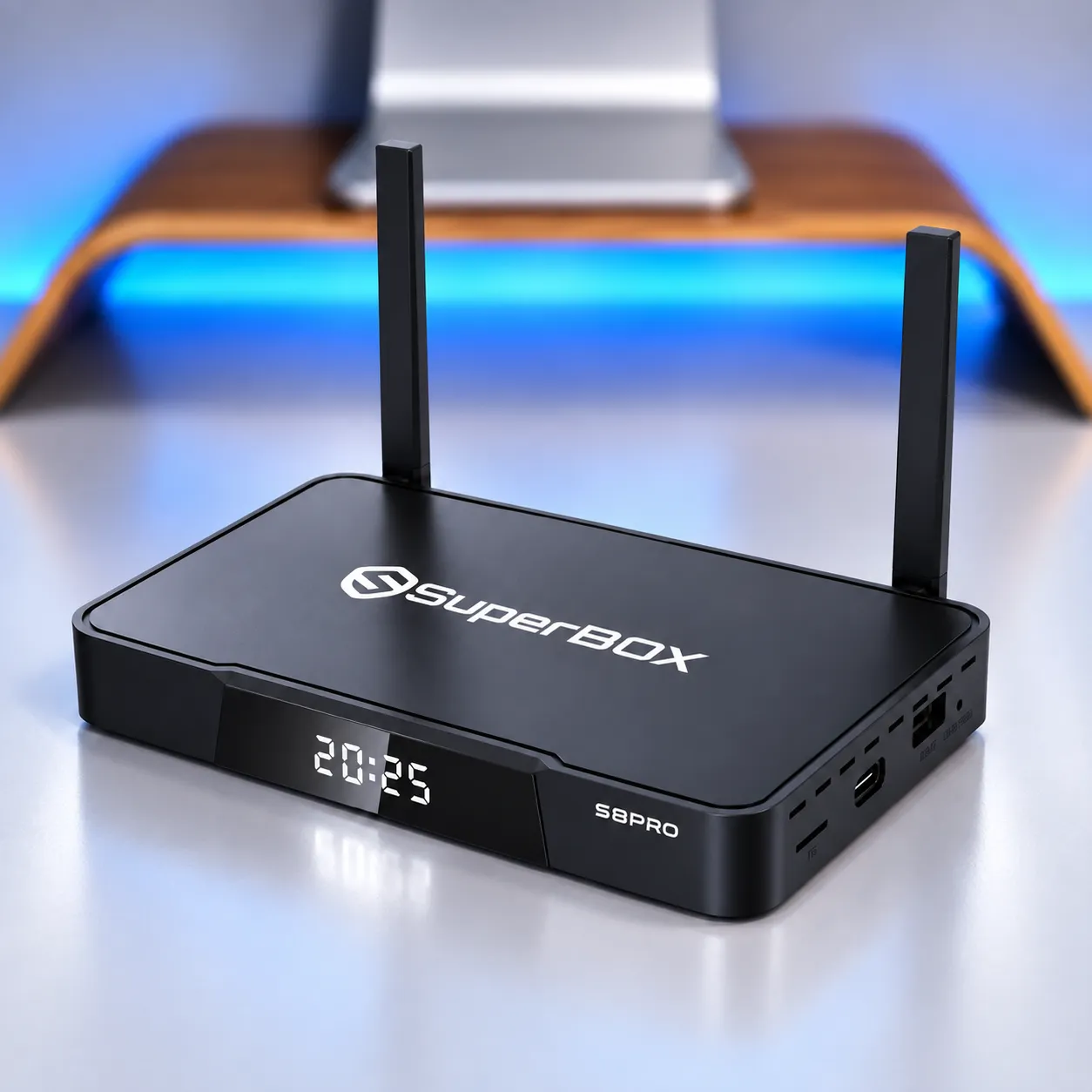
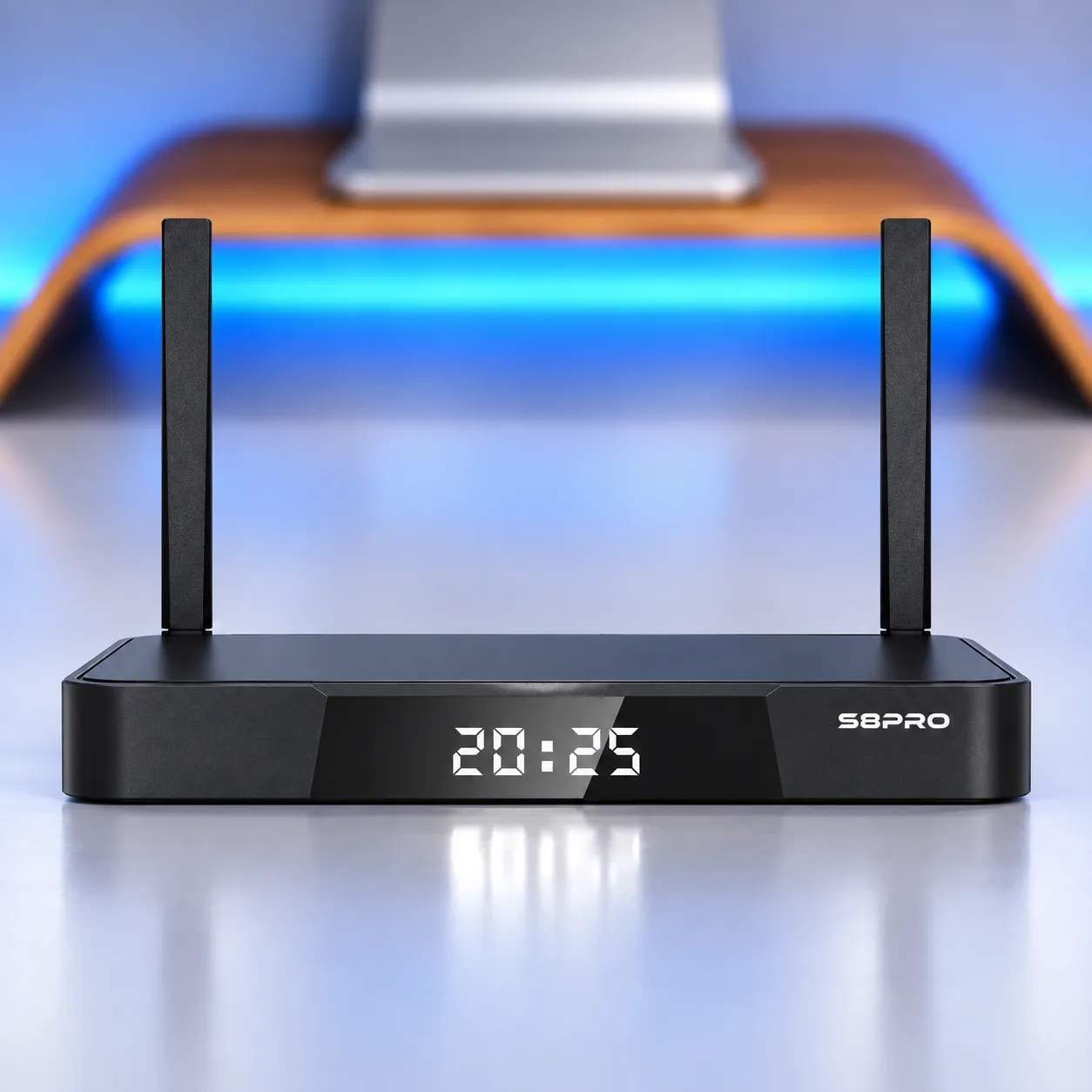
- Metal enclosure and front clock: The matte black metal body has dual antennas, ventilation openings, and a front glass panel with a time display. The enclosure supports heat dissipation, but no verified temperature comparison is available.
- One-time hardware purchase: The device is listed at $359.00 and does not require a recurring equipment rental fee. Subscriptions or charges associated with third-party apps, if any, are separate from the hardware price.
What is new in the S8 generation?
The SuperBox S8 generation adds three core capabilities over earlier S7 models: PiP and Multi-View, a built-in recording feature, and an updated streaming system. The S8 Pro keeps 4GB RAM and 32GB internal storage, while adding those functions to the Android 12 platform.
- Two-screen viewing: Switch between a floating PiP window and a side-by-side layout when the selected live channel is supported.
- Recording app: Capture supported programs for later viewing, using the storage destination offered by the recording app. Recording should not be described as unlimited because storage capacity and content support have limits.
- Revised home interface: A reorganized dashboard and updated app presentation make shortcuts and entertainment categories intuitive to navigate.
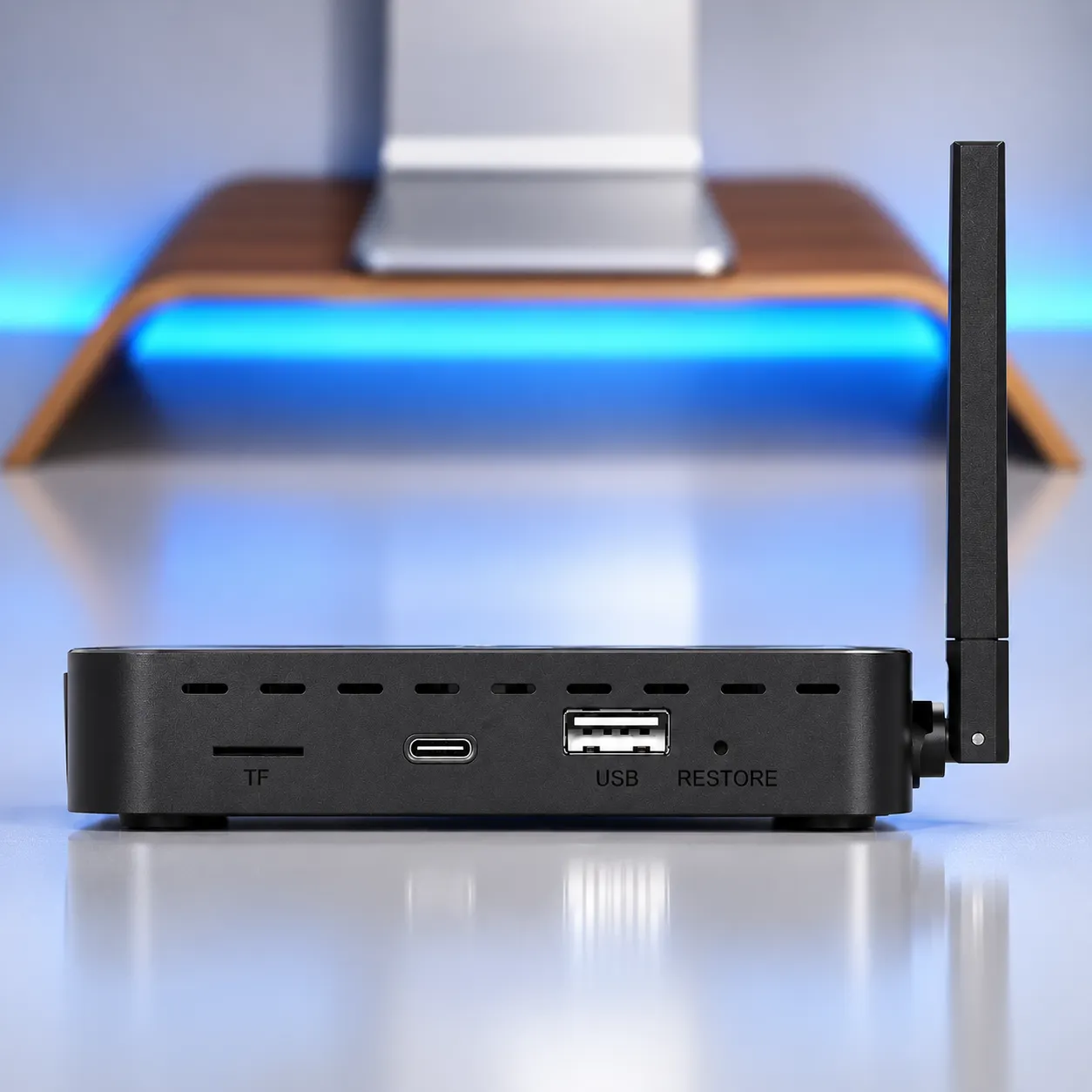
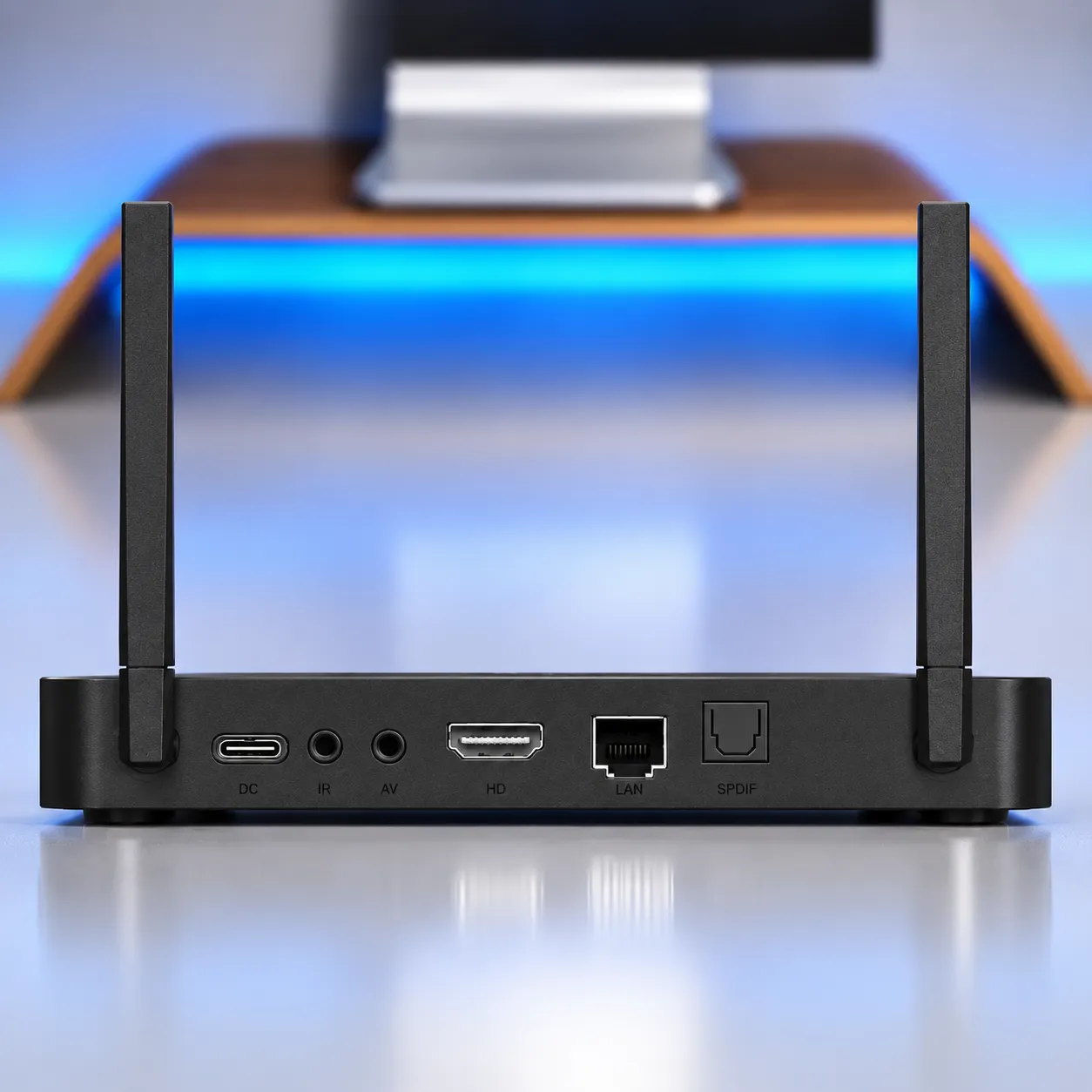
- Connectivity changes: The S8 Pro uses USB-C for power and includes USB 3.0, HDMI 2.1, optical SPDIF, analog AV, LAN, an IR port, a TF card slot, and a restore button, according to the supplied model specifications.
- Front-panel design: The matte black metal housing, dual antennas, ventilation openings, and front clock display distinguish the S8 Pro’s physical design.
Blue TV, Blue VOD, and 7-Day Playback
Blue TV is the live-channel app listed for SuperBox systems, with a shared directory of 2,000+ sports, news, and entertainment channels. Channel lineup, availability, and category counts may change with service updates, location, and app version.
Blue VOD is the on-demand catalog listed with 15,000+ movies and TV shows. Some app interfaces show over 15,375 movies across 1,282 pages. These figures describe the reported catalog interface, not a guarantee that every title will remain available in every region or at all times.
SuperBox Playback provides catch-up access for supported programs across 86 to 87 channels, with a lookback window of up to 7 days. The channel list and eligible programs define what can be replayed, so the feature does not mean that every live channel is available for seven-day catch-up.
Blue TV and Blue VOD may need to be installed or opened through the SuperBox App Store after the box is connected to the internet. App availability and performance depend on software version, provider support, and network quality.
How PiP and Multi-View work on the S8 Pro
Picture-in-Picture keeps a primary live channel on most of the screen while placing a second supported live channel in a movable window. Multi-View instead splits the screen into two panels, allowing both live channels to remain visible at once.
- Open a live channel: Start the program you want to keep in the main view.
- Open the remote settings menu: Use the menu or settings control to find PiP or Multi-View. Exact menu wording can vary by software version.
- Choose a supported second channel: The S8 Pro has limited Multi-View access, reported as approximately 250+ supported channels.
- Switch the active audio: Select or highlight the window whose sound you want to hear, where the mode supports audio switching.
Running two live streams requires more network capacity than watching one. SuperBox’s setup guidance notes that PiP can require roughly twice the bandwidth of ordinary single-channel viewing, so a stable connection is especially important for simultaneous streams.
Multi-View is intended for supported live TV channels, not every app or VOD title. The S8 Pro limit is an important trade-off for viewers who regularly watch niche channels; the S8 Max and S8 Ultra are listed with broader Multi-View coverage.
Built-in recording and storage limits
The S8 Pro adds a recording app for supported programs, but its 32GB internal eMMC is finite storage shared with apps and other files. Available recording formats, content eligibility, and the save location can depend on the software and connected storage device.
- Check storage first: Leave room for Android, installed apps, and temporary files before recording.
- Connect compatible USB storage if prompted: Official S8 setup guidance recommends preparing a USB drive for recording. Confirm drive format and capacity requirements in the app before relying on a long recording.
- Verify playback: Open the recording gallery and play a short test recording before using the feature for a long program.
Recording is not a promise that every live stream or VOD item can be saved. Supported content and storage behavior may differ, so users should follow the on-screen recording instructions and avoid assuming that all content can be archived.
6K decoding and 4K playback
The SuperBox S8 Pro lists H.265 decoding up to 6K at 60fps and supports 4K playback with compatible content and displays. Decoding capability is not a guarantee that every app or stream is delivered in 6K; actual resolution depends on the source, app, display, network, and output configuration.
The S8 Pro includes HDMI 2.1 output according to the supplied model specification. A compatible TV and cable are needed to use the display modes supported by the full connection chain. HDR10 support should not be advertised as confirmed without model-specific documentation.
The high-performance quad-core ARM Cortex-A53 processor and Mali-G31 MP2 GPU paired with 4GB DDR RAM deliver smooth UI responsiveness and fast channel transitions.
Wi-Fi 6, Gigabit Ethernet, and physical ports
The S8 Pro supports dual-band Wi-Fi 6 on 2.4GHz and 5GHz networks, a 2T2R antenna configuration, and a 1000Mbps Ethernet port. Wired Ethernet can reduce wireless interference, but real throughput depends on the router, cabling, network service, and other traffic.
- USB-C power input: Uses DC 5V/2A power according to the model specification.
- USB 3.0: Connects compatible external storage and peripherals; usable speed depends on the drive and connection.
- HDMI 2.1: Carries video and digital audio to a compatible television or display.
- Optical SPDIF: Provides a digital audio connection to compatible receivers and soundbars. Supported audio formats depend on the connected equipment and software.
- Analog AV output: Supports compatible equipment through an analog audio/video connection.
- IR port: Provides a connection for a compatible external infrared accessory.
- TF card slot: Expand available storage with a compatible memory card up to 128GB for local media and offline files.
- Restore button: Provides a reset or restore function for troubleshooting.
- Ventilation openings: Keep the openings unobstructed to allow air movement around the metal enclosure.
Voice control and parental settings
The S8 Pro voice remote supports voice-based content search, channel changes, and launching compatible apps. The exact command set depends on the remote, app, language settings, and software environment.
Parental controls help restrict access to selected content and manage children’s viewing. Review the available channel or app lock options in the current interface, and keep any PIN private. A parental-control setting does not replace supervision or account-level restrictions inside third-party apps.
Package contents and initial setup
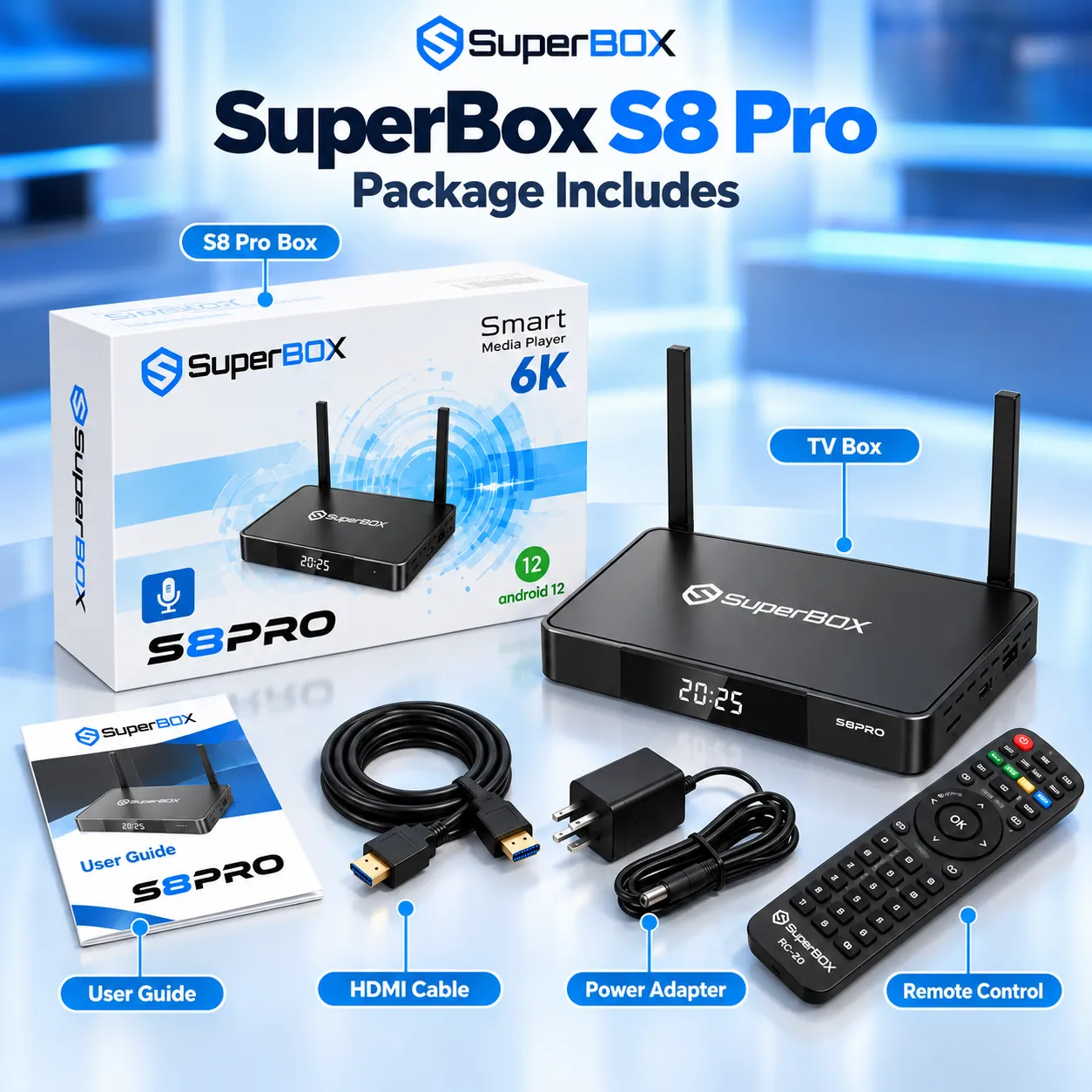
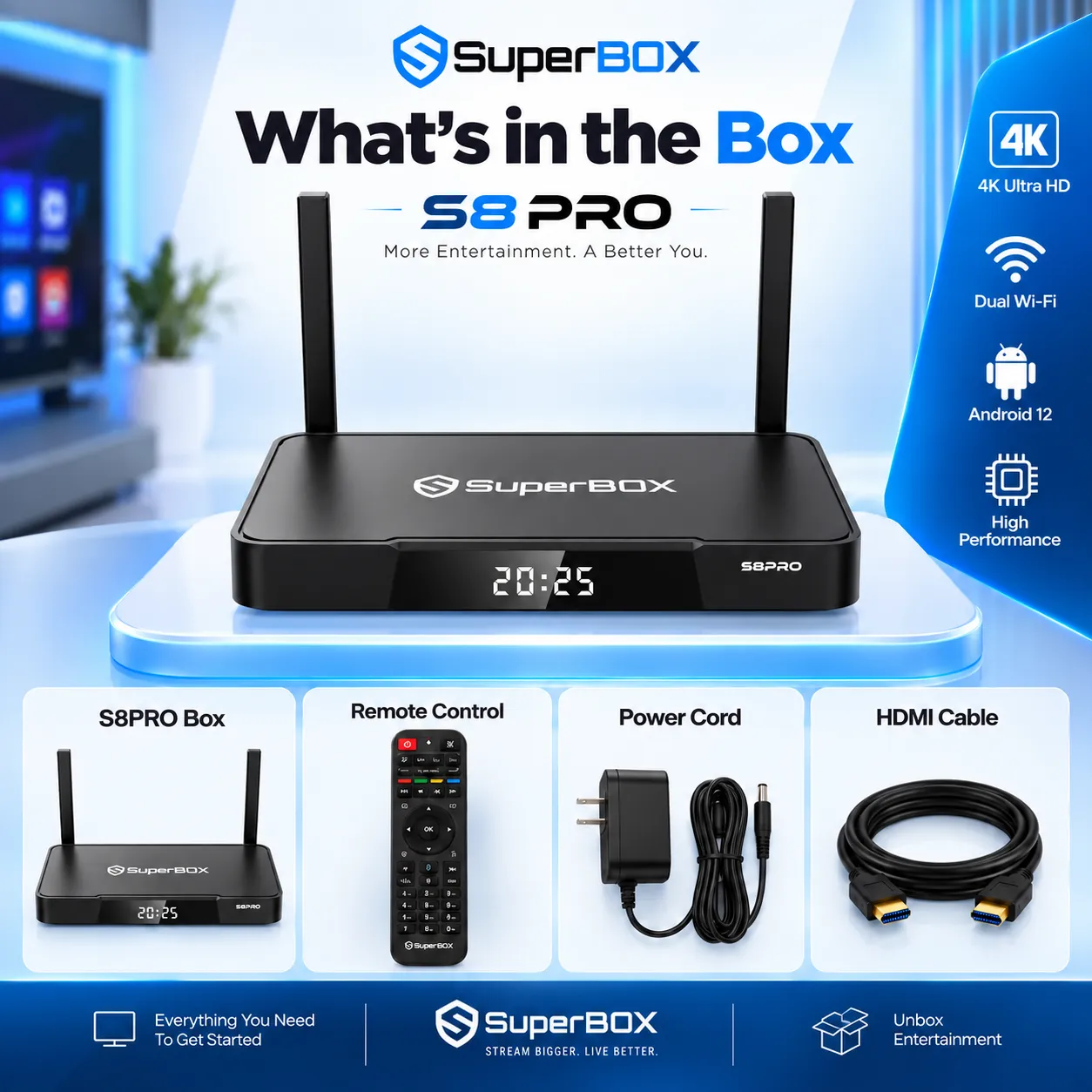
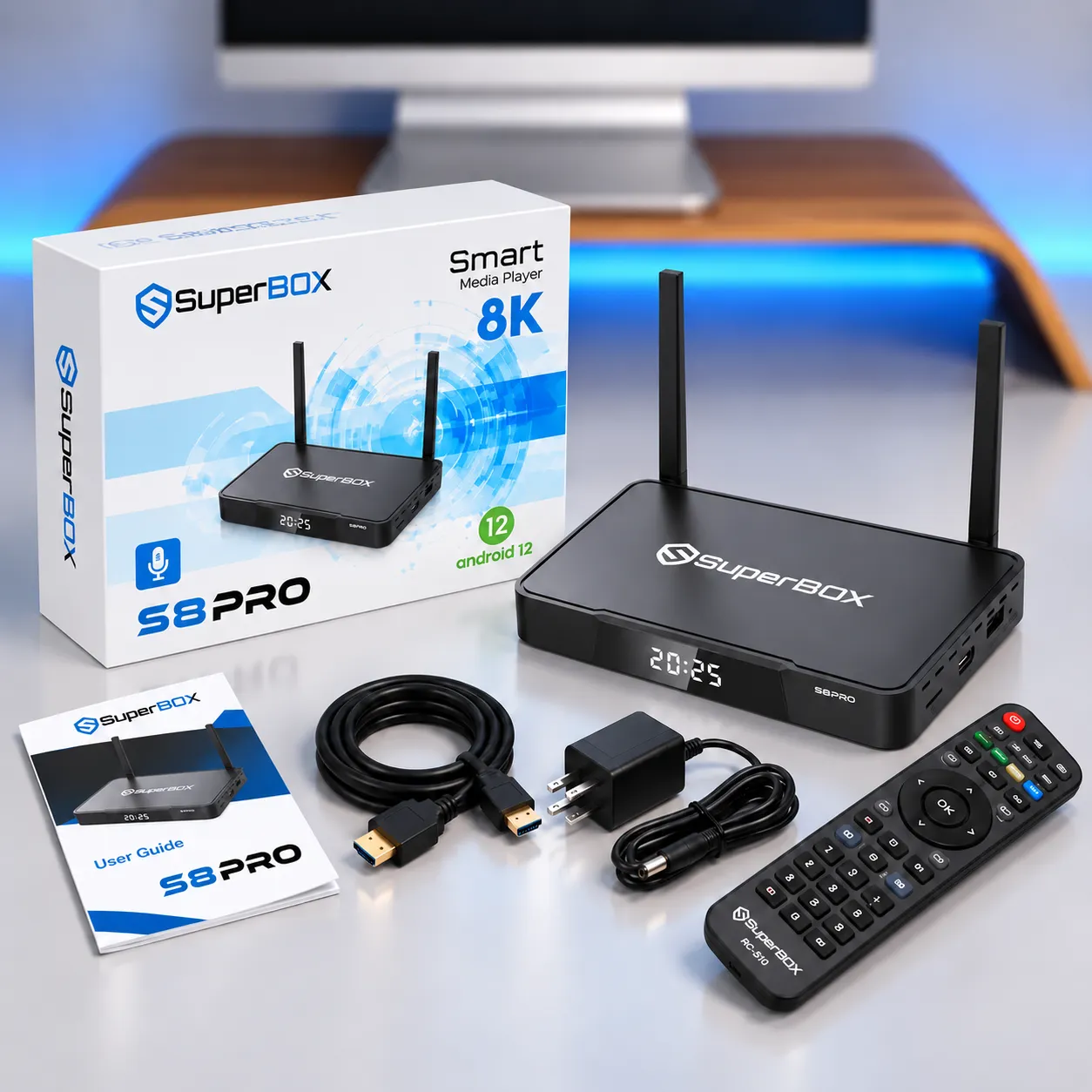
The listed S8 Pro package includes the media box, RC-200L voice remote, HDMI 2.1 cable, USB-C power adapter rated at DC 5V/2A, and user guide. The RC-200L remote connects via Bluetooth for reliable long-range operation without requiring direct line-of-sight.
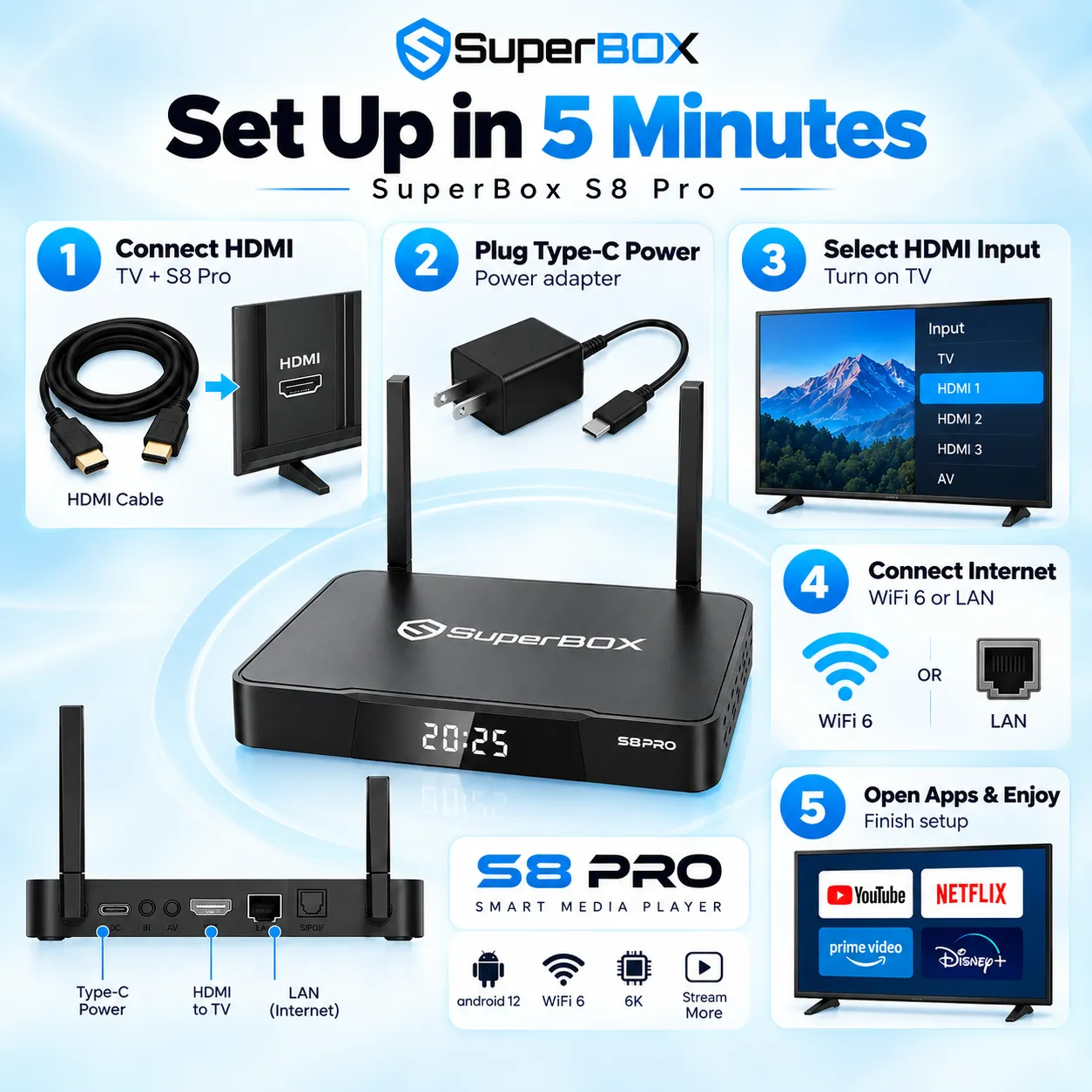
- Connect HDMI: Plug the S8 Pro into an available HDMI input on the TV.
- Connect power: Attach the supplied USB-C power cable and DC 5V/2A adapter.
- Select the TV input: Choose the HDMI source connected to the box.
- Connect to the internet: Follow the setup prompts to join Wi-Fi or connect Gigabit Ethernet.
- Configure apps and remote: Pair or configure the remote as prompted, then open the app store to install compatible apps.
- Test your setup: Play a live stream, check audio output, and verify available recording and Multi-View options.
Where to buy the SuperBox S8 Pro
SuperBox for Sale lists the S8 Pro at $359.00 and provides a 1-year hardware replacement warranty, a 30-day money-back guarantee, and customer support. Orders ship with 100% free express delivery across the US and Canada when in stock. If the S8 Pro is marked out of stock, please check back or contact SuperBox for Sale customer care to confirm replenishment timing.
SuperBox for Sale is an authorized dealer of SuperBox hardware. Before purchasing, verify the model label, storage capacity, included remote, and package accessories, especially if backlighting or recording storage is a deciding factor.
Shipping terms, delivery estimates, and return eligibility can depend on destination and current policy. Review the purchase terms shown at checkout and retain the order confirmation for warranty or support requests.

Frequently asked questions
Does the SuperBox S8 Pro support PiP and Multi-View?
Yes. The S8 Pro supports Picture-in-Picture and two-panel Multi-View for supported live channels. Access is limited to approximately 250+ channels, and Multi-View is not available across every VOD title or third-party app.
Can the S8 Pro record live TV?
The S8 Pro includes a recording app for supported content. A compatible USB drive may be required, depending on the app workflow. Confirm the save location, storage requirements, and content support in the app before recording a long program.
How many channels support 7-Day Playback?
The shared SuperBox Playback directory lists 86 to 87 channels with catch-up access for up to 7 days. Availability is channel-specific, so the feature does not cover every live channel or guarantee that every program can be replayed.
Does the S8 Pro have 6K output?
The S8 Pro supports H.265 decoding up to 6K at 60fps and 4K playback on compatible content and displays. The resolution you actually see depends on the source stream, app, television, connection, and network conditions.
Is the S8 Pro available for $359.00?
The listed price is $359.00, backed by 2-5 day fast shipping across the US and Canada with full warranty support from SuperBox for Sale.
There are no customer reviews yet. Be the first to review this product.