
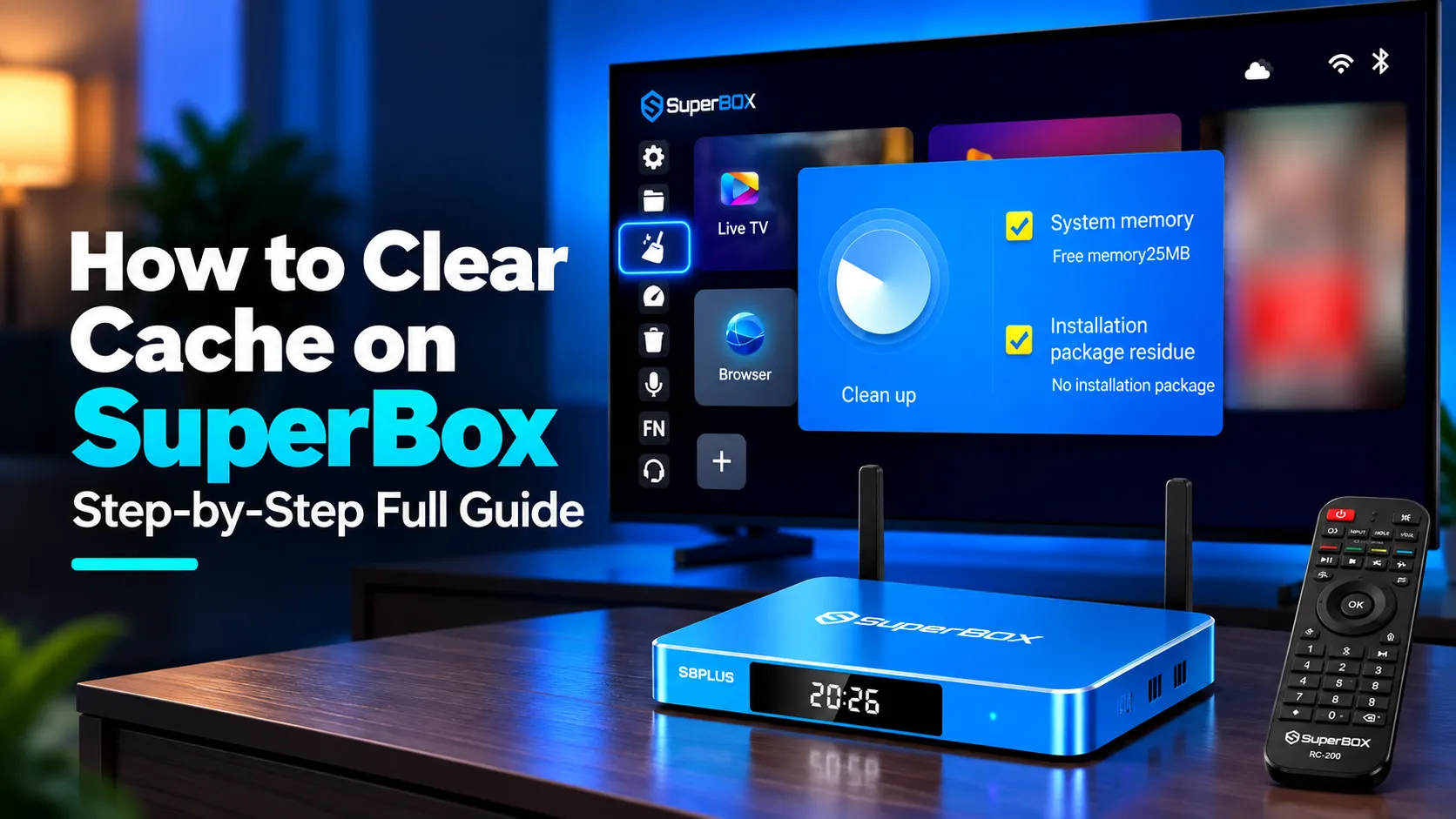
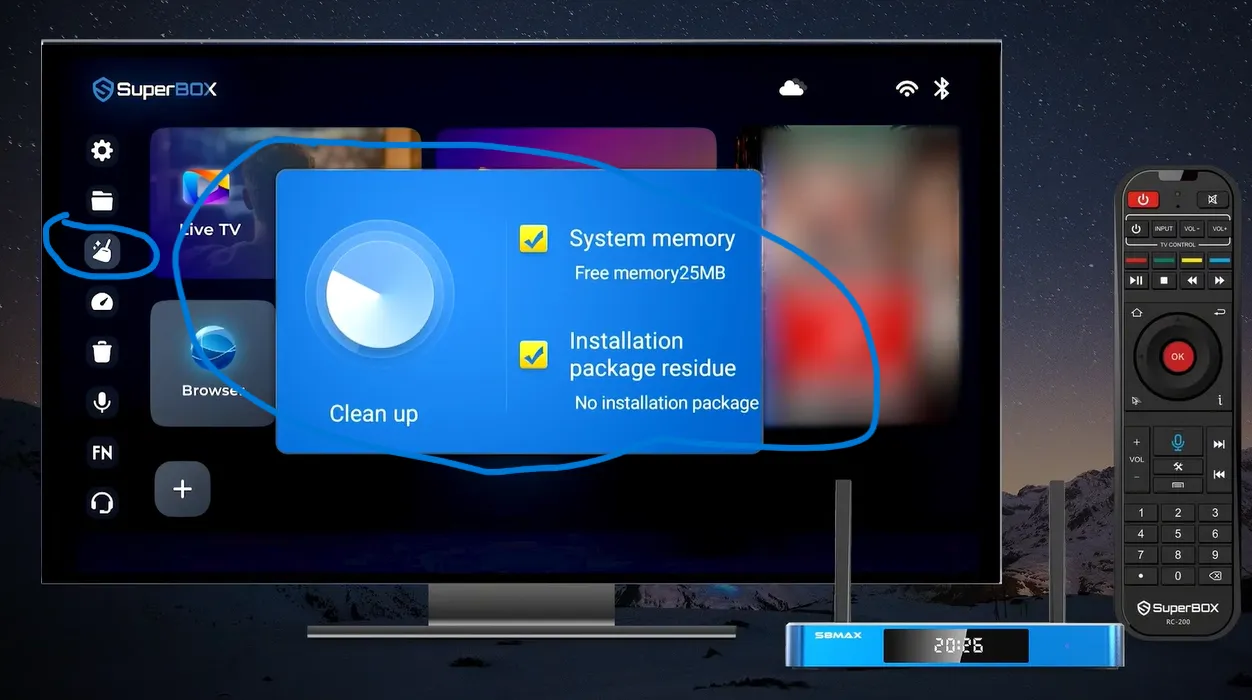
To clear cache on SuperBox, click the Broom or Clean Up icon on your home screen dock to perform a one-click system memory sweep. For application-specific freezing in Blue TV or Blue VOD, open Settings, select Apps, choose Blue TV, and click Clear Cache. This clears temporary video buffers without deleting your channel favorites or saved passwords.
Regular cache cleaning clears fragmented video chunks, accelerates menu responsiveness, and prevents stream stuttering during live sports broadcasts. Streamers wanting expansive storage can explore the flagship SuperBox S8 Ultra priced at $399. This model provides 128GB of high-speed internal memory and 4GB DDR4 RAM.
Quick Takeaways & Key Highlights
- One-Click Cleaner: Home screen broom tool flushes volatile RAM and deletes APK residue in seconds.
- Zero Data Loss: Clearing cache removes temporary stream files while keeping channel favorites safe.
- Deep App Wiping: Android settings menu allows targeted cache clearing for Blue TV and Blue VOD.
- Recommended Frequency: Running the cleanup tool once weekly prevents sluggish menu navigation.
- Storage Expansion: Upgrading to 128GB storage hardware eliminates low disk space warnings permanently.
Clear cache vs clear data
Understanding the difference between clearing cache and clearing data protects your customized streaming setup. Both functions release storage, but their impact on saved configuration preferences differs significantly.
Review this technical comparison table before modifying application storage preferences in Android settings:
| Maintenance Action | Removed Files & Resources | Impact on Channel Favorites & Logins | Recommended Frequency |
|---|---|---|---|
| Clear Cache (Safe) | Temporary stream buffers, image thumbnails, and DNS fragments | Zero impact; all favorites, passwords, and history remain intact | Weekly or whenever streams freeze |
| Clear Data (Full Reset) | All user databases, saved credentials, preferences, and custom settings | Wipes application back to default factory out-of-the-box state | Emergency troubleshooting only |
| Home Broom Cleaner | Inactive background application RAM and temporary APK installer files | Completely safe system optimization with zero data loss | Before watching major live events |
Always select Clear Cache during routine maintenance. Reserve Clear Data exclusively for corrupted applications that refuse to launch after repeated device reboots.
Method 1: One-click system cleanup using the home screen broom tool
SuperBox consoles feature a built-in maintenance utility integrated directly into the primary dashboard launcher. This automated tool cleans volatile system memory and deletes orphaned installation files in under ten seconds.
Follow these quick steps to execute a one-click system sweep:
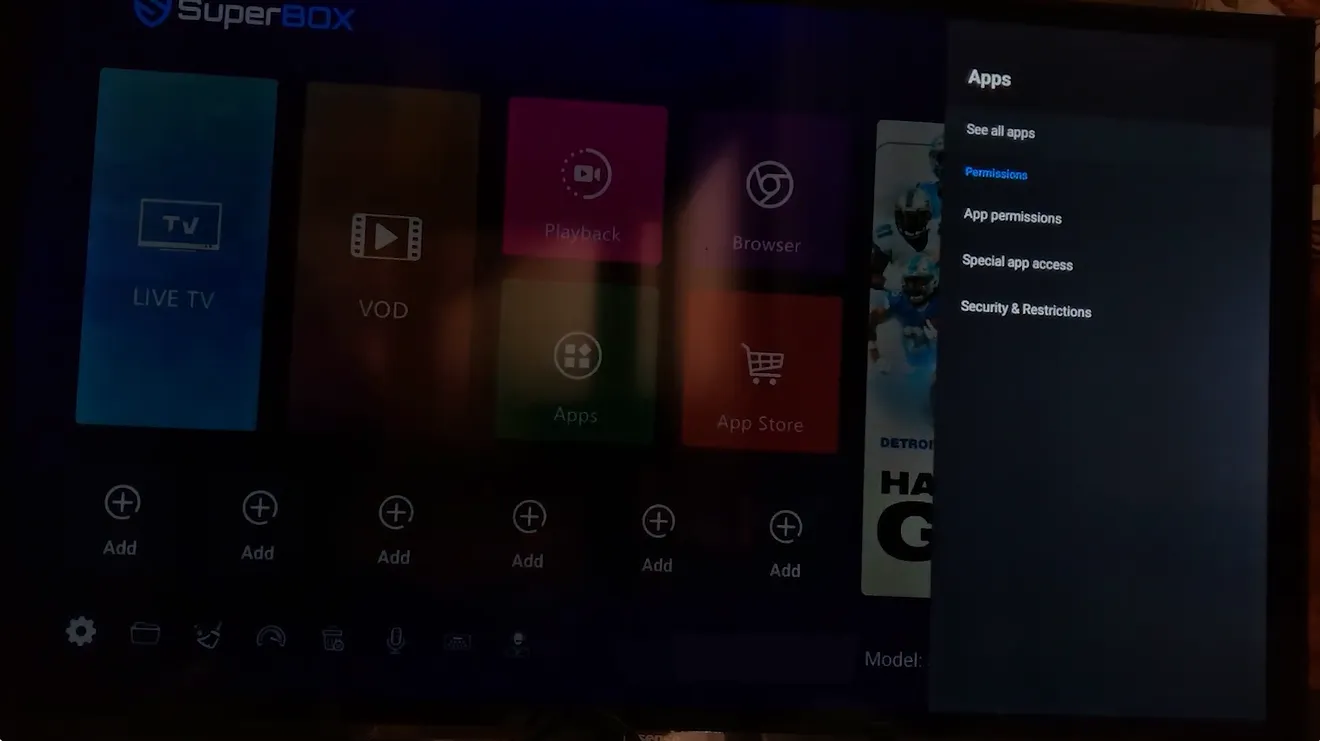
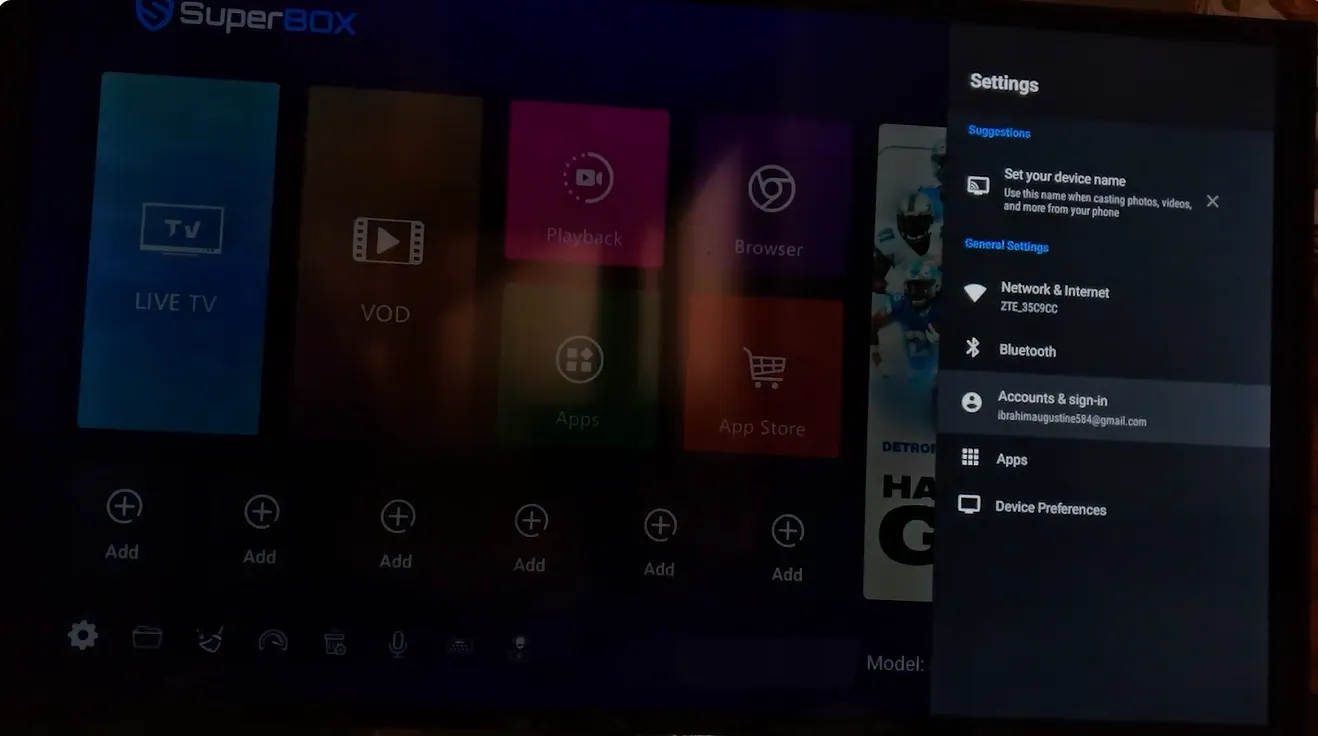
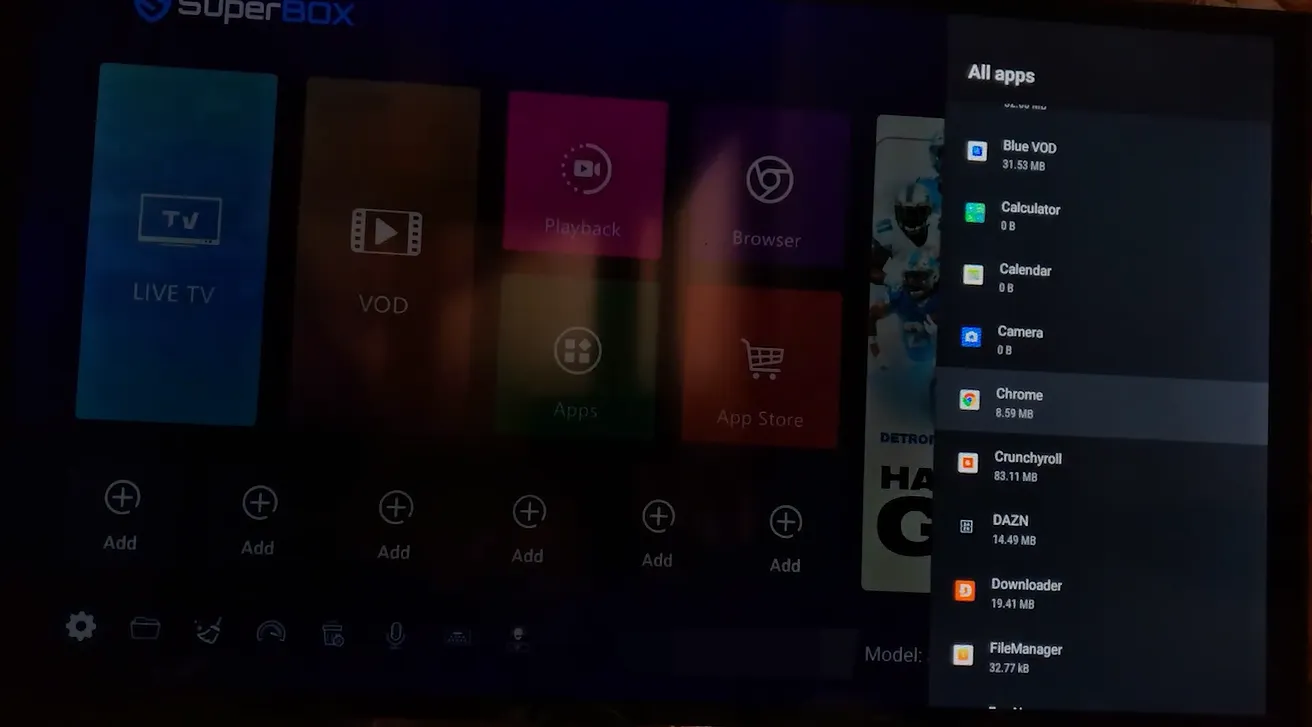
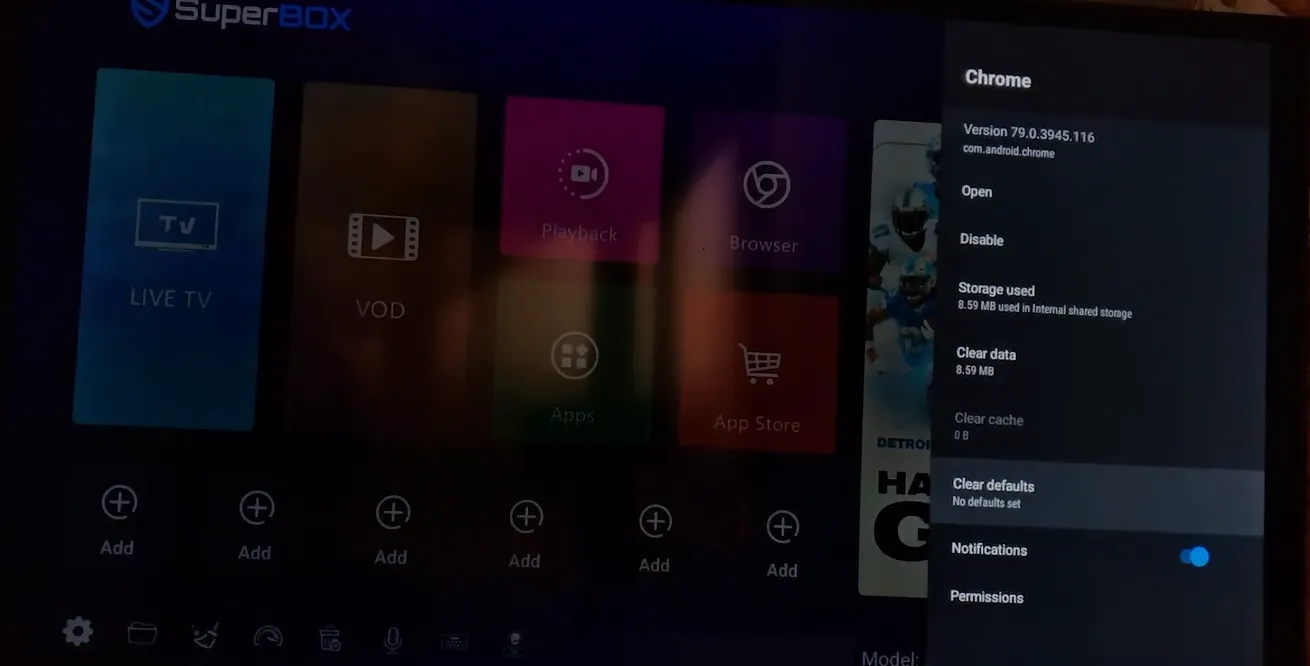
Using the broom tool before watching high-profile sporting events clears background processes, dedicating maximum console hardware power to active video decoders.
Method 2: Deep application cache cleaning via Android system settings
When a specific streaming application buffers repeatedly while other apps work normally, targeted application cache clearing is necessary. High-definition video streams leave fragmented chunks in local storage that degrade application stability over time.
Follow this 5-step sequence to perform a deep application cache wipe:
Never click Clear Data during this sequence unless you intend to erase saved channel favorites. Clearing cache alone removes corrupt stream packets while preserving your personalized channel numbers.
Method 3: Clearing web browser cache and download residue
If you utilize Google Chrome or web browsers on your SuperBox to visit streaming websites, web cache builds up rapidly. Cached script files and high-resolution web graphics consume significant flash drive storage space.
Launch your browser application, click the three-dot menu icon in the upper-right corner, and open Settings. Click Privacy and Security, then select Clear Browsing Data.
Select Cached images and files, set the time range to All time, and click Clear data. Removing browser clutter frees up hundreds of megabytes, preventing low storage warnings on your streaming console.
Method 4: Cold boot power flush to clear hardware memory buffers
Putting your SuperBox into sleep mode preserves active memory states, which can sustain software memory leaks. A cold boot power flush drains electricity from volatile memory chips, performing a complete system reset.
Disconnect the black DC power cable from the rear panel of your SuperBox console. Leave the console unplugged for 60 seconds to allow all circuit capacitors to discharge fully.
Reconnect the power adapter and allow the Android operating system to boot completely. This hard restart clears locked system background threads, ensuring optimal streaming performance.
Video demonstrations of clearing cache on SuperBox consoles
Visual walkthroughs clarify navigation steps across different SuperBox launcher revisions. Review this comprehensive guide by Global Success Narratives showing how to clear cache using the home screen cleaner.
For an official walkthrough covering cache cleaning and accessing customer support tools, review this tutorial by SuperBOX TV.
Troubleshooting persistent freezing and low storage warnings
If clearing cache fails to resolve stuttering, deeper system factors may be causing the bottleneck. Use these community-tested fixes to diagnose chronic freezing issues.
Why does Blue TV continue buffering after clearing application cache?
Persistent buffering usually indicates network congestion rather than local cache bloat. Switch your connection from Wi-Fi to a direct wired Ethernet cable, and toggle your video decode setting from Hardware to System mode inside Blue TV.
How often should you clear cache on your SuperBox?
Running the home screen cleaner once every week is ideal for everyday streaming. For heavy viewers who stream daily 4K movies and live sports, clearing Blue TV cache bi-weekly maintains peak system responsiveness.
Can clearing cache fix the SuperBox blue screen or freezing error?
Yes, blue screen crashes often stem from exhausted RAM caused by unreleased background processes. Running the broom tool or clearing app cache frees memory buffers, allowing applications to launch cleanly.
Why upgrading to the SuperBox S8 Ultra eliminates cache bottlenecks
Tired of routine cache clearing and constant low storage warnings? Upgrading to the flagship SuperBox S8 Ultra priced at $399 provides permanent freedom from memory constraints.
The S8 Ultra features 128GB of high-speed internal eMMC storage, quadrupling the capacity of legacy 32GB streaming devices. Combined with 4GB DDR4 high-bandwidth RAM, it effortlessly handles heavy stream caching without slowdowns.
Sports fans can utilize Quad Multi-View shortcuts to stream four simultaneous live sports games without filling memory buffers. Its upgraded video decoder handles multiple high-bitrate video streams concurrently with zero input lag.
Its aircraft-grade aluminum unibody housing maintains operating temperatures below 38.5 degrees Celsius during extended viewing sessions. Investing $399 eliminates monthly cable bills while providing reliable hardware backed by authorized retail support.
Where to buy authentic SuperBox with warranty coverage
When investing in an authentic streaming console, purchasing from an authorized distributor like SuperBox for Sale guarantees genuine hardware and active server licensing. Our distribution center is located at 13951 Pipeline Ave, Chino CA 91710, led by founder Riley Cooper.
Every purchase includes comprehensive domestic customer support and direct manufacturer warranty coverage:
- Free Shipping: Fast 2 to 5 business day delivery across the United States with full real-time package tracking via FedEx or USPS.
- 24/7 Technical Support: Dedicated technical specialists available 24/7 via live chat and email for troubleshooting assistance.
- 30-Day Money-Back Guarantee: Hassle-free return policy if you are not completely satisfied with your streaming hardware performance.
- 1-Year Manufacturer Warranty: Full replacement coverage safeguarding against any hardware defects or system component failures supported directly by our customer care center in Chino, California.
- 100% Authentic Hardware: Direct factory units guaranteed genuine without modified firmware, unauthorized alterations, or security risks.
SuperBox for Sale is a leading authorized dealer of SuperBox, specializing in the supply of genuine SuperBox TV boxes Series S6, S7, and S8 in the US & CAD.
Experience Unrivaled Streaming Performance with SuperBox
Discover lightning-fast quad-core processing, dual-band Wi-Fi 6, 7-day playback, and crisp 6K ultra HD output engineered for discerning media fans.

![SuperBox Audio Settings: Complete Sound & Volume Guide [2027]](https://superboxforsale.com/wp-content/uploads/2026/10/SuperBox-Audio-Settings-768x432.png "SuperBox Audio Settings: Complete Sound & Volume Guide [2027] 12")
![SuperBox Devices Forbidden Fix: Root Causes and Solutions [2027]](https://superboxforsale.com/wp-content/uploads/2026/10/SuperBox-Devices-Forbidden-Fix-768x432.webp "SuperBox Devices Forbidden Fix: Root Causes and Solutions [2027] 13")
![Fix SuperBox Devices Abnormal Error: Causes and Solutions [2027]](https://superboxforsale.com/wp-content/uploads/2026/10/Fix-SuperBox-Devices-Abnormal-Error-768x433.webp "Fix SuperBox Devices Abnormal Error: Causes and Solutions [2027] 14")