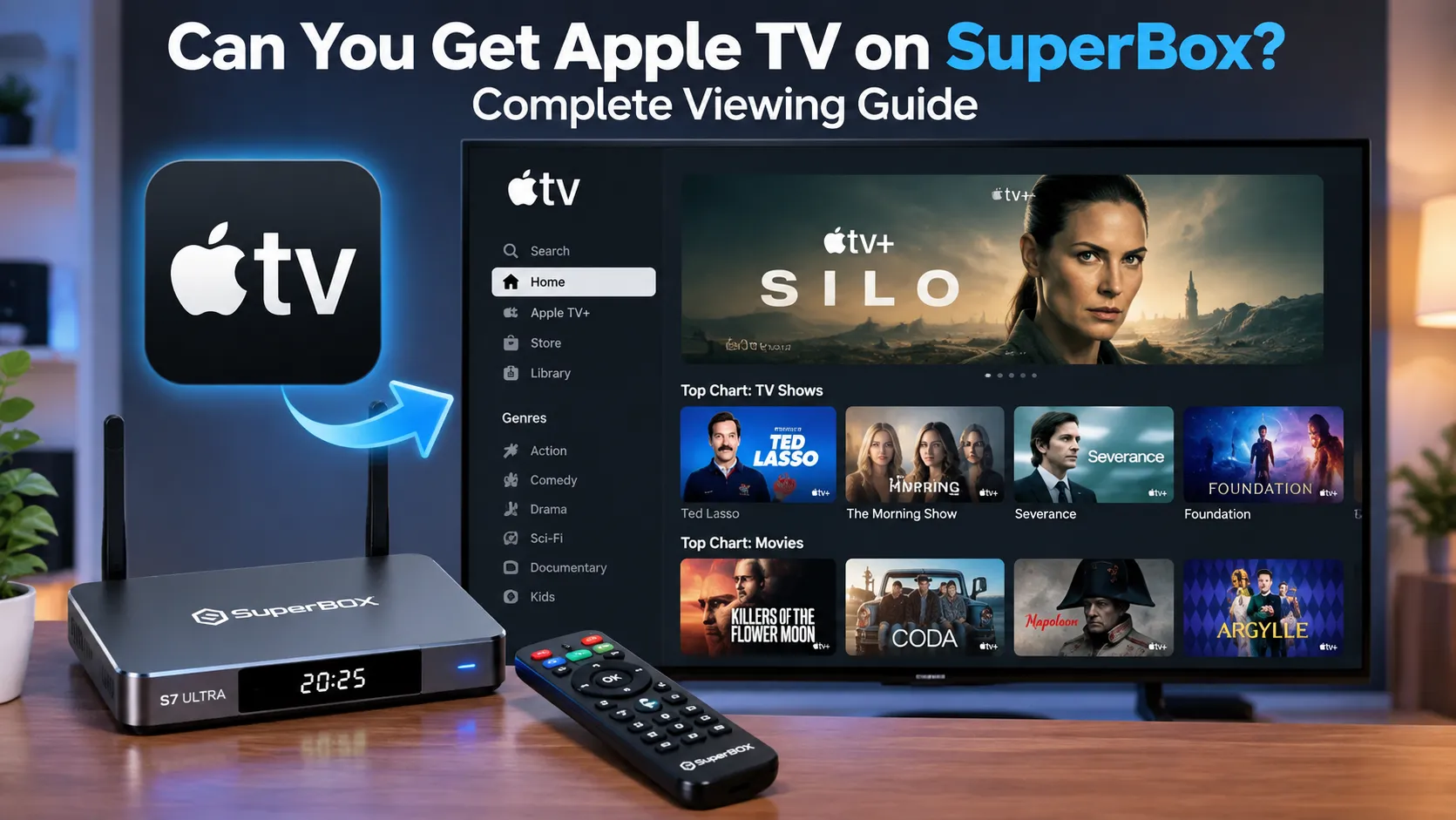
You can easily get Apple TV on SuperBox using three proven methods. While SuperBox runs Android rather than tvOS, viewers can stream Apple TV+ original shows directly via Blue VOD without monthly fees, download the official Apple TV app from Google Play Store, or cast media wirelessly using AirPlay receiver apps.
Quick Takeaways & Key Highlights
- SuperBox streams Apple TV+ original series directly via Blue VOD without requiring an active Apple subscription.
- Native on-demand apps index popular Apple productions including Ted Lasso, Severance, Bad Monkey, and Foundation.
- Users can install the official Apple TV Android app via Google Play Store to access personal iTunes purchases.
- Wireless screen casting works smoothly by installing third-party AirPlay receiver utilities such as AirScreen.
- SuperBox hardware consoles deliver up to 4K Ultra HD resolution for Apple TV+ content through built-in media players.
What does getting Apple TV on SuperBox mean?
Understanding how Apple TV functions on SuperBox requires distinguishing between Apple streaming hardware, the Apple TV application, and the Apple TV+ subscription service. Apple TV as a physical box runs proprietary tvOS software, which Apple restricts exclusively to its own first-party hardware devices.
SuperBox hardware operates on an optimized Android TV operating system instead of tvOS. Consequently, users cannot flash or install the tvOS firmware onto a SuperBox console. However, streaming entertainment seekers generally want access to Apple TV content rather than Apple physical hardware.
Content accessibility breaks down into three distinct pathways on SuperBox consoles. Viewers can enjoy Apple TV+ original series at zero extra cost, run the official Apple TV Android app for existing Apple ID purchases, or mirror their iPhone displays wirelessly across living room setups.
Method 1: Watch Apple TV+ shows via Blue VOD without subscriptions
Blue VOD represents the primary on-demand streaming engine available via the built-in App Store on all SuperBox models, including the S6, S7, and S8 generations. The platform automatically aggregates major streaming network productions into an intuitive catalog, granting immediate viewing access without monthly recurring invoices.
Original productions from Apple TV+ receive continuous updates within the Blue VOD database. Popular award-winning titles such as Ted Lasso, Severance, The Morning Show, Black Bird, Bad Sisters, Bad Monkey, Foundation, and For All Mankind stream smoothly in high-definition video formats.
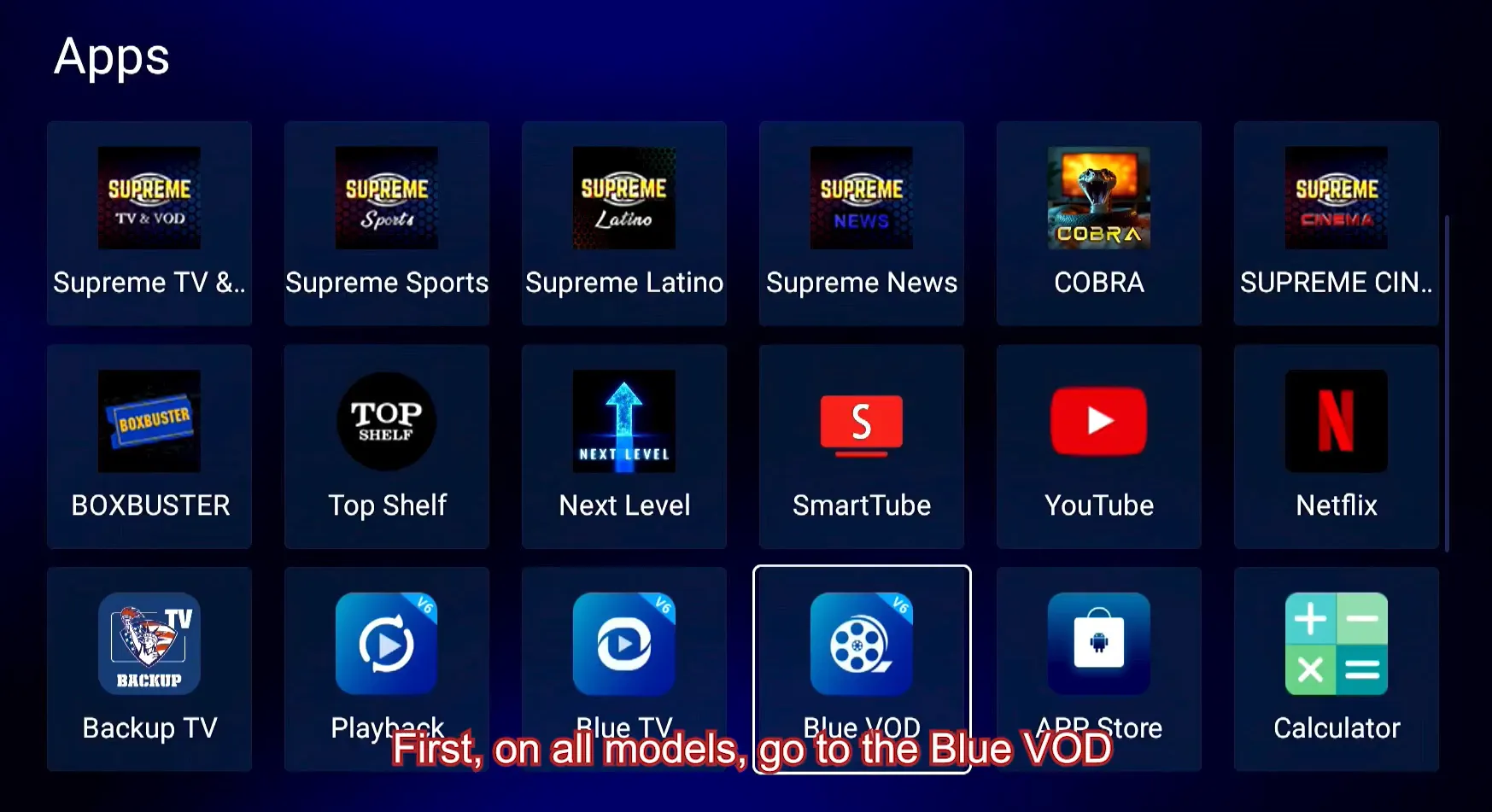
Step 1: Open the Blue VOD application on SuperBox
Power on your SuperBox console and navigate to the main home launcher using the directional keypad on your remote control. Locate the Blue VOD application icon displayed on the home screen ribbon or inside the installed applications drawer, then press OK to launch the platform.
Step 2: Navigate to the TV series section and search for titles
Highlight the TV Series tab located along the top navigation bar inside Blue VOD. Click on the magnifying glass search tool icon, enter the name of your desired Apple TV+ title using the virtual keyboard or voice remote, and select the corresponding poster image from the search results.
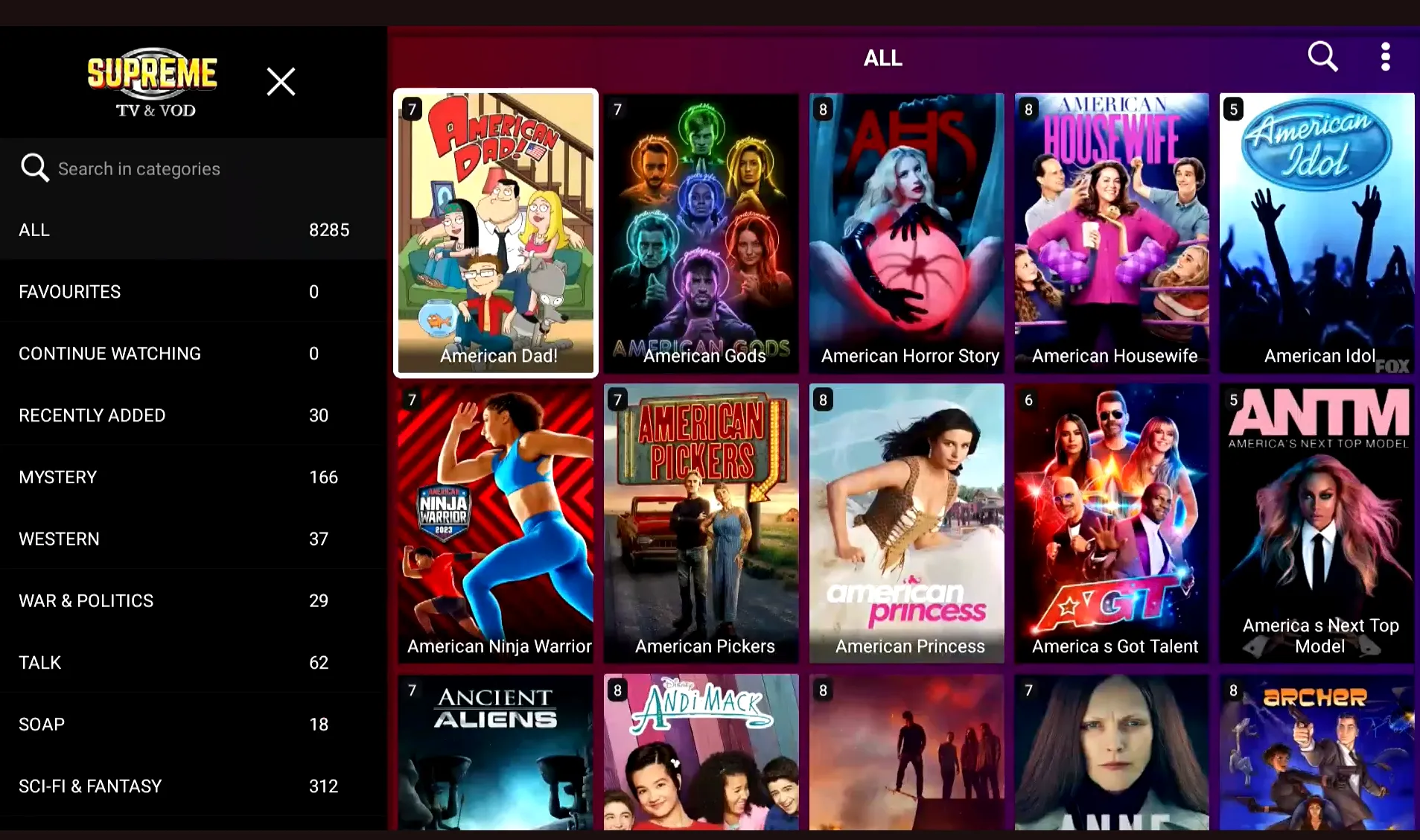
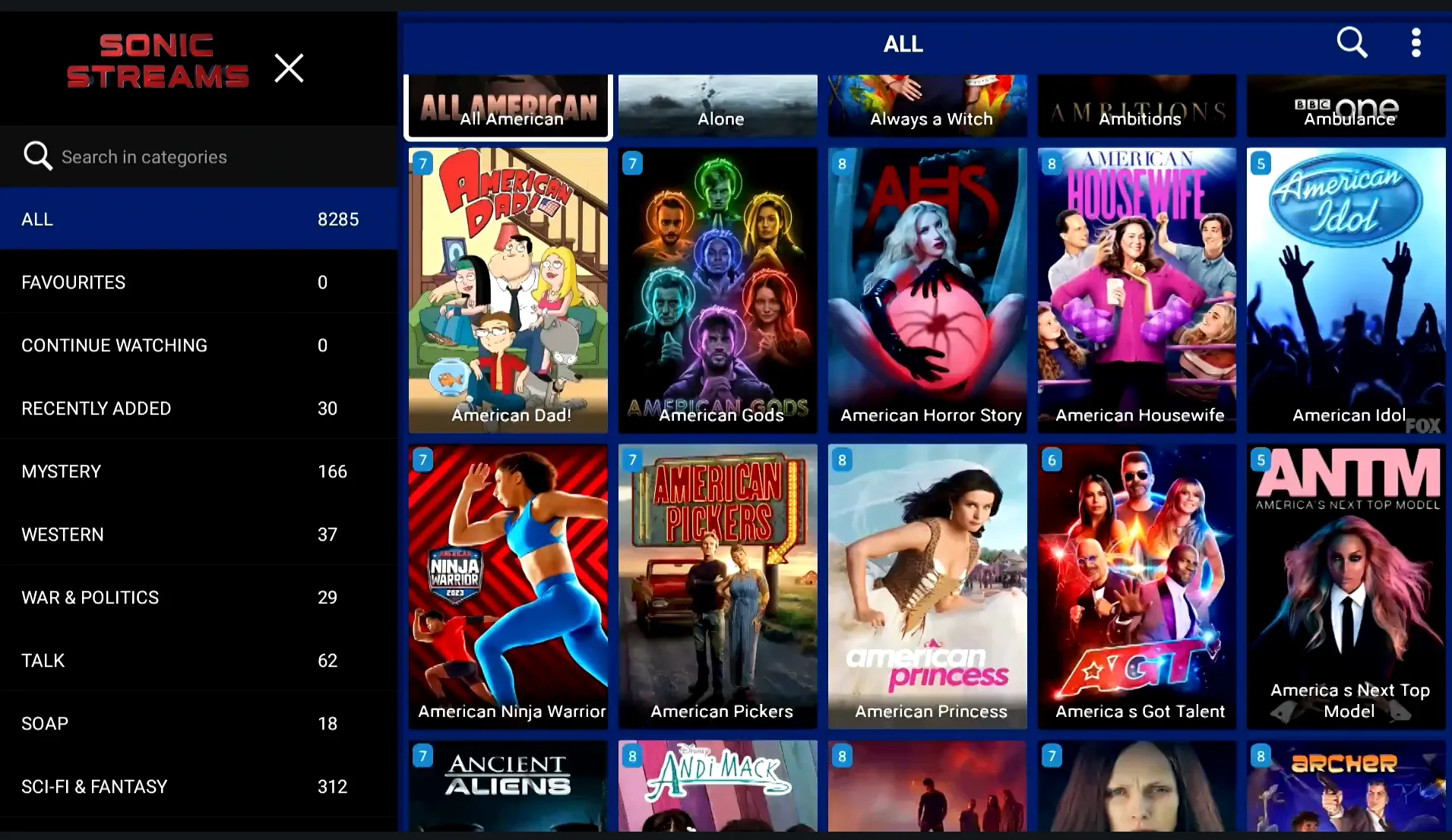
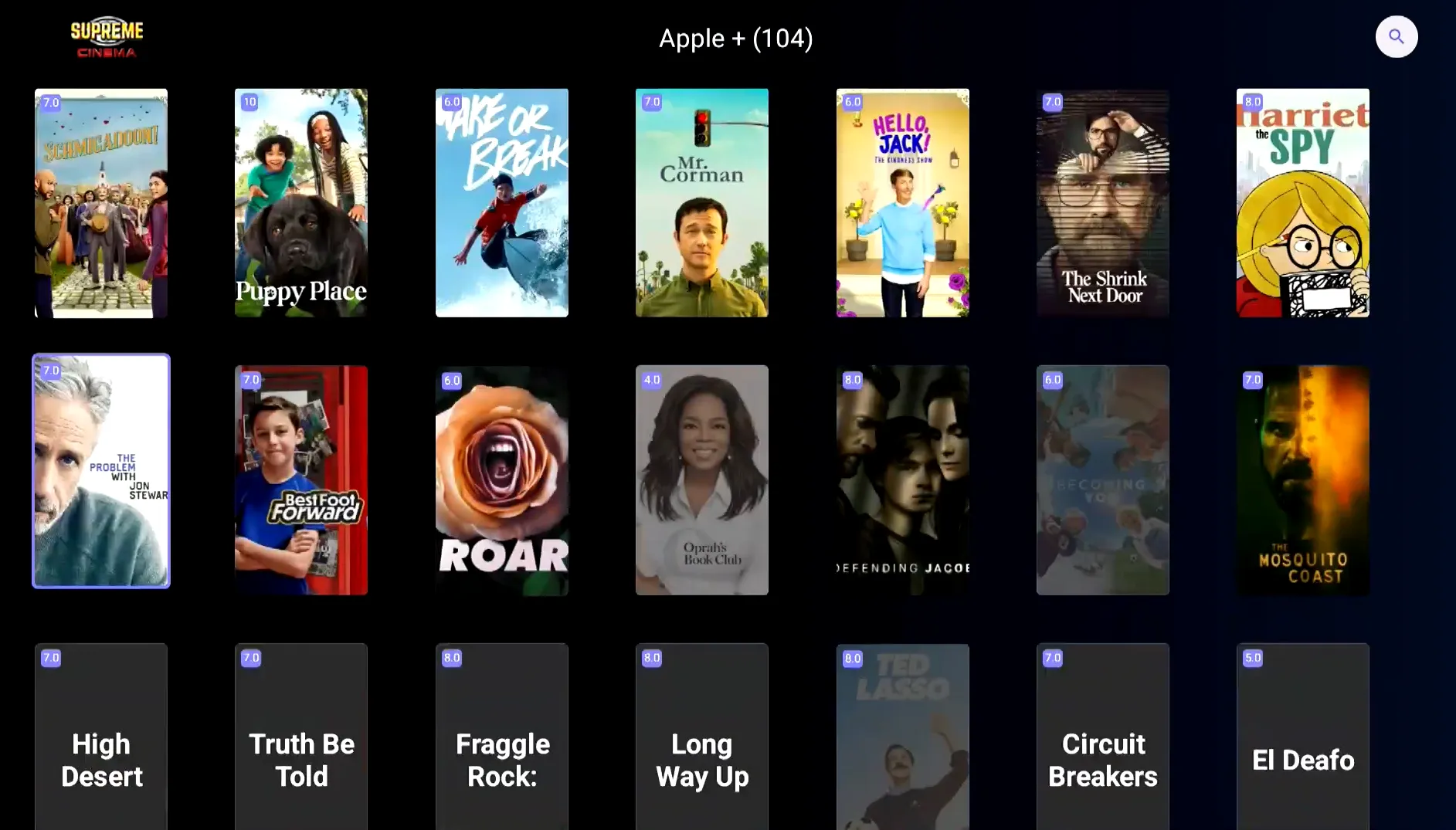
Supreme and Prime series SuperBox models provide dedicated provider filters alongside manual searches. Platforms like Supreme Cinema, Sonic Streams, and Top Shelf feature specific Apple TV navigation categories indexing dozens of complete seasons ready for immediate one-click streaming.
Step 3: Select an episode and configure audio or subtitles
Select your preferred season and episode number to initialize the video stream. During media playback, press the Menu button on your SuperBox voice remote to customize display settings, toggle multi-language subtitles, adjust audio tracks, or switch streaming playback server routes.
Method 2: Install the official Apple TV application on Android TV
Subscribers with active Apple accounts can run the official Apple TV app directly on SuperBox. This option benefits consumers who own extensive personal libraries of purchased iTunes movies, maintain MLS Season Pass soccer packages, or subscribe to third-party Apple TV partner channels.
Step 1: Open Google Play Store on your SuperBox
Navigate to the Apps section on your SuperBox home screen and open the official Google Play Store client. Sign in with your standard Google account credentials if you have not already linked an active Google account to your television console.
Step 2: Download and install the Apple TV app
Search for Apple TV inside the Google Play Store search bar using your SuperBox remote. Highlight the official application published by Apple Inc. and select Install to download the package directly onto your device internal storage.
Alternative sideloading methods remain available if regional Play Store restrictions hide the application. Users can download the verified Apple TV Android TV APK file through trusted repositories using the built-in web browser or a USB flash drive.
Step 3: Sign in with your Apple ID credentials
Launch the newly installed Apple TV application from your home launcher. Choose the sign-in option and scan the on-screen QR code using your iPhone or iPad camera to authenticate your Apple ID securely without manually entering complex account passwords.
Commercial DRM licensing considerations apply when using the official Apple TV Android app on open media boxes. Because SuperBox utilizes standard Widevine security certificates, commercial app playback may limit resolution to 1080p Full HD, whereas Blue VOD streams native 4K.
Method 3: Stream content using AirPlay screen mirroring
Apple ecosystem owners frequently prefer casting videos, family photos, and fitness workouts directly from personal mobile hardware to their living room television. While Android consoles lack native Apple AirPlay protocol chips, software receivers replicate this connectivity seamlessly.
Step 1: Install AirScreen from Google Play Store
Access the Google Play Store on your SuperBox and search for AirScreen or AirReceiver. Download and install AirScreen, which functions as a universal wireless receiver supporting Apple AirPlay, Google Cast, Miracast, and DLNA communication protocols.
Step 2: Connect your devices to the same Wi-Fi network
Ensure that your SuperBox console and your Apple device connect to the exact same home local area network. For optimal wireless performance without frame drops, connect both devices to your router high-speed 5GHz Wi-Fi frequency band or run wired Ethernet to the box.
Step 3: Activate AirPlay mirroring on your Apple device
Launch the AirScreen application on your SuperBox and click Start to make the receiver discoverable. Swipe downward from the top-right corner of your iPhone or iPad to open Control Center, tap the Screen Mirroring icon, and select your SuperBox from the nearby device list.
AirPlay screen mirroring projects your mobile display onto the television screen in real time. Open the Apple TV app on your phone, start playing your preferred movie or sports event, and enjoy full audio and video transmission delivered straight to your home entertainment system.
Comparison of Apple TV playback methods on SuperBox?
Selecting the ideal playback method depends on your current subscription status, video resolution preferences, and hardware setup. The comparison matrix below outlines how each viewing pathway performs across essential entertainment criteria on SuperBox consoles.
| Playback Method | Cost / Subscription | Video Quality | Setup Complexity | Best For |
|---|---|---|---|---|
| Blue VOD (Built-in) | Free (Included with box) | Up to 4K Ultra HD | None (App Store Download) | Apple TV+ original series & movies |
| Official Apple TV App | Requires Apple Subscription | 1080p Full HD | Low (Play Store install) | Purchased iTunes library & MLS pass |
| AirPlay Mirroring (AirScreen) | Free utility app | 1080p 60fps | Low (Quick Wi-Fi pair) | Casting from iPhone, iPad, or Mac |
Video guide: How to unlock Apple TV shows on SuperBox?
Streaming hardware reviewer Wynona Stoner demonstrates exactly how SuperBox unlocks thousands of on-demand television shows, including Apple TV+ series, Netflix exclusives, and Amazon originals without recurring monthly costs. Watch the step-by-step video demonstration below.
Reviewer Wynona Stoner highlights key navigation techniques and application features across different SuperBox model configurations in her comprehensive walkthrough:
- Universal Blue VOD Accessibility: Standard SuperBox consoles allow viewers to open Blue VOD, enter the TV series section, and search for hit Apple productions like Black Bird and Bad Sisters.
- Dedicated Category Filtering: Supreme Cinema software provides organized provider ribbons, including a dedicated Apple TV hub housing over 104 streaming shows.
- Expansive Media Catalogs: Specialized video suites such as Sonic Streams and Supreme Lead index 8,285 and 7,761 series respectively, featuring titles like Bad Monkey, Foundation, and For All Mankind.
- Top Shelf Integration: The Top Shelf application features a dedicated Apple TV menu with 32 popular series alongside curated sections for Discovery+, Netflix, and Amazon.
Where to buy authentic SuperBox with warranty coverage
When investing in a high-performance streaming console, ordering directly from SuperBox for Sale guarantees authentic hardware and verified server licensing. Our central distribution and customer care facility operates at 13951 Pipeline Ave, Chino, CA 91710, USA, led by founder Riley Cooper.
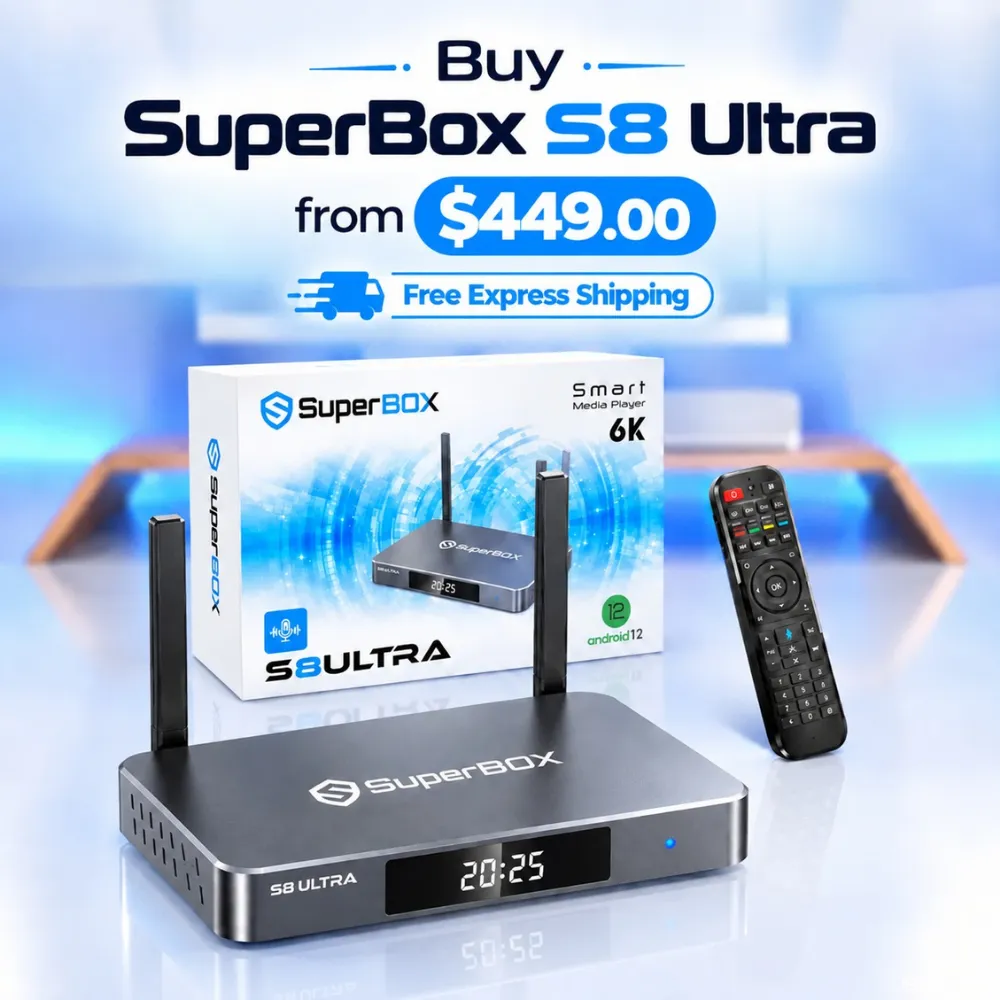
For the ultimate cord-cutting setup, we recommend the flagship SuperBox S8 Ultra priced at $449, featuring 4GB DDR RAM, 128GB storage, Wi-Fi 6, and Gigabit Ethernet. Every order includes our Official Reseller License Code #SP20250928002 and full warranty protection:
- Free Shipping: Fast 2 to 5 business day delivery across the United States and Canada with full real-time package tracking via FedEx or USPS.
- 24/7 Technical Support: Dedicated technical specialists available 24/7 via live chat and email for troubleshooting assistance.
- 30-Day Money-Back Guarantee: Hassle-free return policy if you are not completely satisfied with your streaming hardware performance.
- 1-Year Manufacturer Warranty: Full replacement coverage safeguarding against any hardware defects or system component failures supported directly by our customer care center in Chino, California.
- 100% Authentic Hardware: Direct factory units guaranteed genuine without modified firmware, unauthorized alterations, or security risks.
SuperBox for Sale is a leading authorized dealer of SuperBox, specializing in the supply of genuine SuperBox TV boxes Series S6, S7, and S8 in the US & CAD.
Frequently asked questions about Apple TV on SuperBox?
Can you watch Ted Lasso and Severance on SuperBox?
Ted Lasso and Severance stream reliably on SuperBox through the Blue VOD application (installed via the built-in App Store). Users simply launch Blue VOD, select the TV series directory, and type the title into the search bar to access all released seasons with complete episode selections.
Does SuperBox require a monthly Apple TV+ subscription?
SuperBox does not require an active Apple TV+ subscription when streaming shows through built-in applications like Blue VOD or Supreme Cinema. However, if you choose to install the official Apple TV app from Google Play Store, standard Apple account credentials apply.
Can you cast from an iPhone to SuperBox using AirPlay?
Apple iPhone users can cast video and mirror their mobile screens directly to SuperBox by downloading the AirScreen application from Google Play Store. Once launched, the utility acts as an AirPlay target, enabling instant wireless streaming over your home Wi-Fi network.
Can you watch MLS Season Pass on SuperBox?
Major League Soccer matches broadcast live across SuperBox through both live sports applications and the official Apple TV app. Subscribers can watch official MLS streams via the Play Store app or tune into live sports channels inside Blue TV without additional fees.
Which SuperBox models support Apple TV content?
All modern SuperBox hardware generations support Apple TV content playback, including the SuperBox S6, S7, and flagship S8 editions. Each device features high-performance quad-core processors, dual-band Wi-Fi, and expansive Android TV app compatibility for smooth streaming.
Experience Unrivaled Streaming Performance with SuperBox
Discover lightning-fast quad-core processing, dual-band Wi-Fi 6, 7-day playback, and crisp 6K ultra HD output engineered for discerning media fans.

![SuperBox Remote Control Functions: Complete Button Guide [2027]](https://superboxforsale.com/wp-content/uploads/2026/10/SuperBox-Remote-Control-Functions-768x432.webp "SuperBox Remote Control Functions: Complete Button Guide [2027] 10")
![How to Set Up Voice Control on SuperBox S7 Full Guide [2027]](https://superboxforsale.com/wp-content/uploads/2026/10/How-to-Program-SuperBox-Remote-to-TV-1-767x432.webp "How to Set Up Voice Control on SuperBox S7 Full Guide [2027] 16")