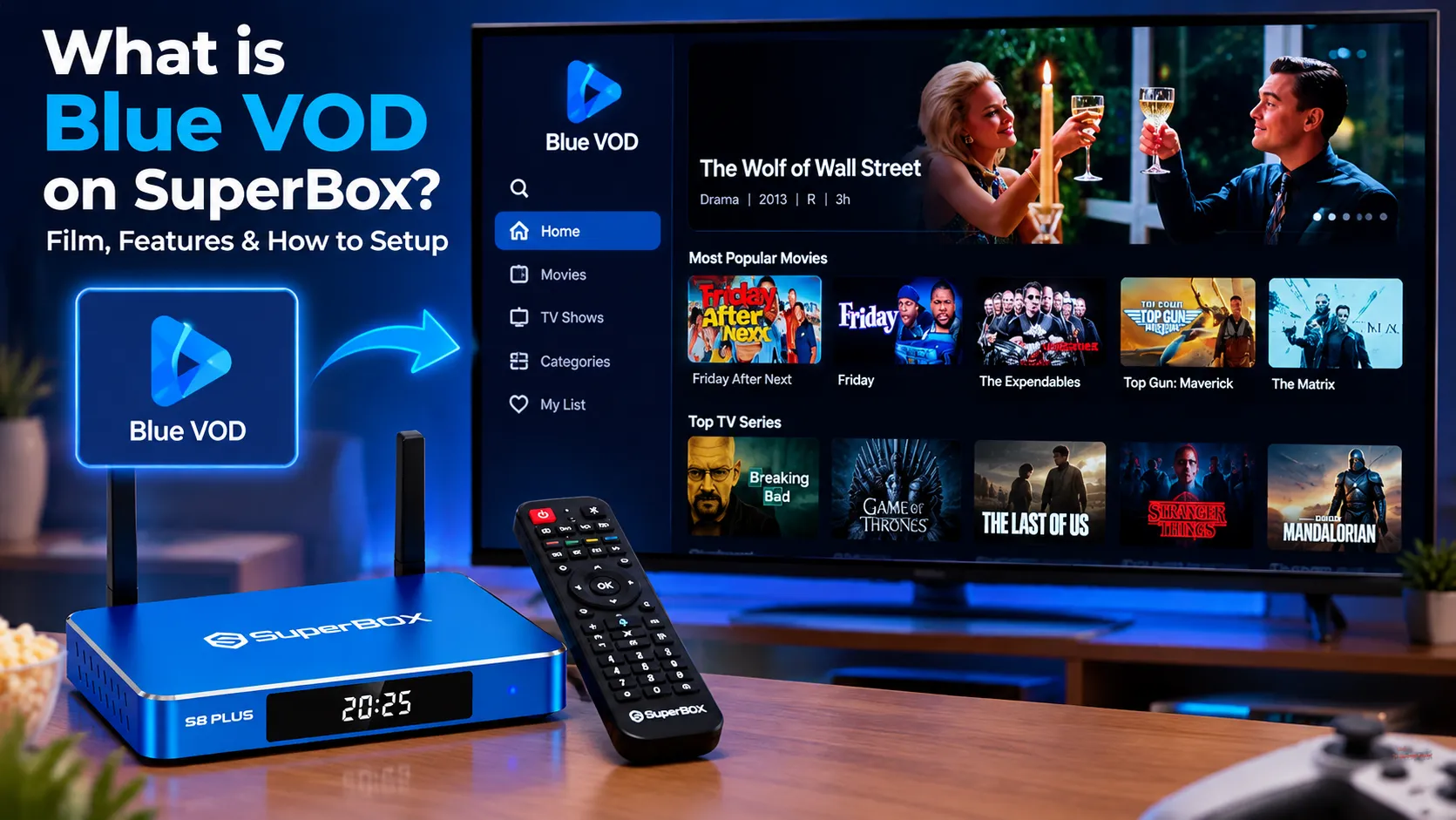
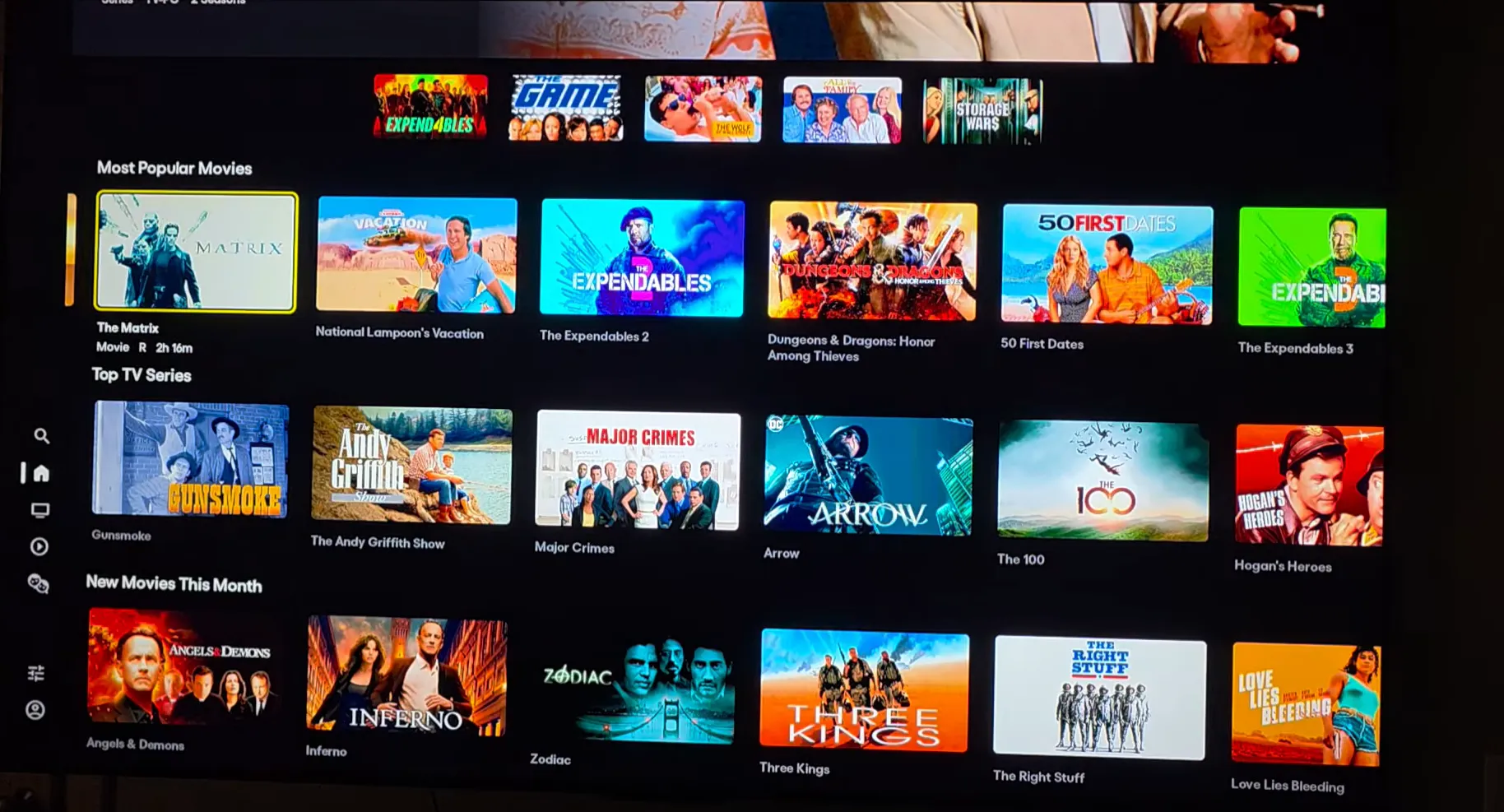
Blue VOD on SuperBox is an on-demand app that gives you over 15,000 on-demand movies and TV shows (with specific app interfaces listing over 15,375 movies across 1,282 pages per the October 2026 mysuperboxtv.com update) with no monthly fees. Built for SuperBox S6, S7, and S8 devices, Blue VOD offers daily updates, top genres, voice search on your remote, a favorites list, and fast subtitle controls for your home setup.
Quick Takeaways & Key Highlights
- Blue VOD delivers over 15,000 on-demand movies and TV shows (listing over 15,375 movies across 1,282 pages) with zero subscription fees.
- The application installs directly through the built-in green App Store on SuperBox S6, S7, and S8 hardware consoles.
- Voice search integration on Bluetooth remotes enables instant title lookups without typing on a virtual keyboard.
- Integrated video player settings support multi-language subtitle tracks, audio switching, and automated resume playback.
- Daily automated server updates add new theatrical cinema releases and current television broadcast episodes continuously.
What is Blue VOD on SuperBox?
Blue VOD is a dedicated video-on-demand streaming application engineered exclusively for SuperBox hardware consoles. Operating across the Android TV operating system, Blue VOD provides free, unlimited on-demand entertainment without requiring third-party subscriptions or monthly billing accounts.
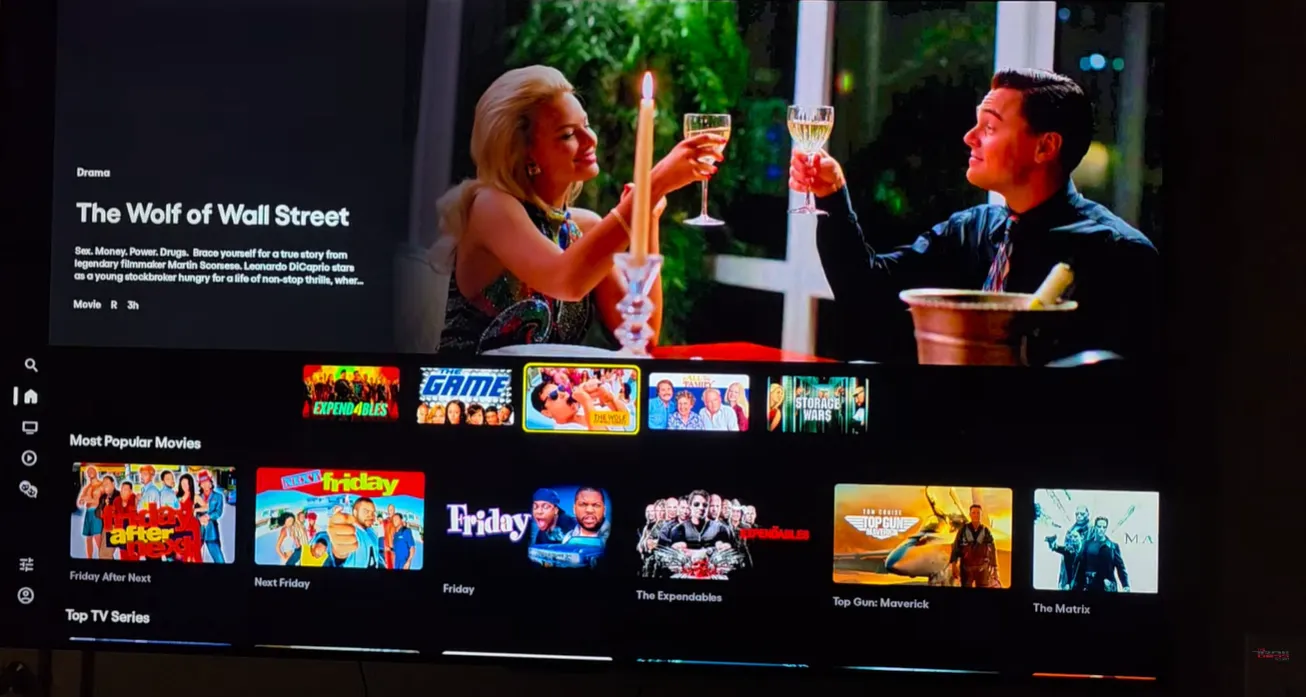
Understanding the difference between official SuperBox App Store applications helps maximize your viewing setup. While Blue TV focuses strictly on live television channels and sporting events, Blue VOD functions like a massive digital cinema library dedicated exclusively to movies and complete television series.
Playback represents another distinct platform that archives past live television feeds for seven days. Blue VOD complements both tools by organizing thousands of commercial-free titles into browsable categories backed by cloud delivery servers that update automatically each day.
SuperBox hardware compatibility covers all recent generations. Whether you own an entry-level SuperBox S6, an upgraded S7 edition, or a flagship S8 console, Blue VOD runs smoothly using the unified media architecture across all devices.
How to install Blue VOD on SuperBox?
Installing Blue VOD on a new or factory-reset SuperBox requires only a few clicks through the built-in system store. Follow the structured steps below to install and pin the application to your main dashboard.
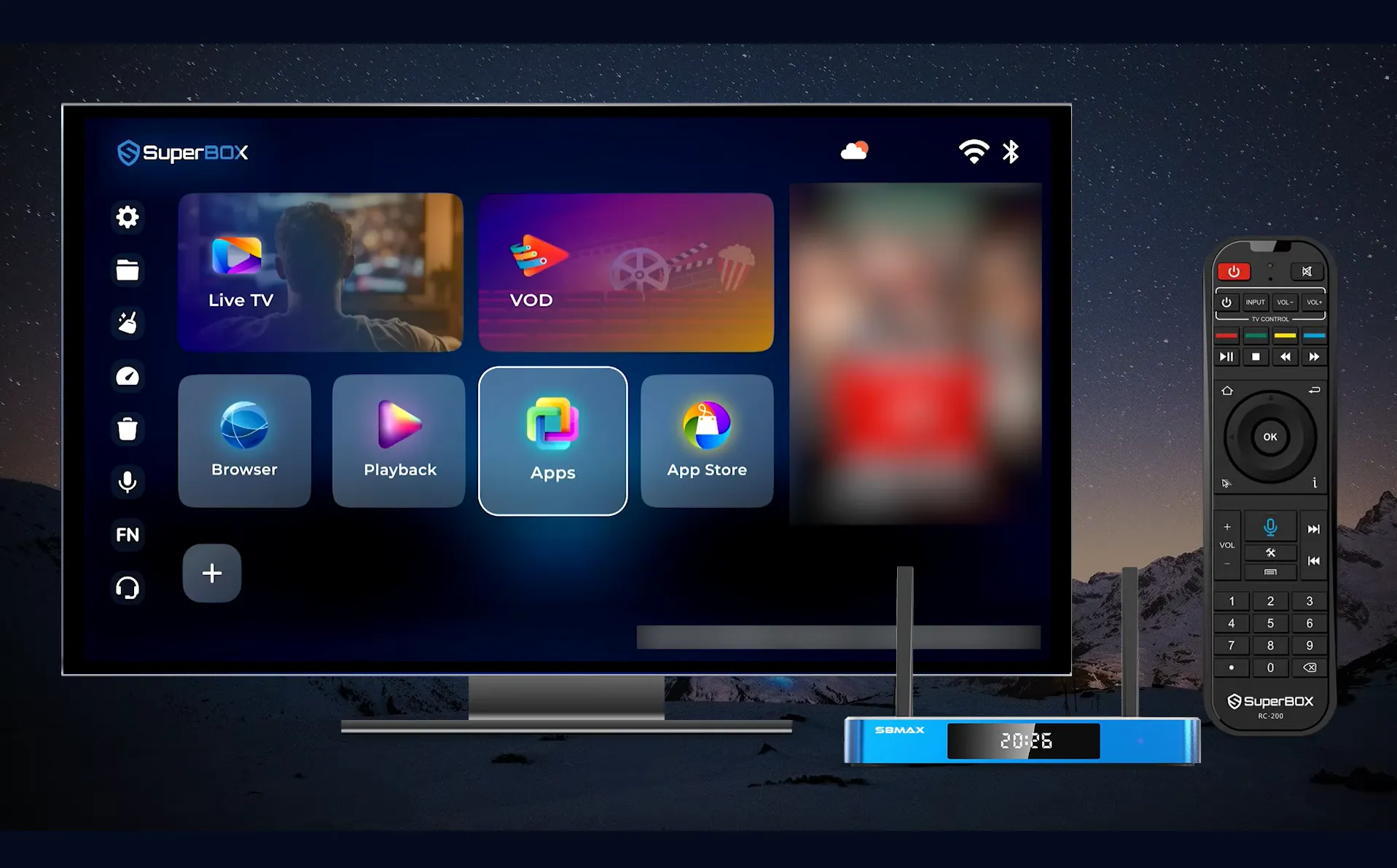
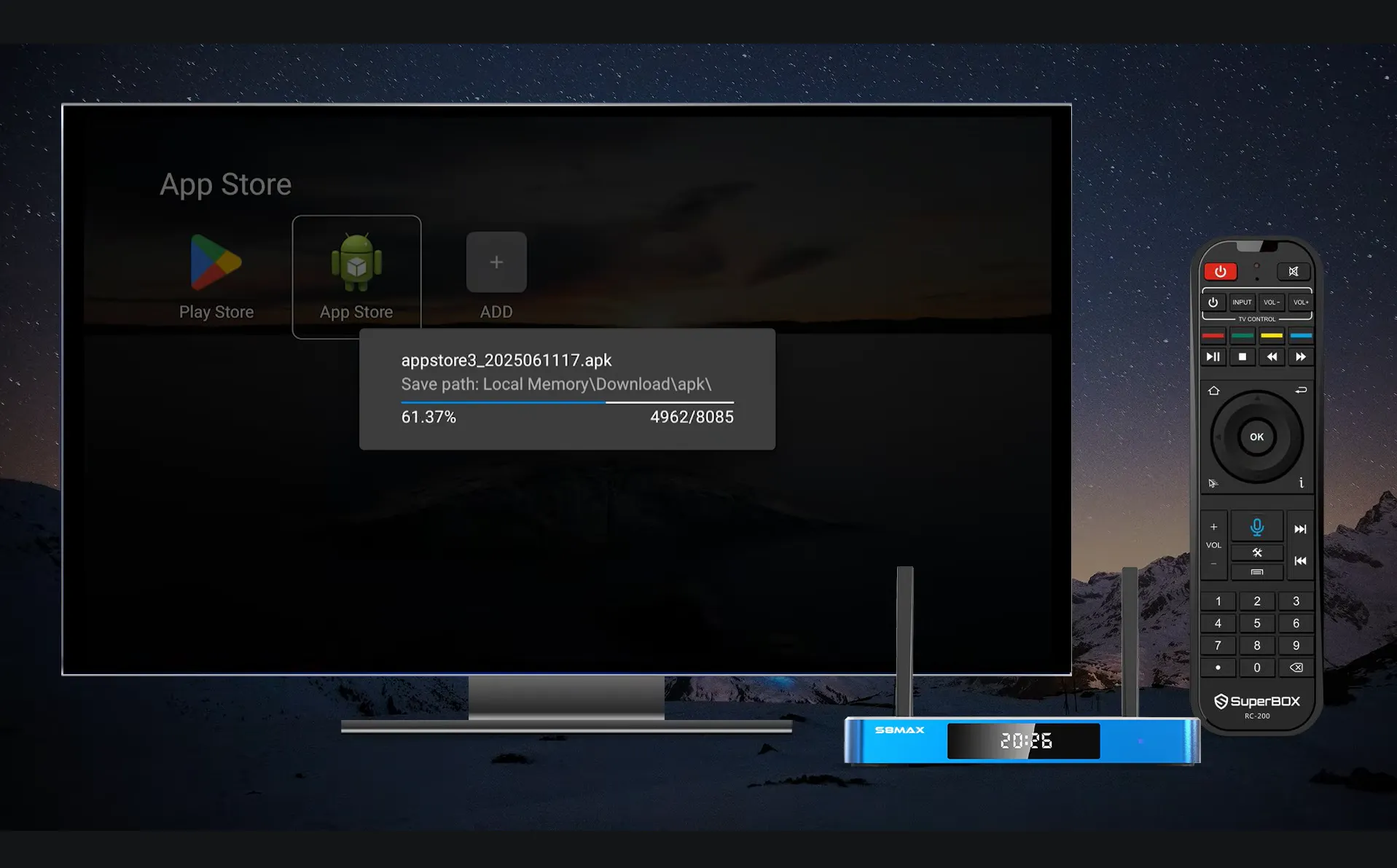
Step 1: Open the built-in App Store on your home screen
Power on your SuperBox console and connect the device to your home Wi-Fi or Ethernet network. Navigate to the App Store icon on your home launcher screen and select the green Android App Store tile from the available options.
Step 2: Download and install the Blue VOD package
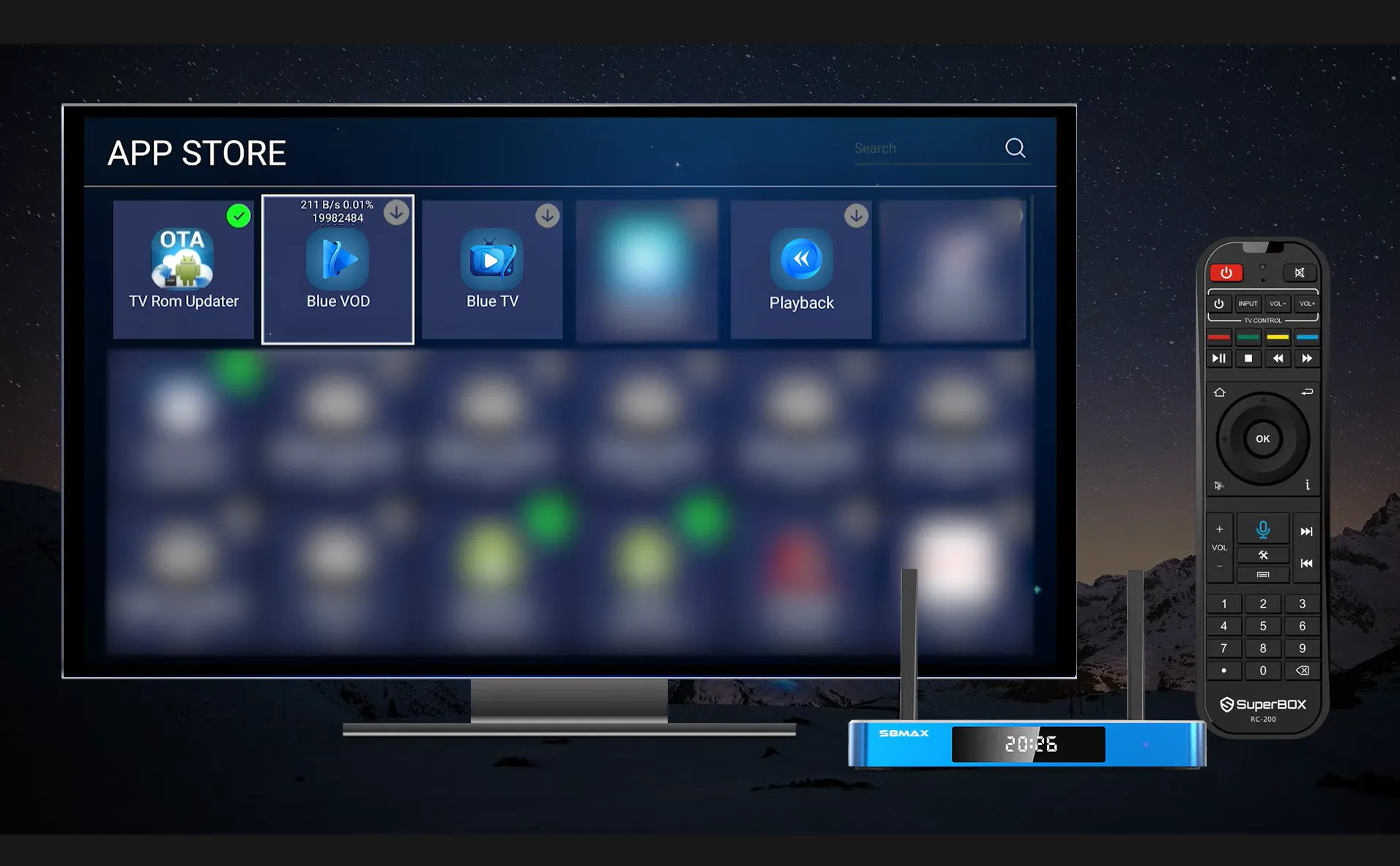
Locate the Blue VOD icon inside the store directory using your remote control arrow keys. Highlight the package and press OK to initiate the automated download, which finishes installing within thirty seconds on standard broadband connections.
Step 3: Pin Blue VOD to your home screen ribbon
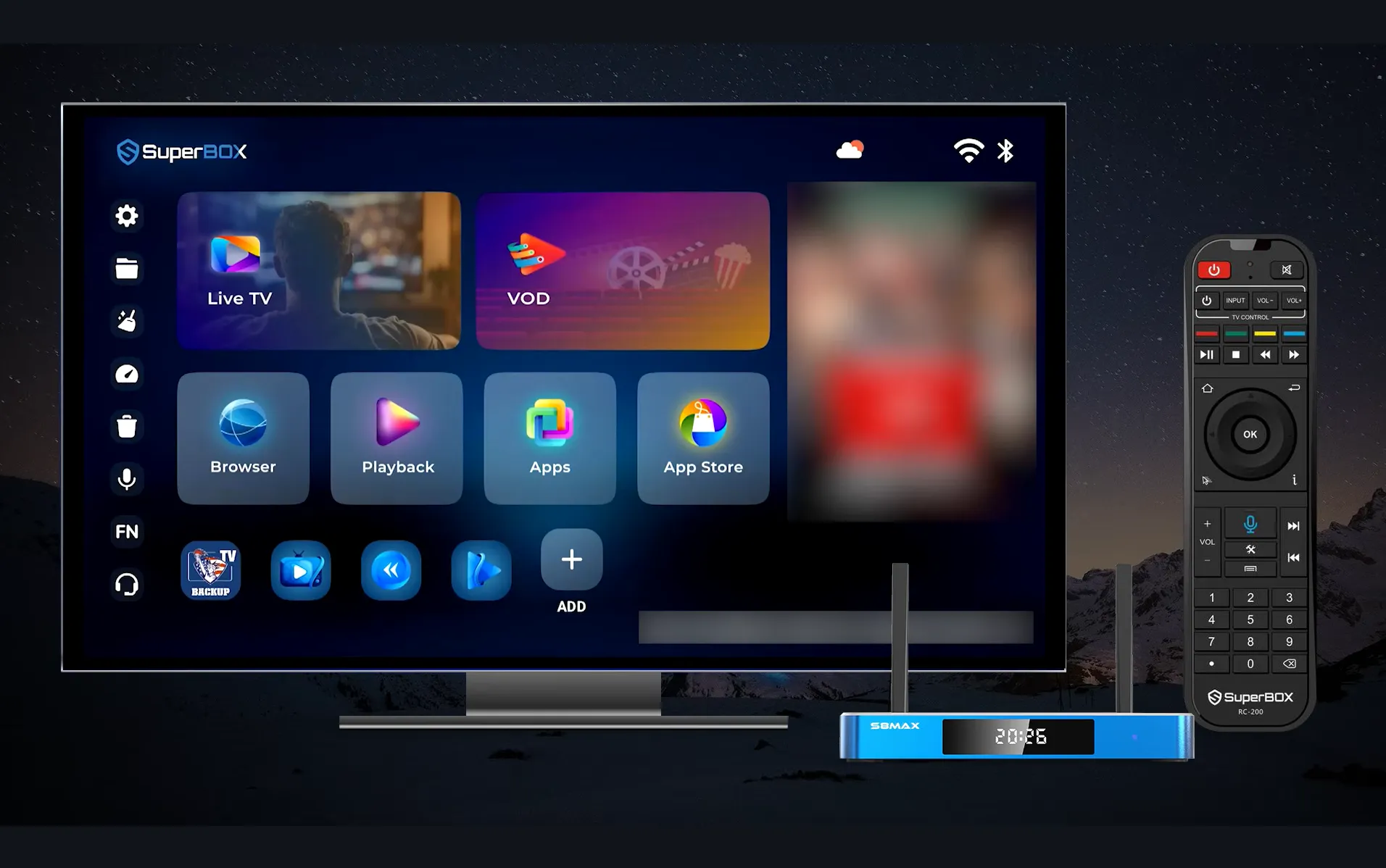
Return to the main home screen and navigate down to the application ribbon. Select the plus icon located at the end of the bar, check the box next to Blue VOD, and confirm to add a permanent shortcut for convenient one-click launching.
Content library and genre categories in Blue VOD?
Blue VOD hosts an extensive entertainment catalog spanning more than 1,172 pages of full-length films and 265 pages of multi-season television shows. This massive index translates to well over 15,000+ on-demand movies and TV shows (with specific app interfaces listing over 15,375 movies across 1,282 pages) individual on-demand titles accessible at any time.
Content classification makes browsing intuitive through specialized genre tabs. Viewers can explore dedicated sections for Action, Adventure, Animation, Biography, Comedy, Crime, Documentary, Drama, Family, Fantasy, Horror, Mystery, Romance, Sci-Fi, Thriller, and Western releases.
Automatic daily catalog synchronization ensures the library remains fresh. The SuperBox media engineering team continuously uploads newly released theatrical movies and current television episodes to central cloud servers without requiring manual app updates.
Key features and playback controls in Blue VOD?
Navigating large digital libraries can feel overwhelming without smart convenience features. Blue VOD integrates several purpose-built tools designed to simplify content discovery and optimize your living room media experience.
Voice command searching eliminates tedious on-screen keyboard typing. Press and hold the microphone button on your SuperBox Bluetooth voice remote, speak the exact show or movie title clearly, and Blue VOD displays matching search results instantly.
Personalized favorites lists keep your preferred series organized. While viewing any title poster or summary description screen, select the heart icon to save the selection directly into your custom My Favorites tab for quick future viewing.
Advanced media player settings provide complete control during video playback. Pressing the Menu button on your remote allows viewers to switch audio streams, toggle multi-language subtitles, adjust screen aspect ratios, or select alternative streaming playback servers.
Automated playback resumption remembers your exact viewing position. If you exit a movie halfway through, Blue VOD automatically stores the timecode and prompts you to resume playback right where you stopped on your next visit.
Blue VOD vs Blue TV vs Playback comparison?
SuperBox hardware includes three foundational entertainment applications designed for different viewing needs. The comparison table below highlights the distinct roles, content scopes, and navigation features of each platform.
| Application Name | Content Type | Total Volume | Search Mechanism | Best Used For |
|---|---|---|---|---|
| Blue VOD | On-Demand Movies & TV Series | 15,000+ movies and TV shows (15,375+ listed across 1,282 pages) | Voice Search & Genre Filter | Binge-watching series and cinema releases |
| Blue TV | Live TV & Sports Networks | 2,000+ Live Channels | Voice Search, Number Keys & EPG | Watching live sports, news, and events |
| Playback | 7-Day Time-Shift Broadcasts | 86 to 87 Major Networks | Date & Program Grid | Catching missed live games and shows |
Video guide: How does Blue VOD work on SuperBox?
Technology reviewer Liakouras Momentz provides an in-depth video walkthrough of the Blue VOD application on SuperBox hardware, showcasing library navigation, genre categories, and voice search responsiveness in real time.
Reviewer Liakouras Momentz demonstrates how effortless voice command search works on the SuperBox remote. Speaking a title like Prison Break instantly brings up the entire television series, while clicking the heart icon saves it to your personal watchlist.
For first-time box setup, hardware channel SuperBOX TV demonstrates the fast installation workflow for Blue VOD and companion streaming utilities:
SuperBOX TV illustrates how downloading Blue VOD from the green App Store takes less than one minute without requiring external USB drives, followed by pinning the shortcut to your launcher bar for immediate access.
Troubleshooting common Blue VOD issues on SuperBox?
How to fix buffering or slow video loading in Blue VOD?
Buffering usually stems from local network bandwidth fluctuations. Ensure your internet connection delivers at least 25Mbps, connect your SuperBox to the 5GHz Wi-Fi frequency band, or connect a direct Ethernet cable to eliminate wireless interference.
Switching video playback servers inside Blue VOD often restores instant buffering. While playing a video, press the Menu button on your remote and select an alternate CDN server route to bypass localized routing bottlenecks.
How to clear cache if Blue VOD crashes or freezes?
Accumulated temporary data can occasionally cause menu lag or app crashes. Navigate to your SuperBox Settings, select Apps, locate Blue VOD, and click Clear Cache. Restarting your console after clearing cache restores swift navigation.
How to update Blue VOD to the latest version?
Blue VOD updates deploy automatically through cloud repositories. If an update prompt appears upon launch, select Update to download the newest build. Alternatively, open the green App Store to check for available maintenance patches.
Where to buy authentic SuperBox with warranty coverage
When investing in a high-performance streaming console, ordering directly from SuperBox guarantees authentic hardware and verified server licensing. Our central distribution and customer care facility operates at 13951 Pipeline Ave, Chino, CA 91710, USA, led by founder Riley Cooper.
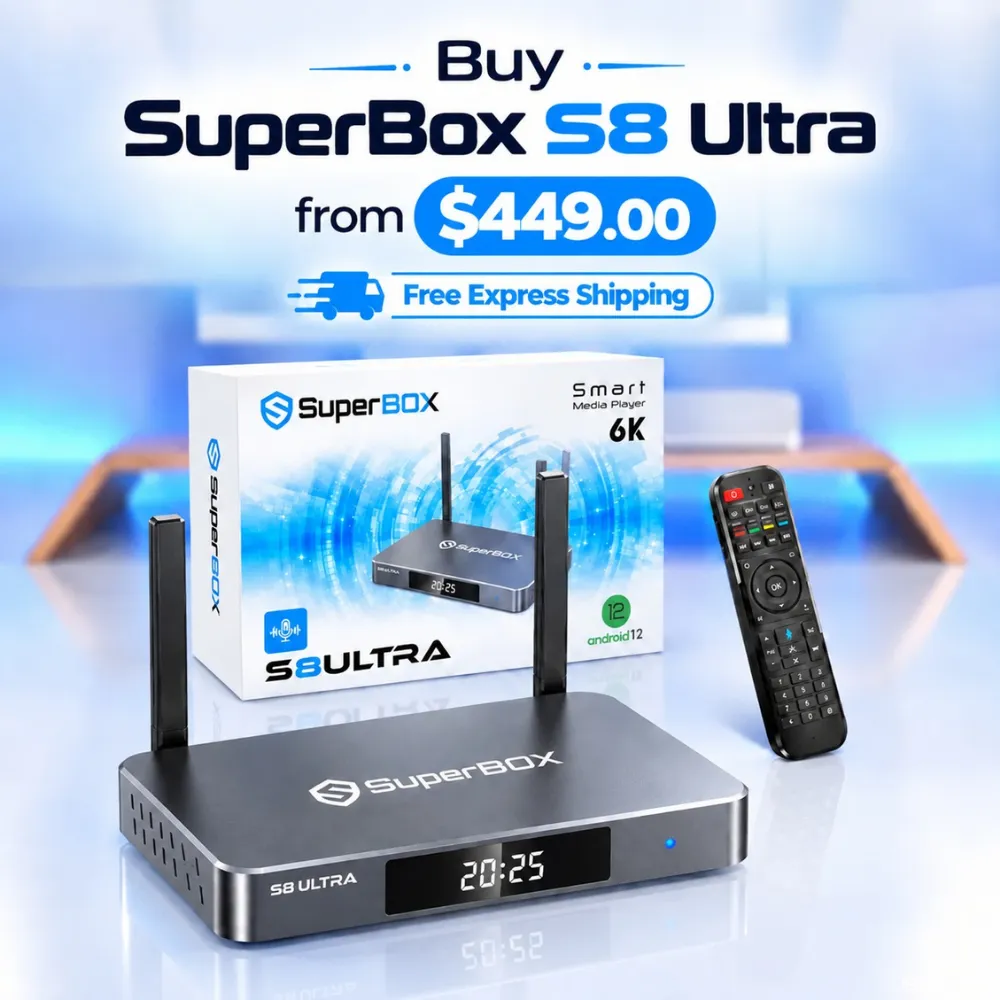
For the ultimate cord-cutting setup, we recommend the flagship SuperBox S8 Ultra priced at $449, featuring 4GB DDR RAM, 128GB storage, Wi-Fi 6, and Gigabit Ethernet. Every order includes our Official Reseller License Code #SP20250928002 and full warranty protection:
- Free Shipping: Fast 2 to 5 business day delivery across the United States and Canada with full real-time package tracking via FedEx or USPS.
- 24/7 Technical Support: Dedicated technical specialists available 24/7 via live chat and email for troubleshooting assistance.
- 30-Day Money-Back Guarantee: Hassle-free return policy if you are not completely satisfied with your streaming hardware performance.
- 1-Year Manufacturer Warranty: Full replacement coverage safeguarding against any hardware defects or system component failures supported directly by our customer care center in Chino, California.
- 100% Authentic Hardware: Direct factory units guaranteed genuine without modified firmware, unauthorized alterations, or security risks.
SuperBox for Sale is a leading authorized dealer of SuperBox, specializing in the supply of genuine SuperBox TV boxes Series S6, S7, and S8 in the US & CAD.
Frequently asked questions about Blue VOD SuperBox?
Is Blue VOD free to use on SuperBox?
Blue VOD is completely free to use on SuperBox hardware consoles. Access to the entire on-demand movie and television series catalog is included with the physical device purchase, requiring zero monthly subscriptions or renewal fees.
Can you download movies from Blue VOD for offline viewing?
Blue VOD operates as an on-demand video streaming application rather than an offline file downloader. An active internet broadband connection is required to stream content smoothly to your television screen in real time.
Does Blue VOD support 4K Ultra HD resolution?
Blue VOD delivers content in both 1080p Full HD and 4K Ultra HD depending on the specific theatrical release. Hardware H.265 video decoding across SuperBox consoles ensures smooth playback and crisp dynamic range.
Which SuperBox models support Blue VOD?
All modern SuperBox hardware editions support Blue VOD, including the SuperBox S6 series, S7 series, and flagship S8 models. Each console features quad-core processing and high-speed Wi-Fi designed for uninterrupted video streaming.
Experience Unrivaled Streaming Performance with SuperBox
Discover lightning-fast quad-core processing, dual-band Wi-Fi 6, 7-day playback, and crisp 6K ultra HD output engineered for discerning media fans.

![SuperBox Remote Control Functions: Complete Button Guide [2027]](https://superboxforsale.com/wp-content/uploads/2026/10/SuperBox-Remote-Control-Functions-768x432.webp "SuperBox Remote Control Functions: Complete Button Guide [2027] 14")
![How to Set Up Voice Control on SuperBox S7 Full Guide [2027]](https://superboxforsale.com/wp-content/uploads/2026/10/How-to-Program-SuperBox-Remote-to-TV-1-767x432.webp "How to Set Up Voice Control on SuperBox S7 Full Guide [2027] 20")