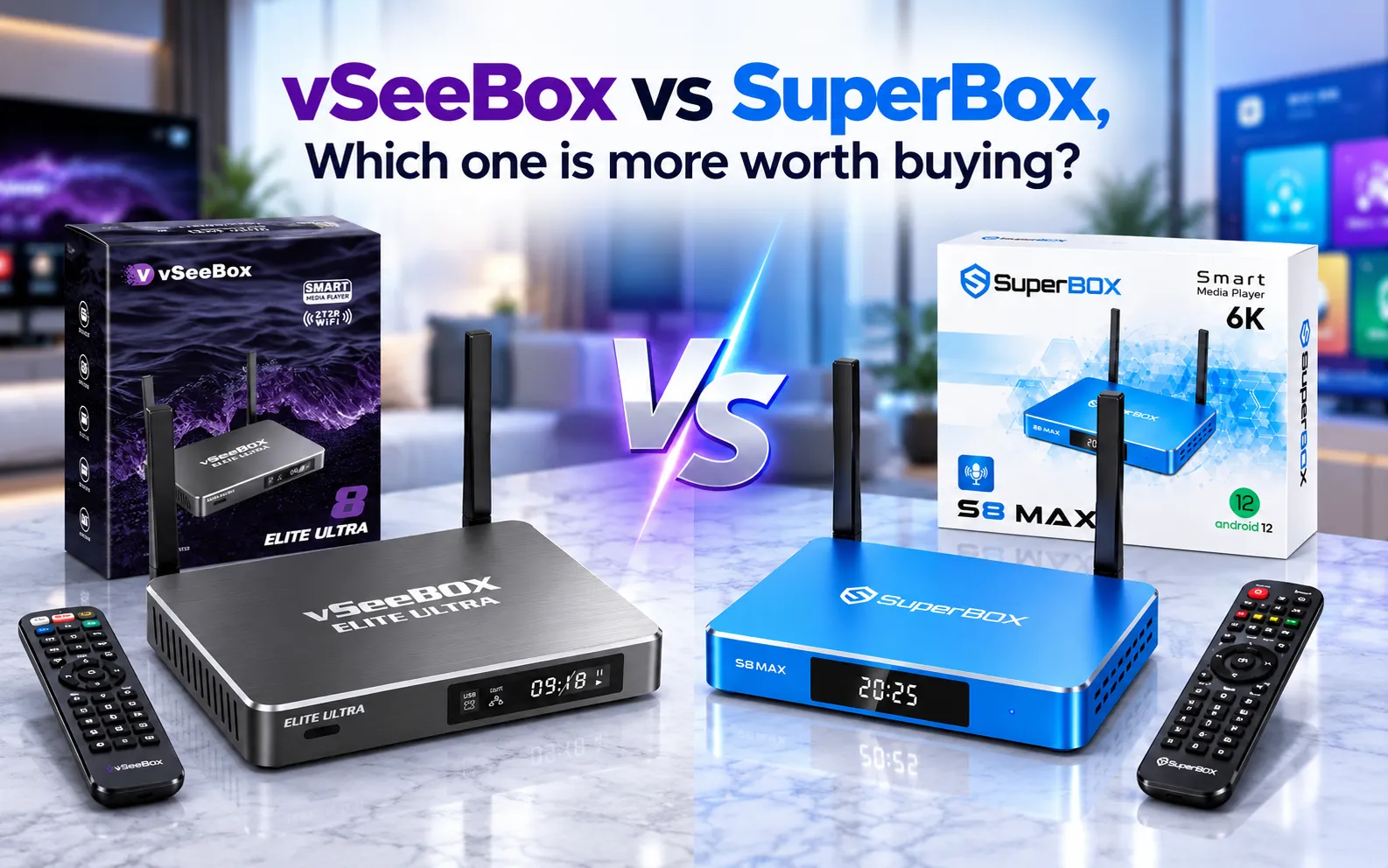
SuperBox and vSeeBox are Android-based streaming media consoles engineered to replace cable television subscriptions with one-time hardware purchases. While both devices stream thousands of live channels, on-demand movies, and 7-day playback, SuperBox delivers an all-metal thermal chassis, Gigabit Ethernet networking, and beginner-friendly software, whereas vSeeBox focuses on plastic hardware with backlit air-mouse remote controls and the Heat app suite.
Quick Takeaways & Key Highlights
- SuperBox features an anodized aluminum alloy enclosure acting as a passive heat sink; vSeeBox uses plastic housing.
- SuperBox S7 and S8 models provide 1000Mbps Gigabit Ethernet, compared to 100Mbps Ethernet ports on most vSeeBox models.
- Content ecosystems differ: SuperBox runs Blue TV, Blue VOD, and Playback; vSeeBox operates Heat Live, Heat VOD, and Heat Ultra.
- SuperBox remotes include dedicated Mute and Quick-Settings shortcut buttons, while vSeeBox remotes offer backlit keys and air-mouse mode.
- Playback archives cover 85 to 86 core networks on SuperBox, versus selective channel time-shift archives on vSeeBox.
- Both platforms operate as legal Android TV hardware consoles requiring zero monthly subscriptions or renewal fees.
What Are the Core Differences Between SuperBox and vSeeBox?
SuperBox and vSeeBox dominate the subscription-free Android streaming hardware market. Both brands promise cord-cutters the ability to watch live television, premium sports broadcasts, and extensive movie libraries over broadband internet without paying monthly cable or streaming service bills.
The core differences between the two brands emerge across four key operational areas:
- Hardware Engineering: SuperBox prioritizes metal alloy chassis construction and Gigabit networking, whereas vSeeBox utilizes compact plastic enclosures with mobile-style cooling.
- Proprietary Application Suites: SuperBox integrates the Blue application ecosystem (Blue TV, Blue VOD, Playback), while vSeeBox deploys the Heat streaming platform (Heat Live, Heat VOD, Heat Ultra).
- User Experience: SuperBox emphasizes plug-and-play simplicity for beginners, while vSeeBox offers deeper customization settings for advanced Android enthusiasts.
- Remote Control Architecture: SuperBox remotes focus on functional playback shortcuts like instant mute and settings overlays, while vSeeBox emphasizes backlighting and gyroscope air-mouse navigation.
SuperBox hardware models (including the S6, S7, and S8 series) and vSeeBox hardware models (such as the V3 Pro, V3 Plus, and V6 Plus) deliver comparable channel quantities. However, physical durability and everyday interface responsiveness distinguish the long-term user experience.
How Do SuperBox and vSeeBox Compare in Hardware Build and Connectivity?
SuperBox consoles feature full-body anodized aluminum alloy housings across their modern S7 and S8 hardware tiers. Metal construction allows the entire chassis to function as a passive heat sink, dissipating thermal energy generated by continuous 4K video decoding without requiring noisy cooling fans.
Thermal surface benchmarks demonstrate that aluminum SuperBox consoles operate at approximately 38.5 degrees Celsius after four hours of continuous 4K streaming. In contrast, plastic enclosures commonly found on vSeeBox consoles trap operational heat, running 10 to 15 degrees Celsius hotter under identical streaming workloads.
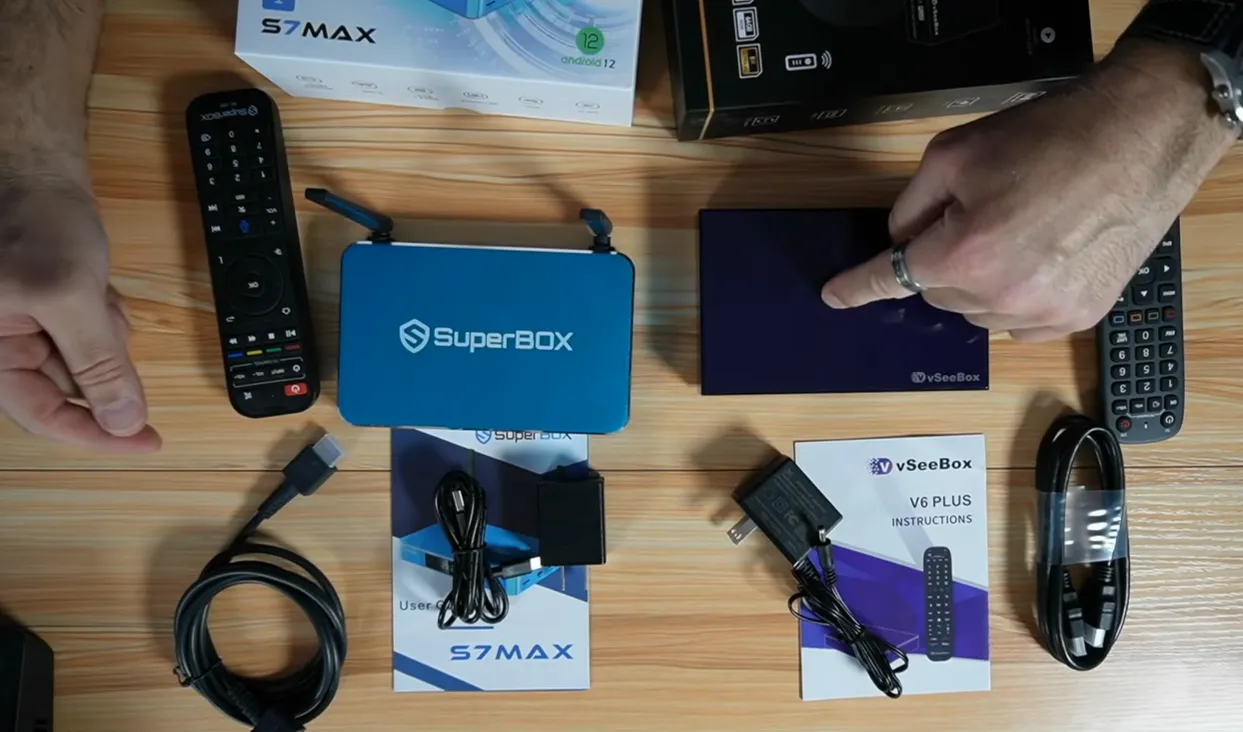
Physical connectivity highlights several notable distinctions between the two hardware brands:
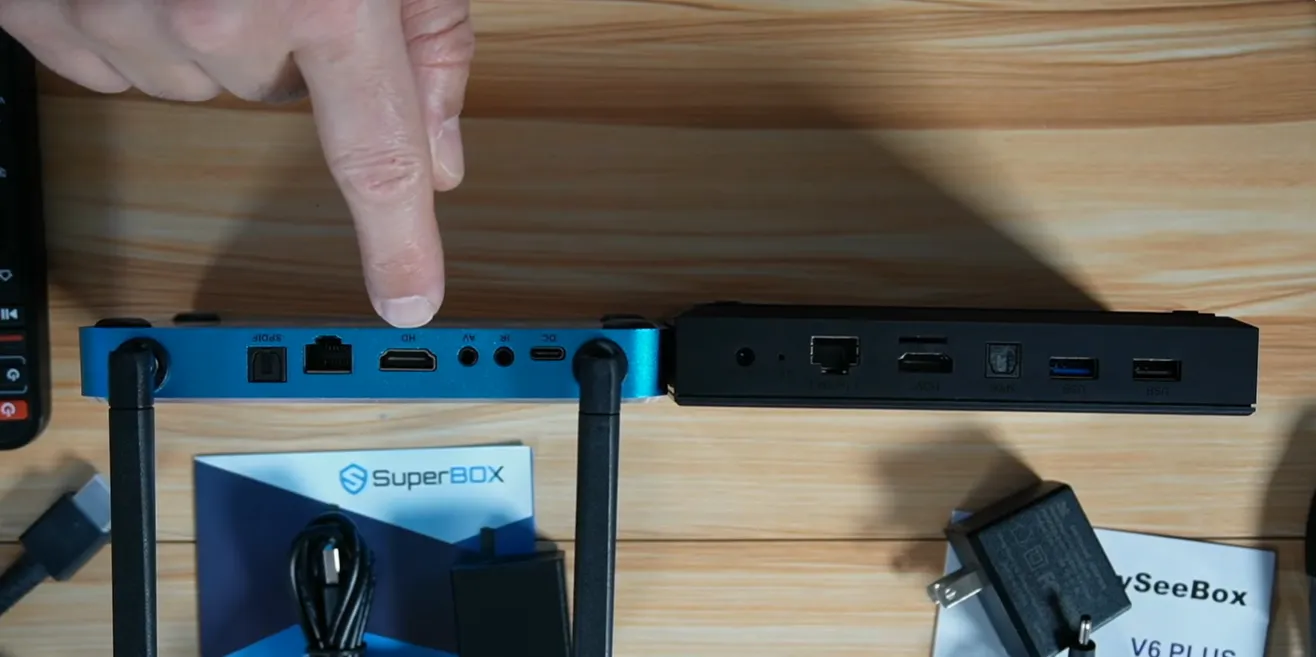
- Ethernet Data Bandwidth: SuperBox S7 and S8 models provide an RJ45 Gigabit Ethernet port supporting 1000Mbps speeds, whereas mainstream vSeeBox models feature 100Mbps Ethernet ports.
- Power Delivery Ports: SuperBox integrates modern USB Type-C power connectivity, whereas vSeeBox models commonly rely on proprietary DC barrel jacks.
- Wireless Connectivity: Both platforms support dual-band Wi-Fi 6 (802.11ax), but SuperBox provides external high-gain antennas for superior wall penetration.
- Bluetooth Standards: SuperBox models feature Bluetooth 5.2 controllers, providing lower latency connections for wireless soundbars than vSeeBox Bluetooth 5.0 chips.
How Do Blue TV and Heat Live Application Ecosystems Compare?
SuperBox streams live programming through its proprietary Blue TV application, delivering over 2,000+ live sports, news, and entertainment channels. The Blue TV interface features an intuitive Electronic Program Guide (EPG) organizing national networks, regional sports networks, and 50 pay-per-view event channels with zero additional fees.
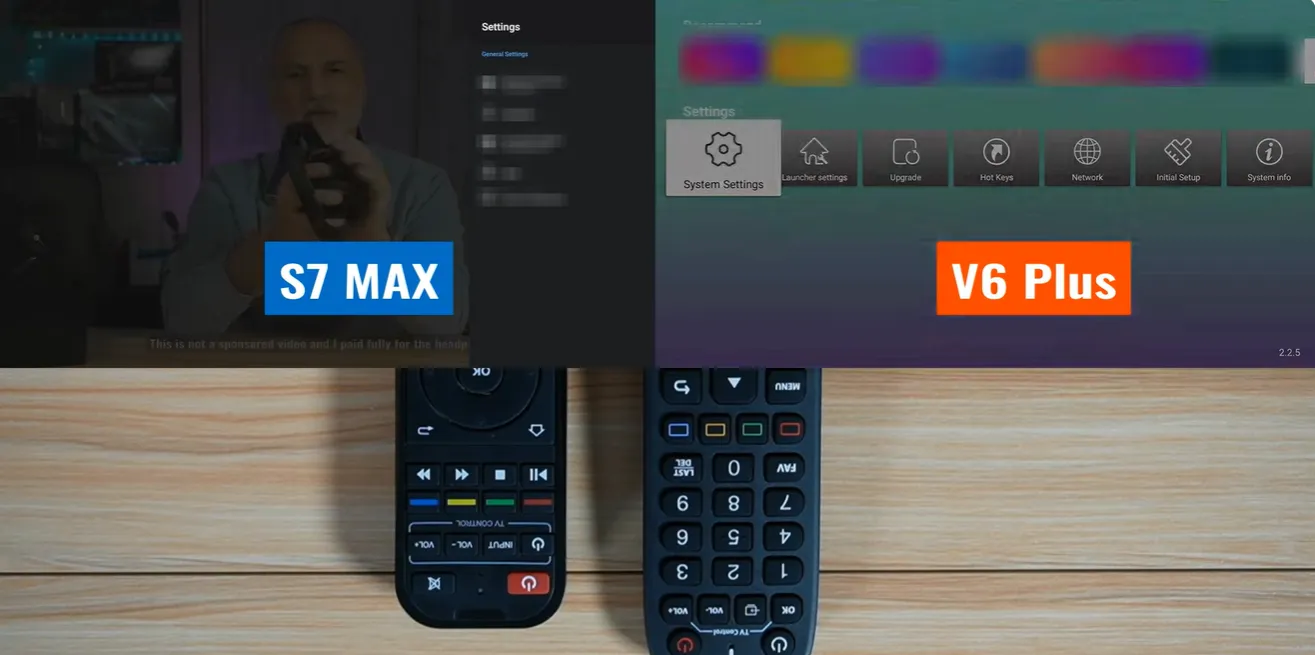
vSeeBox delivers live television through its Heat Live and Heat Ultra streaming suites. Heat Live organizes channels into categorized directories covering North American and international programming, featuring multi-screen viewing modes on select hardware models.
Both streaming platforms manage live broadcast feeds through cloud content delivery networks. Channel switching speeds on both devices average between 1 and 3 seconds on stable 25 to 50 Mbps broadband connections. SuperBox maintains an edge in live sports stream backup redundancy through its dedicated Backup TV application.
What Are the Differences in 7-Day Playback and Time-Shift Features?
SuperBox features a dedicated Playback application that automatically archives 168 rolling hours (7 full days) of live television across 86 to 87 supported channels (with 8-hour live rewind on S6 models and full 7-day time-shift on S7 and S8 models). Recorded footage is stored entirely on cloud servers without using local device storage.
SuperBox Playback allows viewers to browse past programming using a dedicated Programs schedule button on the remote control. Viewers can pause, rewind, and fast-forward through past television shows and sports matches using the on-screen progress bar, exactly like on-demand video files.
vSeeBox provides time-shift playback capabilities integrated directly within its Heat Live interface. While convenient for quick rewinding of recent broadcasts, vSeeBox time-shift coverage is available on a narrower selection of broadcast channels compared to SuperBox’s dedicated 86-channel network archive.
How Do the Remote Controls Compare Between SuperBox and vSeeBox?
SuperBox remotes are engineered with ergonomic soft-rubber keys and dedicated operational shortcuts. A prominent advantage of the SuperBox remote is its dedicated Settings shortcut key, which allows users to adjust audio outputs or check network status without interrupting playback or returning to the home screen.
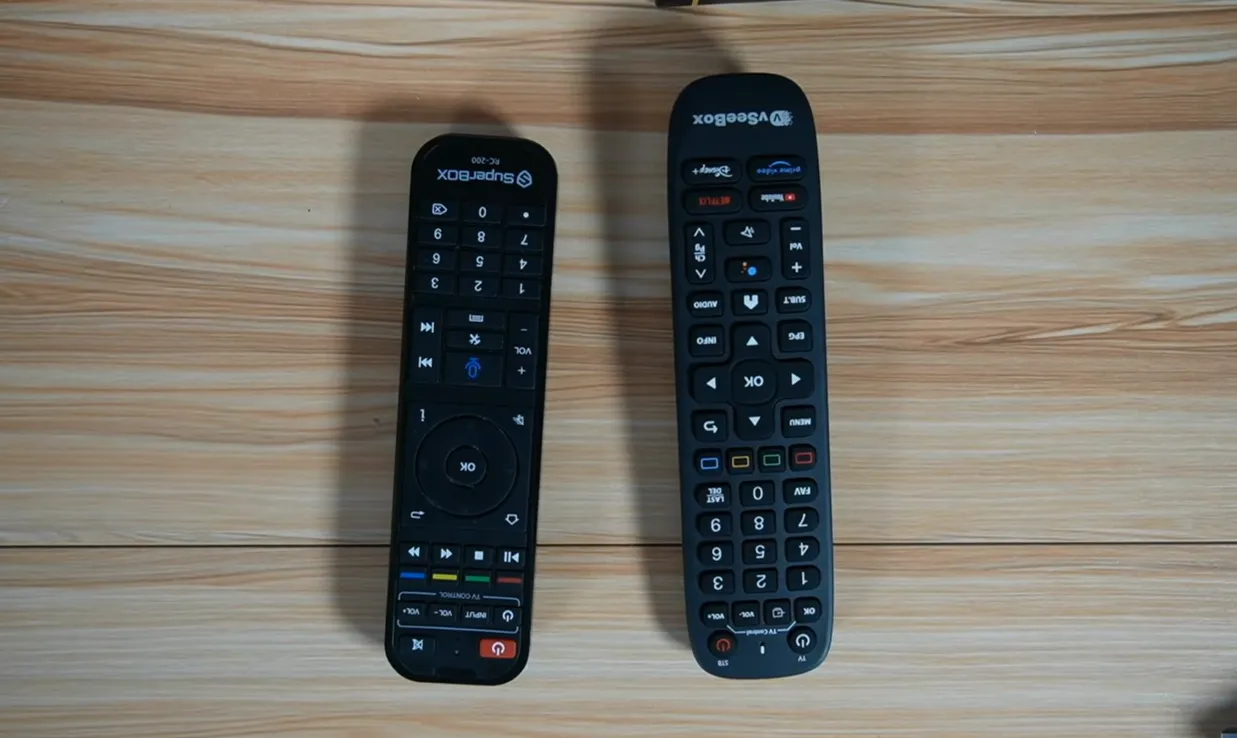
The SuperBox remote also includes a dedicated Mute button, four programmable infrared TV learning keys, and motion-activated backlighting on S8 models (RC-200L). The inclusion of essential hardware buttons ensures seamless day-to-day operation for household viewers of all ages.
vSeeBox remotes feature premium physical styling with full key backlighting and an integrated air-mouse gyroscope function. However, multiple technology reviewers note that the air-mouse cursor can feel sensitive during navigation, and the vSeeBox remote lacks a physical Mute button and quick-settings access.
What Do Tech Influencers and Reviewers Say About SuperBox vs vSeeBox?
Stuff Around The House: Hardware Shootout and Build Quality
Technology reviewer Stuff Around The House conducted a direct side-by-side comparison between the SuperBox S7 Max and the vSeeBox V6 Plus, examining physical connections, remote control functionality, and thermal construction.
The review emphasizes that SuperBox S7 Max holds significant hardware advantages: a 1Gbps Gigabit Ethernet port compared to vSeeBox’s 100Mbps port, full metal chassis construction over plastic, and essential remote shortcuts including mute and instant settings access.
Half Chrome: Long-Term Streaming Usability and Legality
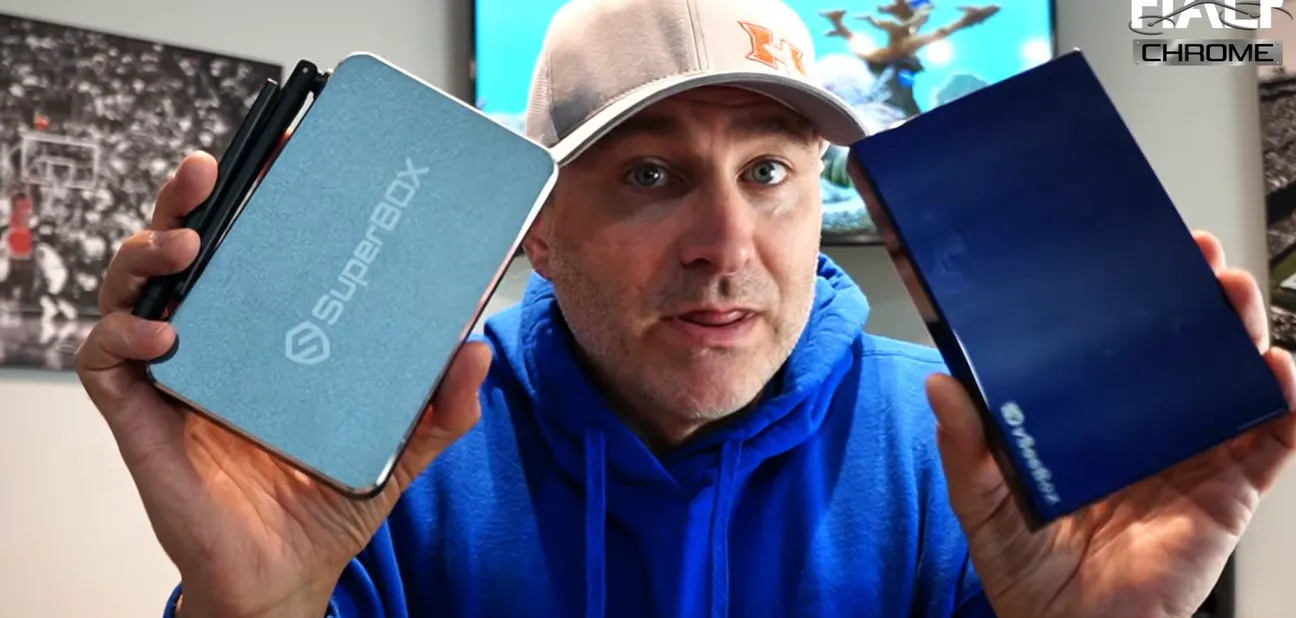
Tech reviewer Jack from Half Chrome tested both SuperBox and vSeeBox consoles, analyzing content libraries, legality, and everyday usability for cord-cutters looking to eliminate cable bills.
Half Chrome concludes that both devices are 100 percent legal Android hardware consoles offering comparable streaming libraries. The choice between them depends primarily on whether buyers prefer SuperBox’s proven hardware reliability or vSeeBox’s alternative interface.
TWiz: Simplicity and Plug-and-Play Reliability
Tech channel TWiz published a comprehensive comparison analyzing why SuperBox is widely favored by beginners seeking a seamless plug-and-play home entertainment setup.
TWiz highlights that SuperBox delivers an intuitive interface with automatic background updates, ensuring that live channels run consistently with minimal technical troubleshooting for non-tech-savvy users.
In his follow-up analysis, TWiz notes that while vSeeBox offers flexible Android settings, SuperBox maintains a more consistent streaming environment for everyday television viewing.
iDiscoverTech: Multi-Brand Android TV Box Battle
Review channel iDiscoverTech conducted a multi-device shootout testing consoles from SuperBox, vSeeBox, MonsterBox, and other competitors to evaluate real-world longevity and server stability.
The multi-box comparison revealed that SuperBox and vSeeBox remain the two most reliable hardware platforms on the market, while obscure competitor boxes suffered frequent server drops and hardware abandonment.
Marisol Vega Daily: Storage and Playback Capabilities
Tech reviewer Marisol Vega Daily evaluated the SuperBox S6 Ultra against the vSeeBox V6 Plus, examining storage configurations and playback feature sets.
The review concludes that SuperBox S6 Ultra wins for consumers prioritizing generous internal storage (128GB ROM) and dedicated 7-day Playback catch-up app, while vSeeBox appeals to users seeking alternate Android 14 builds.
HMD Tech and Super Streamer: Value and Longevity Analysis
Technology creators HMD Tech and Super Streamer investigated the long-term investment value of purchasing a dedicated streaming media console versus paying ongoing cable television bills.
HMD Tech highlights that while the upfront hardware investment is substantial, eliminating $1,000 to $2,000 in annual cable subscription costs makes both devices cost-effective over a multi-year timeframe.
Super Streamer emphasizes the importance of network optimization, noting that connecting streaming boxes via Ethernet and maintaining reliable broadband speeds ensures consistent playback performance across all channels.
Technical Comparison: SuperBox vs vSeeBox Specification
The comparison matrix below highlights the architectural and technical differences between SuperBox and vSeeBox hardware platforms across standard production models:
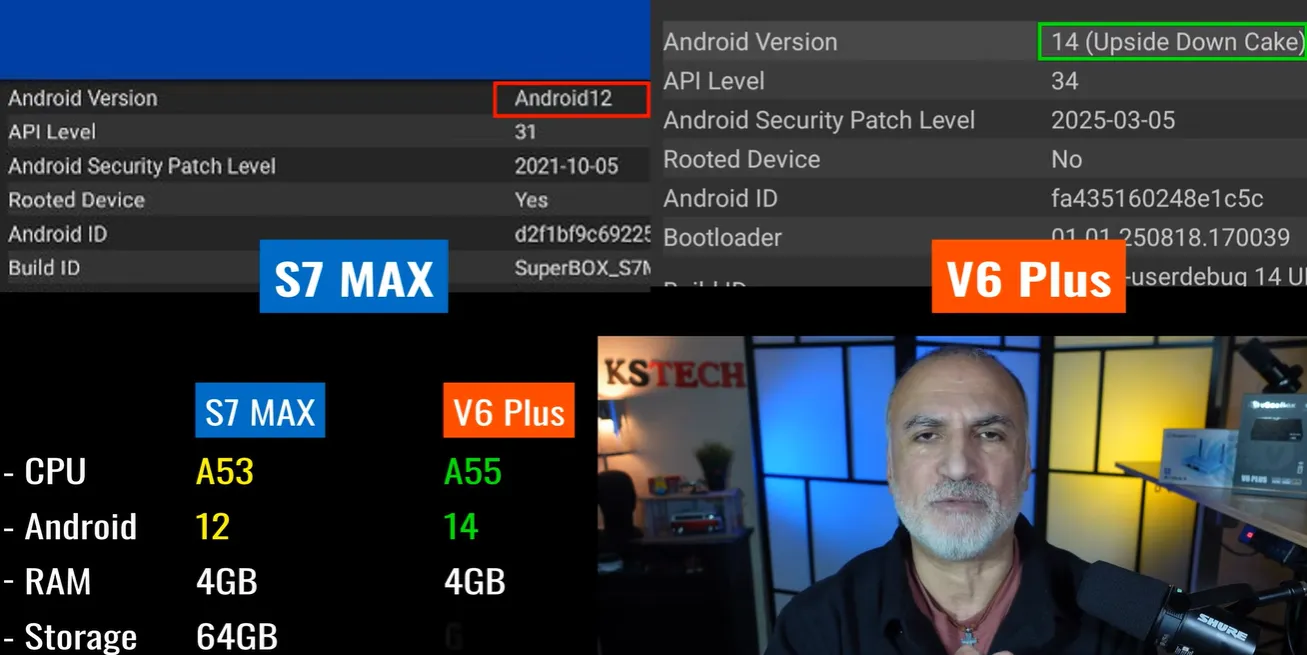
| Specification Attribute | SuperBox Platform (S6 / S7 / S8) | vSeeBox Platform (V3 / V6 / Elite) |
|---|---|---|
| Chassis Thermal Material | Anodized Aluminum Alloy Passive Heatsink | Molded ABS Thermal Plastic |
| Ethernet LAN Data Port | 1000Mbps Gigabit Ethernet (S7/S8) | 100Mbps Fast Ethernet (Mainstream) |
| Wi-Fi Wireless Standard | Dual-Band Wi-Fi 6 with Dual High-Gain Antennas | Dual-Band Wi-Fi 6 with Internal / External Antennas |
| Bluetooth Wireless Version | Bluetooth 5.2 Low-Latency | Bluetooth 5.0 Standard |
| Proprietary Live TV Suite | Blue TV (2,000+ Live Channels) | Heat Live / Heat Ultra (2,000+ Channels) |
| 7-Day Time Shift Playback | 85 to 86 Dedicated Core Channels | Selective Live Channel Archive |
| On-Demand Movie Catalog | Blue VOD (15,000+ Movies & Series / 15,375+ Listed) | Heat VOD (Extensive Cinema Library) |
| Remote Control Features | Mute Key, Quick-Settings Key, Voice Search | Air-Mouse Gyroscope, Backlit Keys, Voice Search |
| Monthly Subscription Fee | $0 Lifetime Hardware Access | $0 Lifetime Hardware Access |
Both streaming consoles deliver robust cord-cutting capabilities. SuperBox holds distinct advantages in physical metal cooling, Gigabit network throughput, and streamlined user navigation, while vSeeBox offers appeal for buyers prioritizing backlit air-mouse remotes.
Where to buy authentic SuperBox with warranty coverage
When investing in a high-performance streaming console, ordering directly from SuperBox for Sale guarantees authentic hardware and verified server licensing. Our central distribution and customer care facility operates at 13951 Pipeline Ave, Chino, CA 91710, USA, led by founder Riley Cooper.
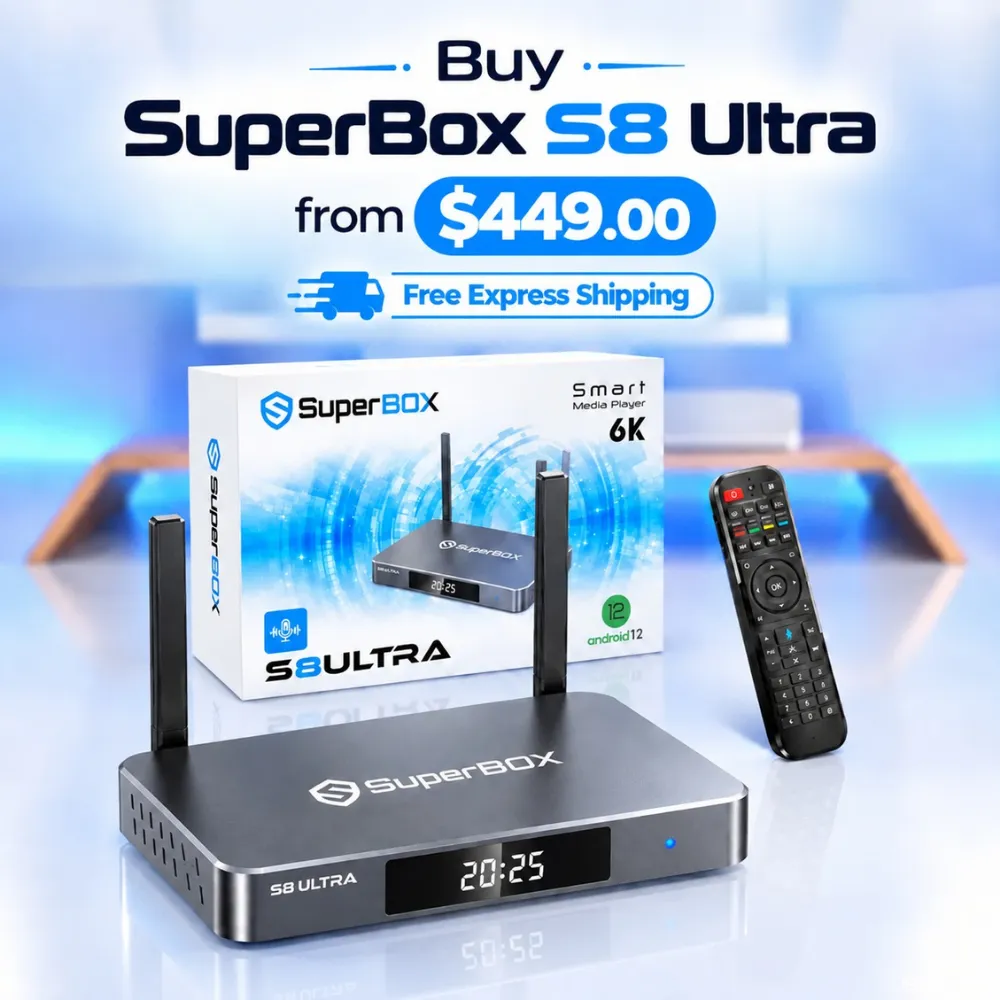
For the ultimate cord-cutting setup, we recommend the flagship SuperBox S8 Ultra priced at $449, featuring 4GB DDR RAM, 128GB storage, Wi-Fi 6, and Gigabit Ethernet. Every order includes our Official Reseller License Code #SP20250928002 and full warranty protection:
- Free Shipping: Fast 2 to 5 business day delivery across the United States and Canada with full real-time package tracking via FedEx or USPS.
- 24/7 Technical Support: Dedicated technical specialists available 24/7 via live chat and email for troubleshooting assistance.
- 30-Day Money-Back Guarantee: Hassle-free return policy if you are not completely satisfied with your streaming hardware performance.
- 1-Year Manufacturer Warranty: Full replacement coverage safeguarding against any hardware defects or system component failures supported directly by our customer care center in Chino, California.
- 100% Authentic Hardware: Direct factory units guaranteed genuine without modified firmware, unauthorized alterations, or security risks.
SuperBox for Sale is a leading authorized dealer of SuperBox, specializing in the supply of genuine SuperBox TV boxes Series S6, S7, and S8 in the US & CAD.
Frequently Asked Questions About SuperBox vs vSeeBox?
Which device is better for beginners, SuperBox or vSeeBox?
SuperBox is widely considered the superior choice for beginners and seniors due to its clean, intuitive user interface. Blue TV launches directly into an Electronic Program Guide that mirrors traditional cable television, requiring zero complex configuration right out of the box.
Do SuperBox and vSeeBox require monthly subscription fees?
Neither SuperBox nor vSeeBox requires a monthly subscription or annual renewal fee. Both devices operate on a one-time hardware purchase model, authenticating server access through physical hardware identifiers for lifetime streaming access.
Which streaming box has better physical hardware construction?
SuperBox features superior physical construction with its full-body anodized aluminum alloy enclosure. The metal casing operates as a passive heat sink, keeping internal processors 10 to 15 degrees Celsius cooler than plastic vSeeBox consoles and eliminating thermal throttling.
Can you record live shows on SuperBox and vSeeBox?
Both devices support playback features. SuperBox provides a dedicated 7-Day Playback application archiving 86 core networks in the cloud without using device storage, alongside local screen recording on S8 models. vSeeBox provides integrated time-shift playback within Heat Live.
Do you need a VPN when using SuperBox or vSeeBox?
A virtual private network (VPN) is not required for everyday streaming on either platform. However, installing a VPN app from the Google Play Store is recommended if your internet service provider actively throttles high-bandwidth video streams during live sporting events.
Experience Unrivaled Streaming Performance with SuperBox
Discover lightning-fast quad-core processing, dual-band Wi-Fi 6, 7-day playback, and crisp 6K ultra HD output engineered for discerning media fans.

![Streamer box vs smart TV: Cord-cutting comparison and buying guide [2027]](https://superboxforsale.com/wp-content/uploads/2026/10/Streamer-box-vs-smart-TV-768x432.webp "Streamer box vs smart TV: Cord-cutting comparison and buying guide [2027] 14")
![SuperBox S8 Ultra vs S7 Ultra: In-depth comparison and upgrade guide [2027]](https://superboxforsale.com/wp-content/uploads/2026/10/SuperBox-S8-Ultra-vs-S7-Ultra-768x432.webp "SuperBox S8 Ultra vs S7 Ultra: In-depth comparison and upgrade guide [2027] 30")