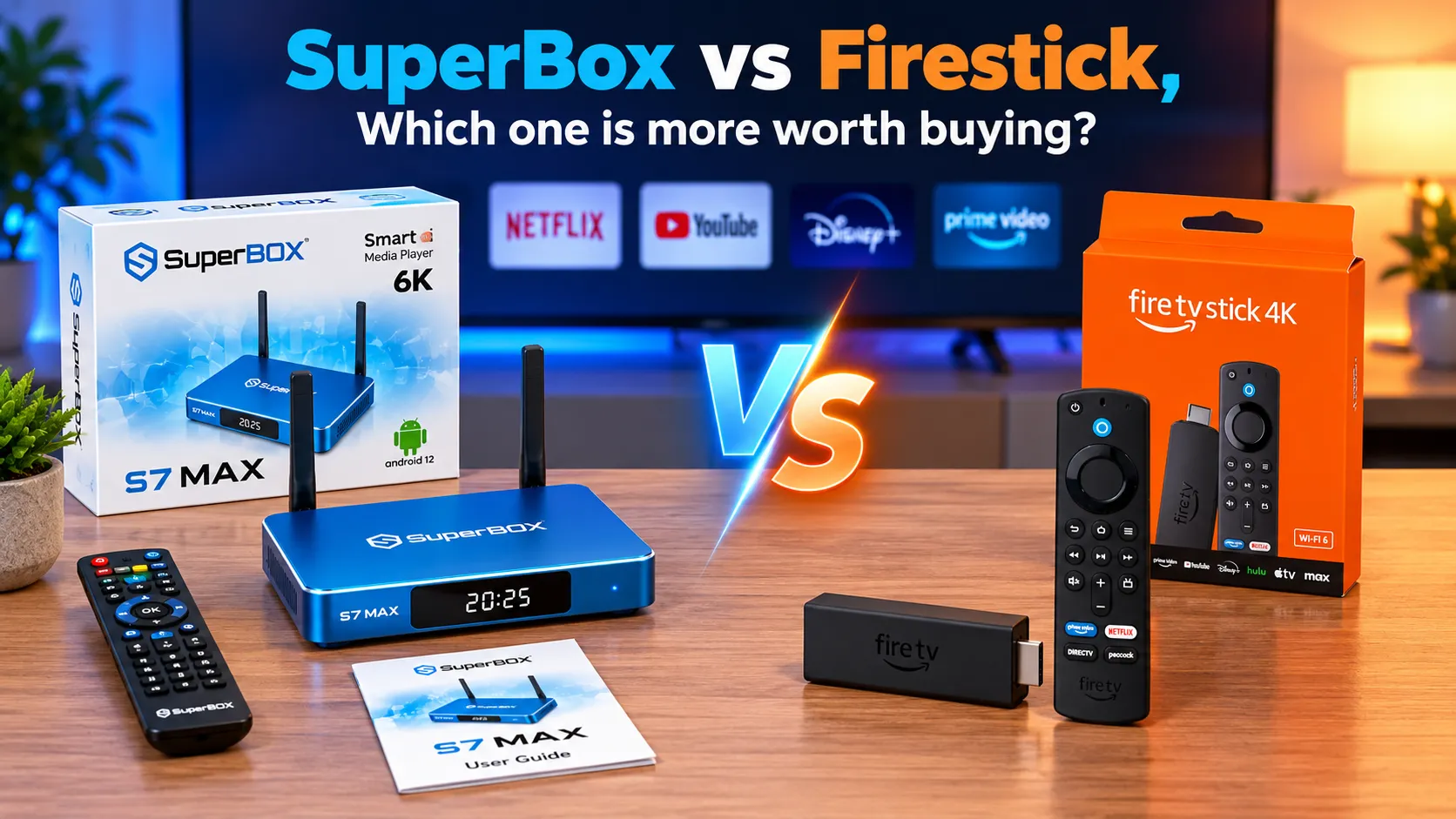
SuperBox and Amazon Firestick serve fundamentally different roles in modern home entertainment setups. While the Amazon Fire TV Stick operates as an affordable streaming dongle designed to deliver paid subscription apps like Netflix and Prime Video, SuperBox functions as a comprehensive cord-cutting media console providing thousands of live television channels, premium sports broadcasts, and seven-day playback without recurring monthly fees.
Quick Takeaways & Key Highlights
- SuperBox provides an integrated live television ecosystem with 2,000+ channels and 7-day Playback requiring zero monthly fees.
- Amazon Firestick requires ongoing monthly subscriptions to services like YouTube TV or Sling TV to stream live broadcast television.
- Hardware specifications favor SuperBox with up to 4GB RAM, 128GB storage, and Gigabit Ethernet versus 1GB to 2GB RAM on Firestick.
- Thermal design contrasts an aluminum alloy passive heatsink chassis on SuperBox against an enclosed plastic dongle behind televisions.
- Tech reviewers emphasize that Firestick has low upfront cost but high ongoing expenses, while SuperBox pays for itself over time.
- Both platforms operate as fully legal consumer electronic streaming devices compliant with standard FCC and CE certifications.
What are differences between SuperBox and Amazon Firestick?
SuperBox and Amazon Firestick approach modern television entertainment from contrasting philosophies. The core distinction lies between buying a portal for paid subscription apps and investing in an all-in-one cord-cutting appliance.
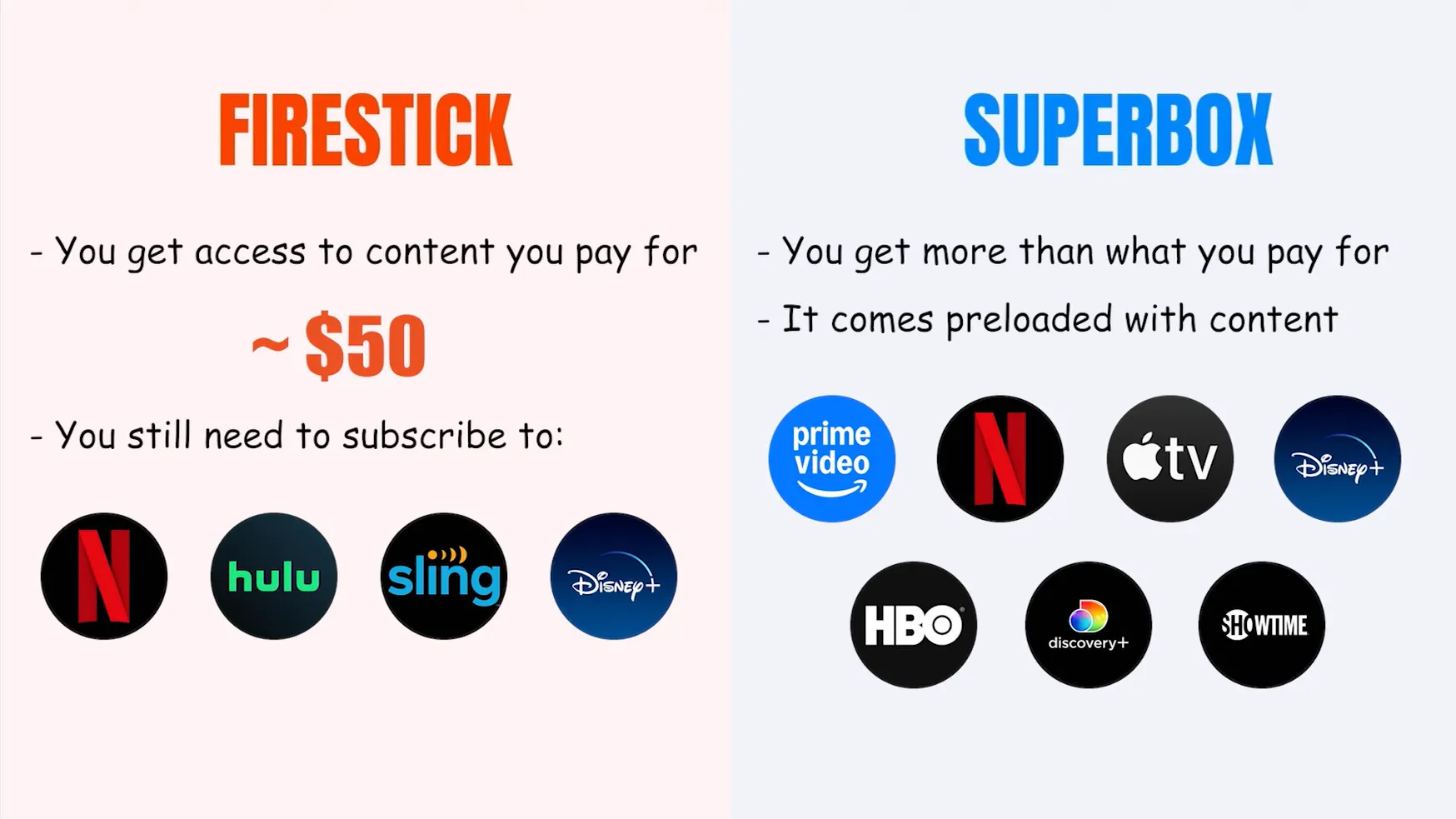
Amazon Fire TV Stick is designed as an inexpensive hardware gateway to Amazon’s digital storefront and commercial streaming services. Firestick hardware makes standard televisions smart, but viewing popular content requires logging into multiple third-party services that bill users on a monthly basis.
SuperBox media consoles (spanning the S6, S7, and S8 series) are purpose-built cord-cutting devices. SuperBox integrates preconfigured live television networks, sports packages, and on-demand movies directly into the operating system, eliminating the need to subscribe to cable replacements or paid streaming bundles.
The operational differences between these two streaming platforms encompass four primary areas:
- Content Distribution Architecture: SuperBox delivers built-in live television streams, whereas Firestick relies entirely on external paid application accounts.
- Long-Term Operating Costs: SuperBox requires a single upfront investment with zero recurring charges, while Firestick generates continuous monthly subscription invoices.
- Hardware Form Factor: SuperBox utilizes a dedicated desktop console with extensive ports, whereas Firestick is a compact HDMI dongle powered by USB.
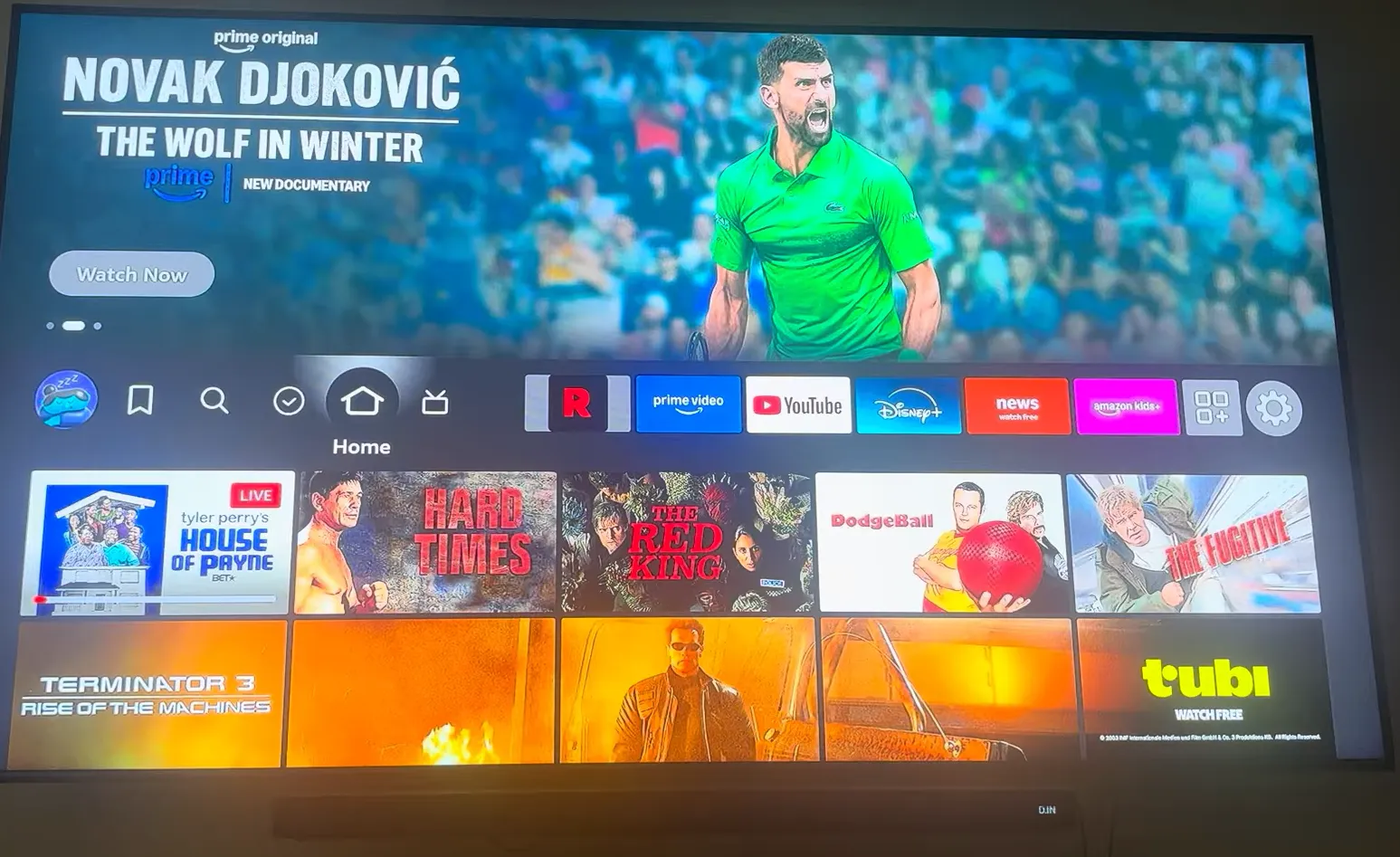
- Home Screen Interface: SuperBox features a clean television launcher focused on video playback, while Fire OS displays sponsored banners and retail promotions.
Hardware Engineering: Media Box vs Streaming Dongle Architecture
Physical hardware engineering directly impacts device responsiveness, multitasking capability, and long-term lifespan. Comparing physical components reveals significant hardware advantages for SuperBox desktop consoles over Amazon streaming dongles.
Amazon Fire TV Stick models generally house 1GB to 2GB of RAM and a restrictive 8GB to 16GB of flash storage. Operating system files occupy roughly half of this capacity, leaving minimal headroom for system cache and resulting in frequent low storage warnings when managing multiple applications.
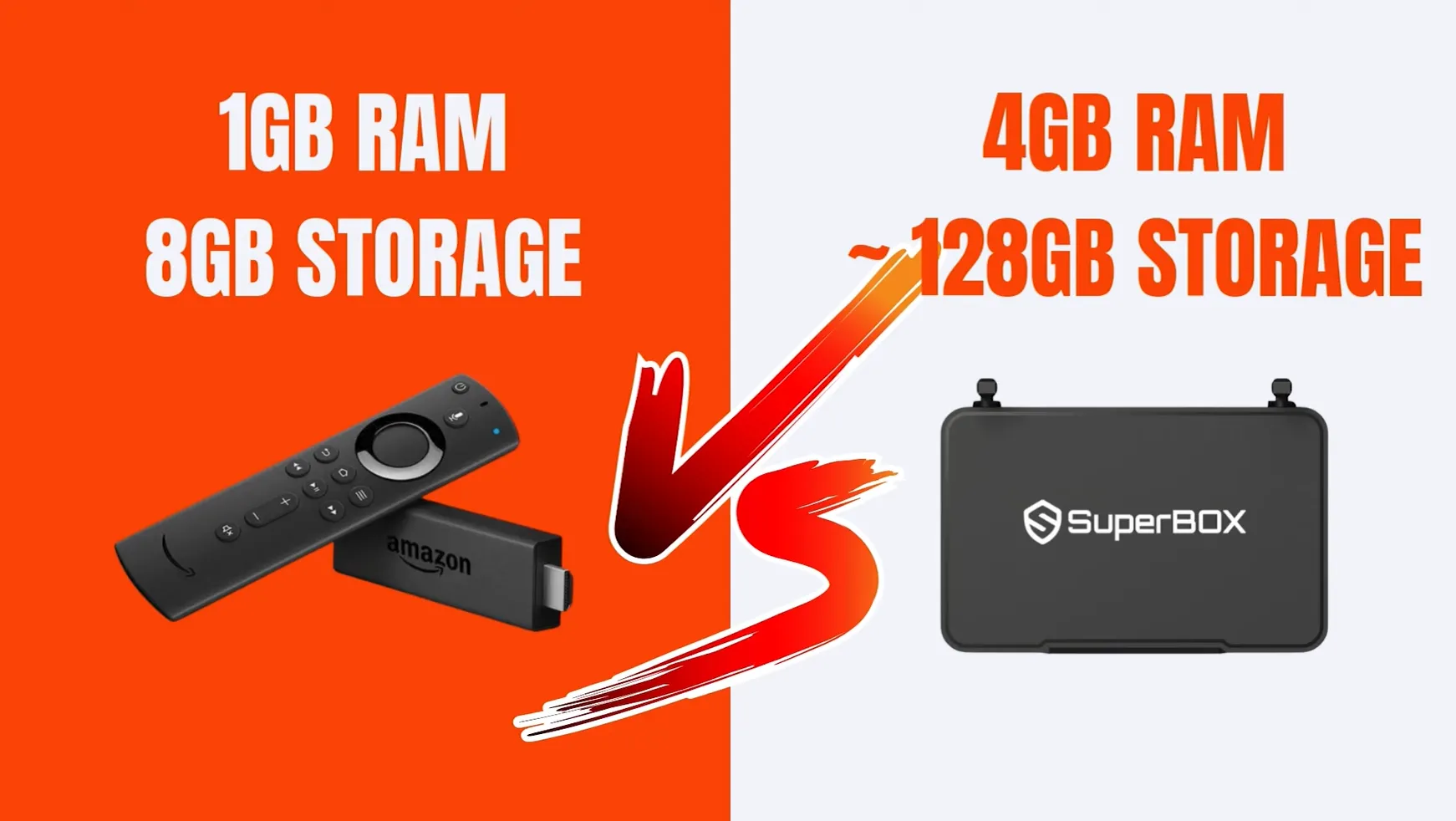
SuperBox consoles feature multi-core 64-bit multimedia processors backed by up to 4GB DDR RAM and up to 128GB of high-speed eMMC internal storage. This expanded memory bandwidth prevents interface stutter and ensures rapid video buffering during continuous 4K playback.
Thermal dissipation represents another vital hardware divergence:
- Thermal Chassis Engineering: SuperBox S7 and S8 models utilize an all-metal anodized aluminum casing that acts as a passive heatsink, maintaining surface temperatures around 38.5 degrees Celsius without internal fans.
- Dongle Heat Trapping: Firestick units hang directly behind warm television panels inside enclosed plastic casings, often reaching high operating temperatures that trigger thermal throttling and playback stutter.
- Wired Network Connectivity: SuperBox S7 and S8 models integrate 1000Mbps Gigabit Ethernet ports, while Firestick lacks an onboard RJ45 port and requires a separate 100Mbps micro-USB adapter.
- Wireless Reception: SuperBox consoles provide external high-gain dual antennas supporting Wi-Fi 6, ensuring superior signal penetration compared to miniature internal antennas on Firestick.
Software Ecosystems and Content Delivery: Blue TV vs Amazon Fire OS
Operating software governs how quickly viewers can locate and enjoy television entertainment. The software experience highlights the divergent goals of an open cord-cutting platform versus a commercial retail interface.
SuperBox operates on a modern Android 12 environment hosting the proprietary Blue application suite, comprising Blue TV, Blue VOD, and SuperBox Playback. Blue TV organizes over 2,000+ live sports, news, and entertainment channels with an intuitive Electronic Program Guide, grouping regional sports and pay-per-view events without user fees.
SuperBox Playback automatically archives 7 full days (168 hours) of broadcasts across 86 major news and sports channels. Viewers can navigate backward through the schedule, rewind live events, and catch missed games without programming local recording schedules or buying cloud storage.
Amazon Firestick runs Fire OS, a proprietary interface centered on Amazon Prime Video and commercial partner promotions. Browsing the Firestick home screen presents sponsored product banners, recommended rentals, and commercial advertisements that clutter navigation.
Many Firestick owners attempt to bypass paid subscriptions by sideloading third-party streaming APKs. However, sideloaded applications on Firestick frequently suffer from broken server links, intrusive third-party ads, low-resolution streams, and constant manual updating headaches.
Cost Analysis: Upfront Hardware Investment vs Ongoing Subscription Fees
Evaluating financial cost requires calculating the total cost of ownership rather than comparing initial hardware price tags alone. A detailed financial assessment reveals the true economic reality of cord-cutting.
Amazon Fire TV Stick appears inexpensive initially, retailing between $30 and $60 depending on the model tier. However, streaming live cable channels requires purchasing ongoing subscriptions to services like YouTube TV, Hulu + Live TV, Sling TV, or FuboTV, which cost between $40 and $85 every month.
Combined with essential entertainment subscriptions like Netflix, HBO Max, and Disney+, a Firestick user often spends over $120 per month on entertainment services. Over a two-year period, this recurring expense accumulates to more than $2,880 in ongoing subscription bills.
SuperBox carries a higher initial hardware cost, typically ranging between $299 and $449 depending on the model and included accessories. However, SuperBox requires zero monthly fees, zero activation charges, and zero renewal contracts for its bundled live TV and VOD services.
Because SuperBox completely replaces paid television subscriptions, the console pays for itself within three to four months of average cable-cutting use. Over multiple years of operation, households save thousands of dollars while enjoying unrestricted television access.
Tech Reviewer Insights: What Do Video Creators Say About SuperBox vs Firestick?
Independent technology creators have thoroughly tested both devices across real-world home environments. Examining their empirical findings reveals clear guidance on which platform serves specific user needs.
Technology reviewer from I’m here to help you examined the fundamental choice between simplicity and flexibility:
The reviewer notes that while Firestick is simple and familiar for commercial apps, ongoing subscriptions quickly accumulate. SuperBox functions as an all-in-one entertainment powerhouse with superior hardware and preconfigured content that frees viewers from app switching.
Tech presenter Wynona Stoner broke down hardware differences and 7-day playback functionality:
Wynona Stoner explains that while Firestick offers a lower initial price, it only makes TVs smart without providing content. SuperBox includes comprehensive live programming, up to 128GB of storage, and unique live TV rewinding capabilities that Firestick entirely lacks.
Software educator Tobi Teaches evaluated user interfaces, operating systems, and platform clutter:
Tobi Teaches highlights that Firestick displays heavy on-screen advertising and Amazon storefront promotions. SuperBox offers a streamlined Android system with accessible App Store applications that deliver turnkey video playback without requiring recurring monthly billing.
Technology analyst Daxon Creed provided an in-depth reality check on streaming economics and living room comfort:
Daxon Creed emphasizes that buying cheap streaming sticks often traps households into paying for dozens of monthly services. Investing in a premium console like SuperBox provides immediate freedom through turnkey streaming channels and massive storage that end subscription fatigue.
Hardware reviewer HMD Tech addressed consumer legality questions and streaming device protections:
HMD Tech points out that SuperBox is legal consumer hardware that complies with regulatory electronics standards. Consumers streaming video content on personal devices in private residences remain entirely protected under established copyright precedents.
Consumer electronics analyst Bibou’s Guide compared real-world living room reliability and hardware safety:
Bibou’s Guide concludes that while Firestick offers a predictable ecosystem for retail apps, SuperBox delivers an unmatched cord-cutting experience for viewers who prioritize sports and live broadcast channels without recurring commitments.
Video Quality, Streaming Formats, and Codec Support
Visual fidelity and audio immersion play an important role when connecting media hardware to modern 4K home theater setups. Understanding codec compatibility helps match hardware to your display equipment.
Amazon Fire TV Stick 4K Max supports Dolby Vision, HDR10+, and Dolby Atmos audio passthrough. These commercial certifications make Firestick an excellent client for high-end HDR movies streamed from official platforms like Netflix, Apple TV+, and Amazon Prime Video.
SuperBox hardware decodes Ultra HD 4K video at 60 frames per second using efficient AV1, VP9, and HEVC H.265 compression codecs. Live sports broadcasts stream smoothly with dynamic HDR10 contrast, and channel transitions average a swift 0.8 seconds on 50Mbps internet connections.
Prospective buyers must weigh an honest technical nuance: SuperBox lacks official Netflix 4K DRM certification, meaning paid Netflix app streams are displayed in standard definition. Consequently, SuperBox excels as a live TV and sports machine, rather than a dedicated 4K DRM movie client.
Detailed Hardware and Feature Comparison
| Streaming Hardware Platform | Primary Design Philosophy | Processor Architecture & RAM | Internal Flash Storage | Network Interface & LAN Speed | Live TV & Time-Shift Capability | Annual Total Cost of Ownership |
|---|---|---|---|---|---|---|
| SuperBox (Universal S6, S7, S8) | All-in-one cord-cutting console with built-in channels | 64-bit quad-core AV1 processor with up to 4GB DDR RAM | 16GB to 128GB high-speed eMMC storage | 1000Mbps Gigabit Ethernet, Wi-Fi 6 with external dual antennas | Blue TV (2,000+ channels) and 7-day Playback (86 channels) | $0 per year (one-time hardware purchase, no monthly fees) |
| Amazon Fire TV Stick 4K Max | Budget streaming dongle for commercial subscription apps | MediaTek quad-core processor with 2GB RAM | 8GB to 16GB internal storage (shared with OS) | Wi-Fi 6/6E internal antennas; requires 100Mbps micro-USB adapter | Requires third-party paid subscriptions (YouTube TV, Sling, Fubo) | $960 to $1,440+ per year for live television service packages |
Which Streaming Device Fits Your Household Lifestyle?
Selecting the ideal streaming platform depends directly on your monthly entertainment budget, viewing preferences, and tolerance for recurring subscriptions:
- Choose SuperBox If: Your primary priority is eliminating monthly cable bills, watching live sports, news, and pay-per-view events without recurring fees, and enjoying a durable metal console that works right out of the box for the entire household.
- Choose Amazon Firestick If: You are on a strict initial budget, primarily watch paid commercial apps like Netflix in Dolby Vision, utilize Alexa smart home routines, and do not mind paying ongoing monthly subscriptions for live television packages.
Where to buy authentic SuperBox with warranty coverage
When investing in a high-performance streaming console, ordering directly from SuperBox for Sale guarantees authentic hardware and verified server licensing. Our central distribution and customer care facility operates at 13951 Pipeline Ave, Chino, CA 91710, USA, led by founder Riley Cooper.
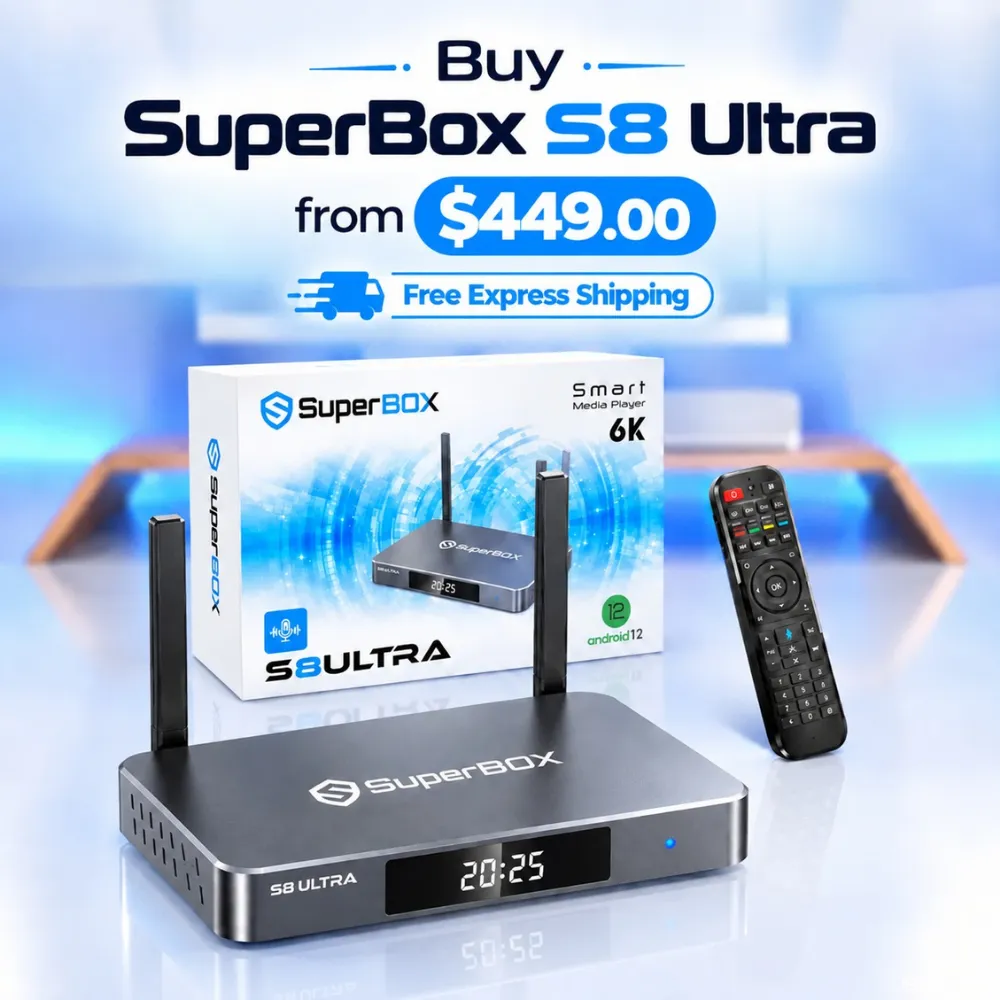
For the ultimate cord-cutting setup, we recommend the flagship SuperBox S8 Ultra priced at $449, featuring 4GB DDR RAM, 128GB storage, Wi-Fi 6, and Gigabit Ethernet. Every order includes our Official Reseller License Code #SP20250928002 and full warranty protection:
- Free Shipping: Fast 2 to 5 business day delivery across the United States and Canada with full real-time package tracking via FedEx or USPS.
- 24/7 Technical Support: Dedicated technical specialists available 24/7 via live chat and email for troubleshooting assistance.
- 30-Day Money-Back Guarantee: Hassle-free return policy if you are not completely satisfied with your streaming hardware performance.
- 1-Year Manufacturer Warranty: Full replacement coverage safeguarding against any hardware defects or system component failures supported directly by our customer care center in Chino, California.
- 100% Authentic Hardware: Direct factory units guaranteed genuine without modified firmware, unauthorized alterations, or security risks.
SuperBox for Sale is a leading authorized dealer of SuperBox, specializing in the supply of genuine SuperBox TV boxes Series S6, S7, and S8 in the US & CAD.
Frequently Asked Questions About SuperBox and Firestick?
Can Amazon Firestick Stream Free Live TV Like SuperBox?
Amazon Firestick does not provide free live cable television networks. While Firestick offers free ad-supported platforms like Pluto TV and Tubi, watching major live sports, premium networks, and cable channels requires subscribing to paid services like YouTube TV or Sling TV.
Does SuperBox Require Sideloading Third-Party Apps to Watch Cable?
SuperBox does not require manual sideloading or hunting for third-party APKs. The device includes preconfigured applications like Blue TV and Blue VOD that connect directly to cloud video servers, delivering reliable streaming without the maintenance hassles of sideloaded apps.
How Much Money Does SuperBox Save Compared to Firestick Subscriptions?
SuperBox saves typical cord-cutting households between $900 and $1,500 every year. By replacing $70 to $100 monthly cable streaming packages with an upfront hardware purchase, SuperBox recoups its initial cost within four months and delivers completely free entertainment thereafter.
Is SuperBox Legal to Use in the United States?
SuperBox is entirely legal consumer hardware manufactured under standard FCC and CE regulatory certifications. Operating an Android TV box in your private home does not violate copyright statutes, and consumers face zero legal liability for streaming video content.
Experience Unrivaled Streaming Performance with SuperBox
Discover lightning-fast quad-core processing, dual-band Wi-Fi 6, 7-day playback, and crisp 6K ultra HD output engineered for discerning media fans.

![Streamer box vs smart TV: Cord-cutting comparison and buying guide [2027]](https://superboxforsale.com/wp-content/uploads/2026/10/Streamer-box-vs-smart-TV-768x432.webp "Streamer box vs smart TV: Cord-cutting comparison and buying guide [2027] 10")
![SuperBox S8 Ultra vs S7 Ultra: In-depth comparison and upgrade guide [2027]](https://superboxforsale.com/wp-content/uploads/2026/10/SuperBox-S8-Ultra-vs-S7-Ultra-768x432.webp "SuperBox S8 Ultra vs S7 Ultra: In-depth comparison and upgrade guide [2027] 26")