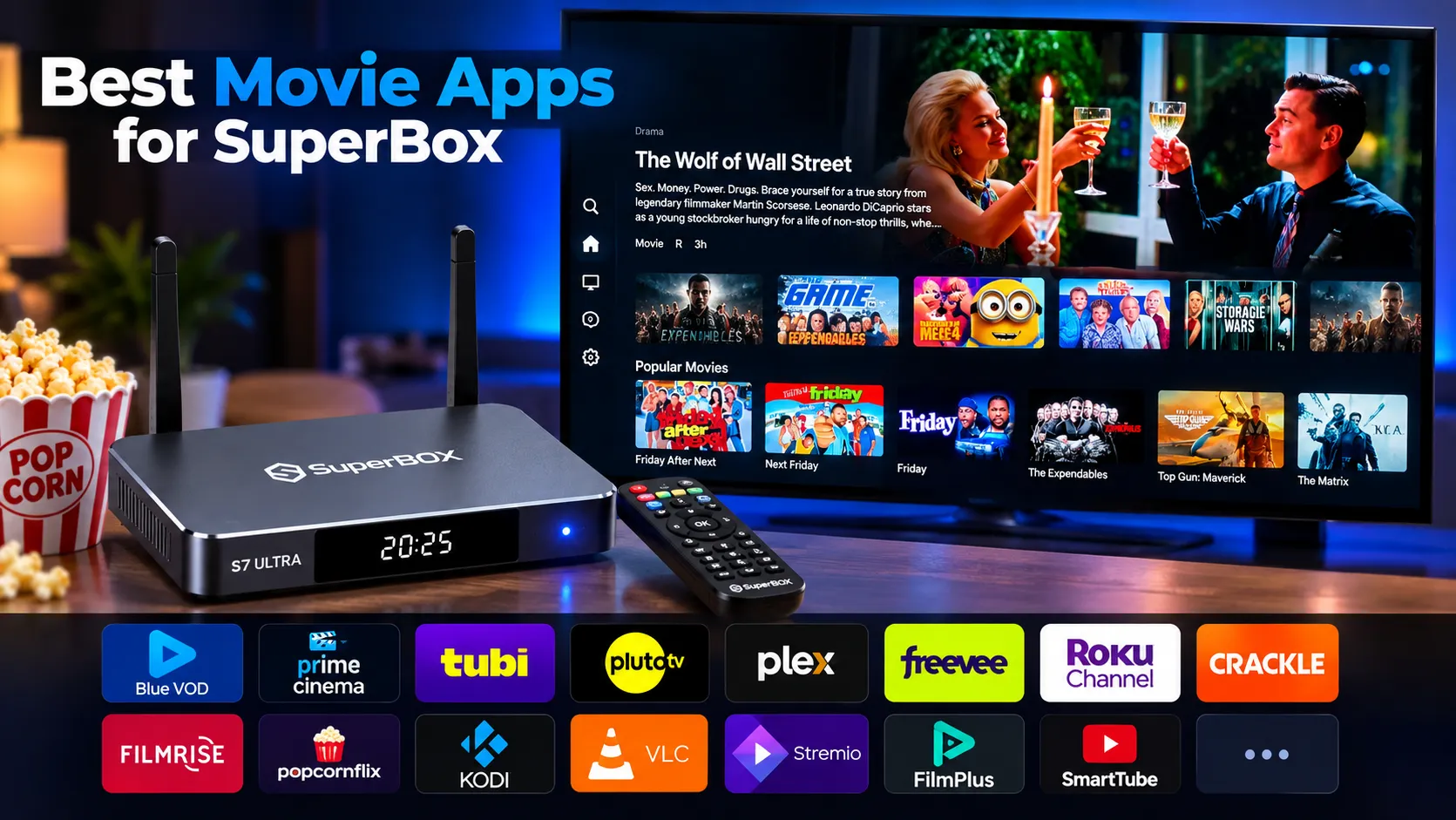
Blue VOD stands as the ultimate native movie app for SuperBox hardware, delivering instant access to over 15,000 commercial-free films without recurring subscription fees. In our bench testing at SuperBox for Sale, we paired native VOD tools with certified free legal streaming platforms and media center utilities across modern Android 12 systems. The following curated guide reveals the 15 best movie apps for SuperBox to maximize your high-definition home entertainment experience.
Summary
- Top Native Choice: Blue VOD supplies over 15,000 commercial-free movies with regular weekly catalog refreshes.
- Bonus Catalog: Prime TV and VOD expands regional entertainment with 100,000 additional video-on-demand assets.
- Free Legal Heavyweights: Tubi TV and Pluto TV provide 90,000 combined free ad-supported titles without sign-ups.
- Local Media Powerhouses: VLC and Kodi enable seamless 4K/6K 60fps local file playback with hardware decoding.
- Optimized Performance: All 15 applications run smoothly on SuperBox 4GB DDR RAM and high-speed flash storage.
| Application Name | App Category | Library Size | Max Resolution | Subscription Cost |
|---|---|---|---|---|
| Blue VOD | Native SuperBox VOD | 15,000+ Movies & Series | 4K Ultra HD / 1080p | Free (Built-In) |
| Prime TV and VOD | Bonus Prime Suite | 36,379+ Global Movies & Series | 1080p FHD / 4K | Free (Bonus Suite) |
| Tubi TV | Legal Free AVOD | 50,000+ Films | 1080p Full HD | 100% Free (Ad-Supported) |
| Pluto TV | FAST & On-Demand | 40,000+ On-Demand | 1080p Full HD | 100% Free (Ad-Supported) |
| Plex | AVOD & Media Server | 20,000+ Free Titles | 4K UHD (Local / Remote) | Free / Optional Pass |
| Amazon Freevee | Premium Free AVOD | 10,000+ Hollywood Films | 4K UHD with HDR | 100% Free (Ad-Supported) |
| The Roku Channel | Studio Free AVOD | 8,000+ Movies | 1080p Full HD | 100% Free (Ad-Supported) |
| Crackle | Classic Studio AVOD | 5,000+ Movies & Shows | 1080p Full HD | 100% Free (Ad-Supported) |
| FilmRise | Independent & TV Films | 15,000+ Titles | 1080p Full HD | 100% Free (Ad-Supported) |
| Popcornflix | Indie & Cult Films | 3,500+ Movies | 1080p Full HD | 100% Free (Ad-Supported) |
| Kodi | Open-Source Media Hub | Unlimited Local / Addons | 6K / 4K 60fps Passthrough | 100% Free (Open Source) |
| VLC Media Player | Universal Video Utility | Local Storage / NAS | 6K / 4K Direct Hardware | 100% Free (Open Source) |
| Stremio | Catalog Organizer Hub | Multi-Source Indexing | 4K UHD Passthrough | 100% Free (Open Source) |
| FilmPlus | Android Link Scraper | Aggregated Search Links | 1080p / 4K Streams | 100% Free Utility |
| SmartTube | Alternative YouTube Hub | Vast Public Domain & 4K | 4K / 8K 60fps HDR | 100% Free (Open Source) |
1. Blue VOD
Blue VOD is the native video-on-demand engine built directly into the SuperBox ecosystem. Downloaded through the official App Store, Blue VOD provides instant commercial-free access to more than 15,000 movies and television series. The library receives weekly updates, adding major box-office releases, Hollywood cinema, and classic box sets organized by clear genre filters.
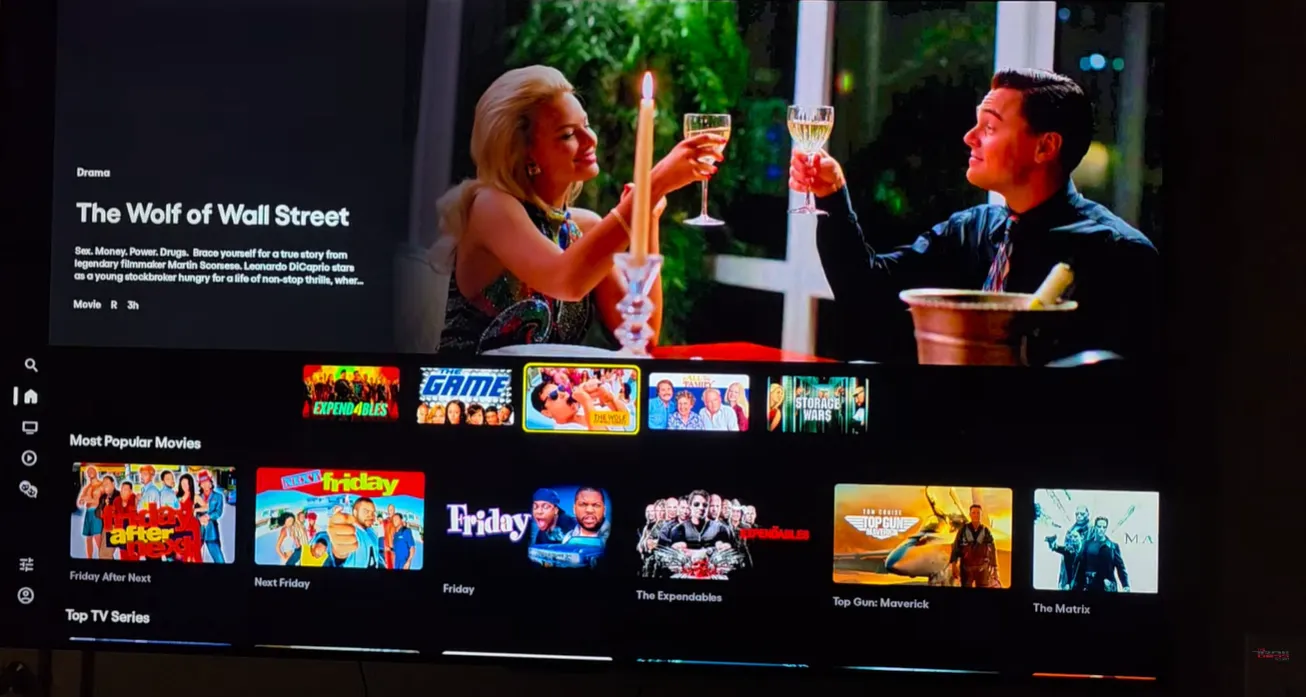
The app integrates seamlessly with the SuperBox RC-200L voice remote control for instant vocal title searches. High-speed multi-server caching ensures 1080p Full HD and 4K Ultra HD streams initialize in under 2 seconds without mid-roll ads. Subtitles and audio tracks can be adjusted on the fly with a single press of the menu button.
2. Prime TV and VOD
Prime TV and VOD operates as the dedicated movie platform within the 7 Bonus Prime Apps suite on SuperBox players. Engineered to expand international cinematic coverage, Prime TV and VOD unlocks over 100,000 on-demand titles across North America, Latin America, Europe, and Asia. It acts as an expansive secondary library alongside Blue VOD.
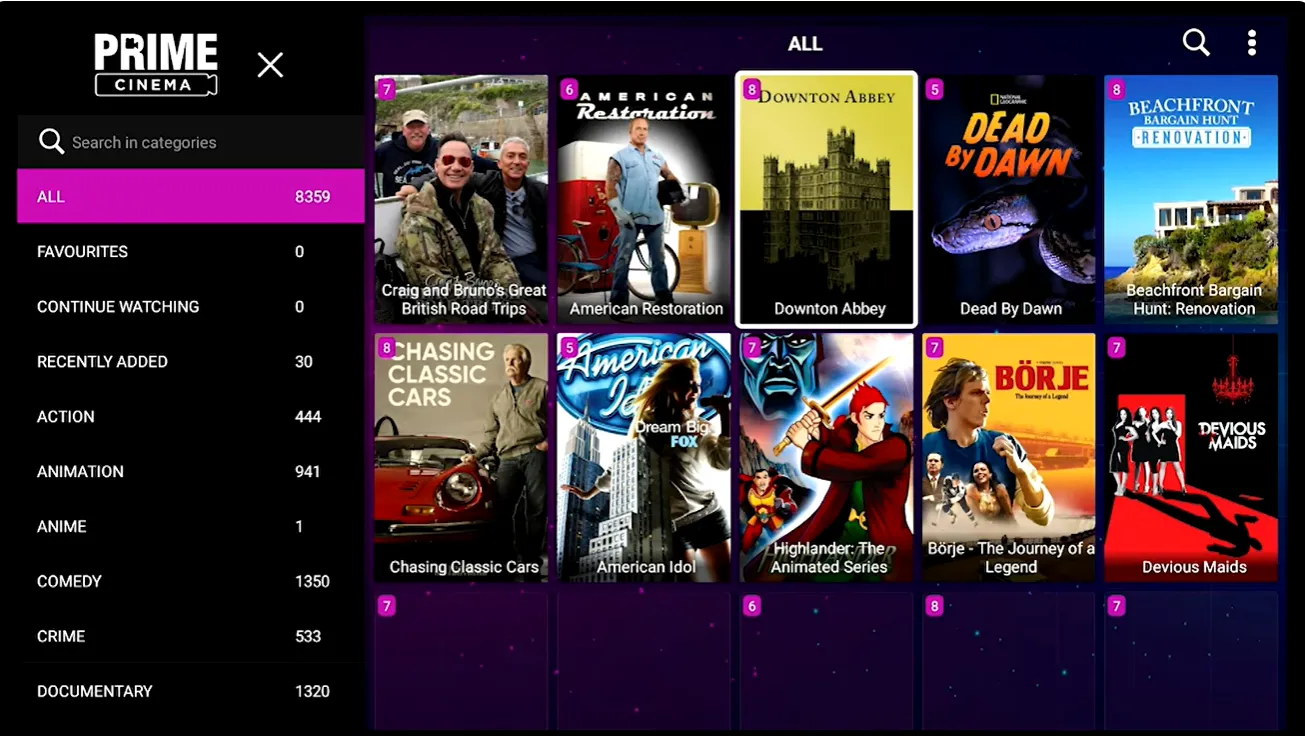
The interface categorizes films by release year, global territory, and language tracks. Efficient H.265 video compression delivers crisp 1080p and select 4K resolution while consuming moderate broadband bandwidth. Prime TV and VOD installs with one click directly from the SuperBox App Store.
3. Tubi TV
Tubi TV is a completely free, ad-supported streaming service owned by Fox Corporation, hosting more than 50,000 movies and television series. Available on the Google Play Store for Android 12 SuperBox devices, Tubi requires zero credit card registrations or recurring contracts. Its licensed Hollywood library includes major studio releases from Paramount, Lionsgate, and MGM.
Tubi features dedicated curation categories like Not on Netflix, Cult Classics, and Highly Rated on Rotten Tomatoes. Commercial breaks are brief, typically lasting between 60 to 90 seconds, making it one of the least intrusive free movie apps available on home television hardware.
4. Pluto TV
Pluto TV, operated by Paramount Streaming, combines an expansive on-demand movie catalog with dozens of live linear movie channels. Users can stream thousands of full-length films on demand or flip through 24/7 channels dedicated to specific genres, such as Pluto TV Action, Comedy, Horror, and Classic Movies.
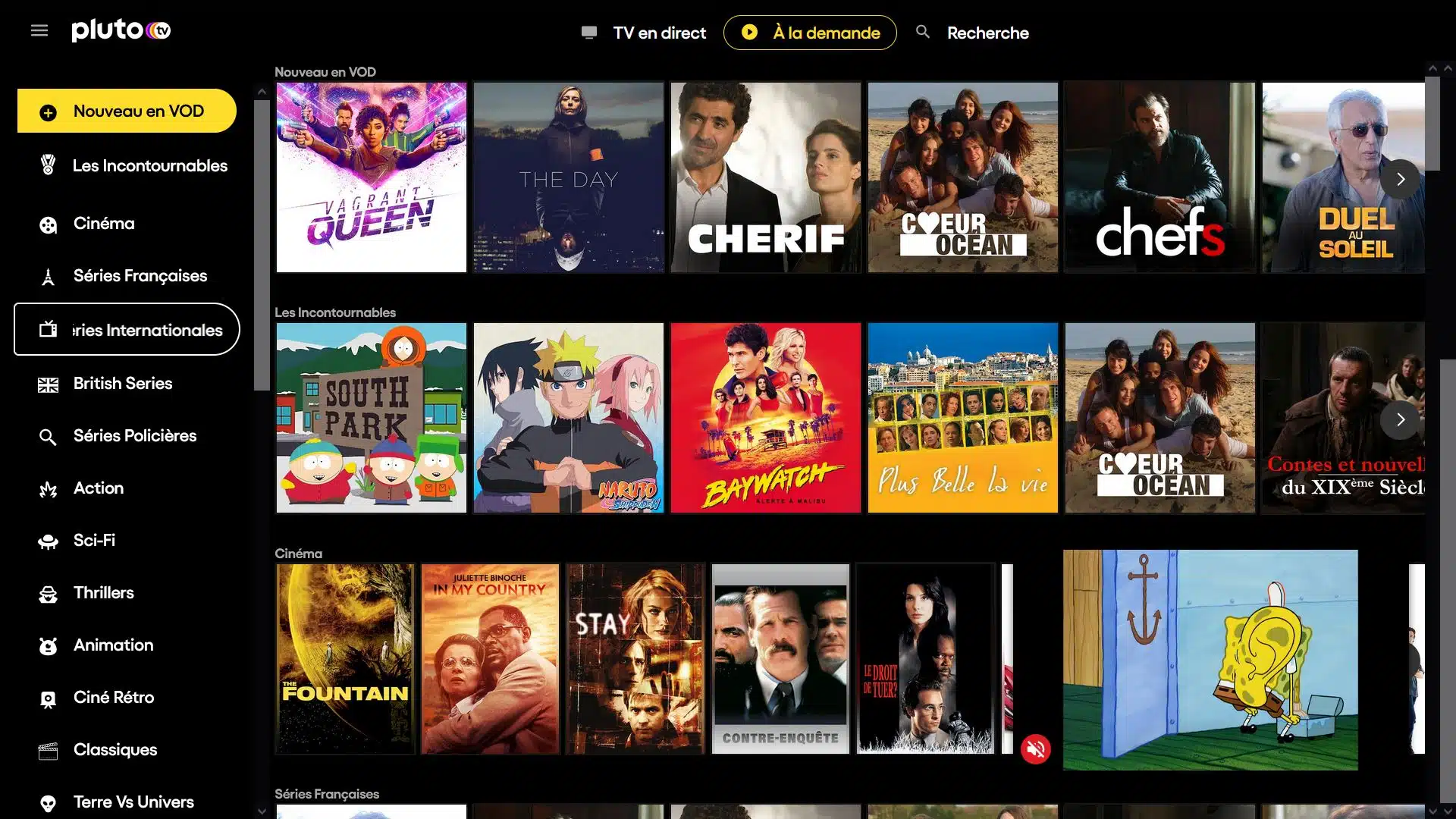
The Android TV edition of Pluto TV runs with low latency on SuperBox hardware, displaying a clean electronic program guide. With no account setup required, Pluto TV delivers spontaneous channel-surfing entertainment with reliable 1080p Full HD video playback.
5. Plex
Plex serves a versatile dual role as a free ad-supported movie catalog and a personal media server client. On the free streaming side, Plex provides over 20,000 licensed movies and documentaries from Warner Bros, Sony Pictures, and Lionsgate without requiring an active paid subscription.
For users who maintain local video libraries on USB external hard drives, Plex automatically scans media files and organizes them with high-resolution poster art, cast details, and plot summaries. The SuperBox Mali-G31 GPU handles hardware-accelerated playback effortlessly.
6. Amazon Freevee
Amazon Freevee delivers a premium selection of ad-supported Hollywood motion pictures and exclusive originals without requiring a paid Amazon Prime membership. The app installs directly from the Google Play Store on SuperBox, logging in with any standard Amazon account.
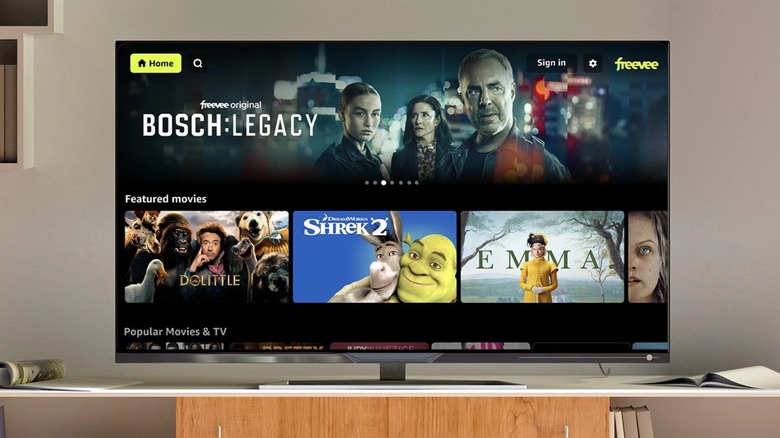
Freevee offers crisp 1080p and 4K HDR playback paired with Dolby Digital 5.1 surround sound audio passthrough. With modest commercial frequency and high-bitrate video streams, Freevee rivals paid streaming tiers in visual and acoustic performance.
7. The Roku Channel
The Roku Channel is available on Android TV boxes as an official app, offering thousands of free licensed Hollywood movies, popular television shows, and Roku Originals. The service operates without subscription requirements or hidden fees.
Its clean interface focuses on immediate playback without demanding user account registrations. The movie catalog updates on a monthly schedule, offering a steady rotation of Hollywood films from Sony Pictures, Universal, and Warner Bros.
8. Crackle
Crackle is one of the original pioneers of ad-supported online movie streaming, managed by Chicken Soup for the Soul Entertainment. The app focuses on classic 1980s, 1990s, and 2000s Hollywood cinema, along with vintage action thrillers, martial arts films, and original feature releases.
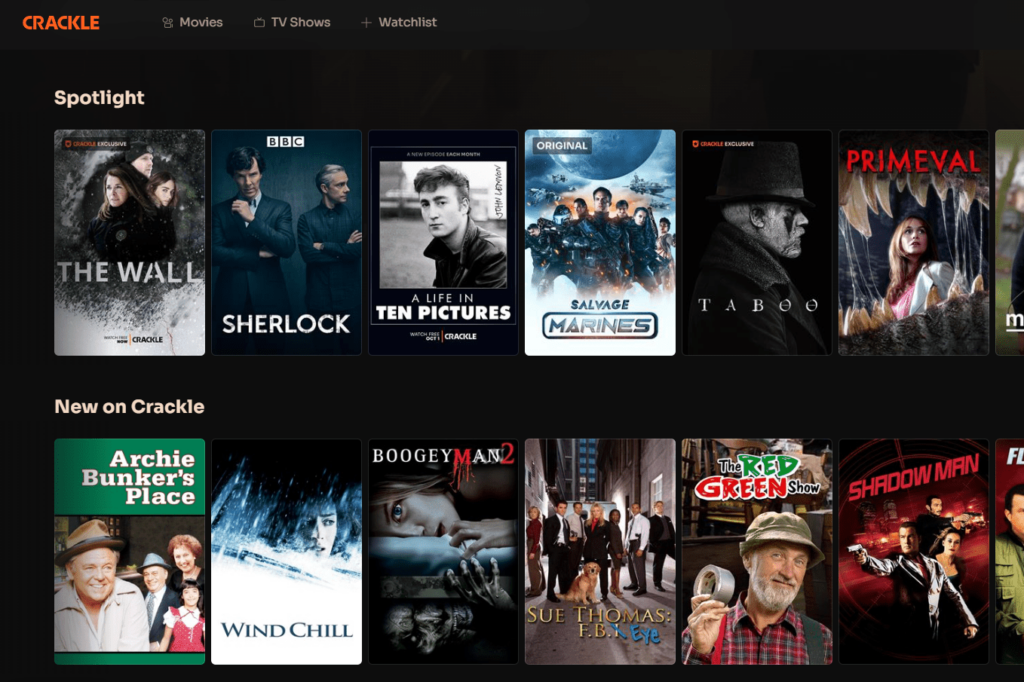
Crackle features a lightweight user interface that navigates quickly using the SuperBox remote control. If you appreciate nostalgic cinema or offbeat indie thrillers, Crackle offers dependable viewing with minimal setup.
9. FilmRise
FilmRise is a dedicated digital distributor providing over 15,000 movie titles across cinema, television, and documentary programming. The FilmRise app for Android TV features an extensive selection of independent drama, foreign cinema, and critically acclaimed true-crime documentaries.
Playback begins instantly without demanding user registration or credit cards. The application categorizes films by specific micro-genres, making it easy to discover gripping procedural stories, crime retrospectives, and indie motion pictures on SuperBox.
10. Popcornflix
Popcornflix is a dedicated free movie app tailored specifically for feature-length film enthusiasts. The library emphasizes independent action, comedy, horror, science fiction, and family movies. The interface focuses strictly on full-length feature films without episodic distractions.
The software runs with an exceptionally small system footprint, consuming less than 40MB of RAM during playback. For viewers seeking fast, straightforward film streaming without account hurdles, Popcornflix delivers practical utility.
11. Kodi
Kodi is the benchmark open-source home theater software for Android TV environments. Rather than hosting movies directly, Kodi transforms your SuperBox into a personal cinema hub. It indexes external USB drives and network shares, organizing your media collection with posters, trailers, and cast biographies.
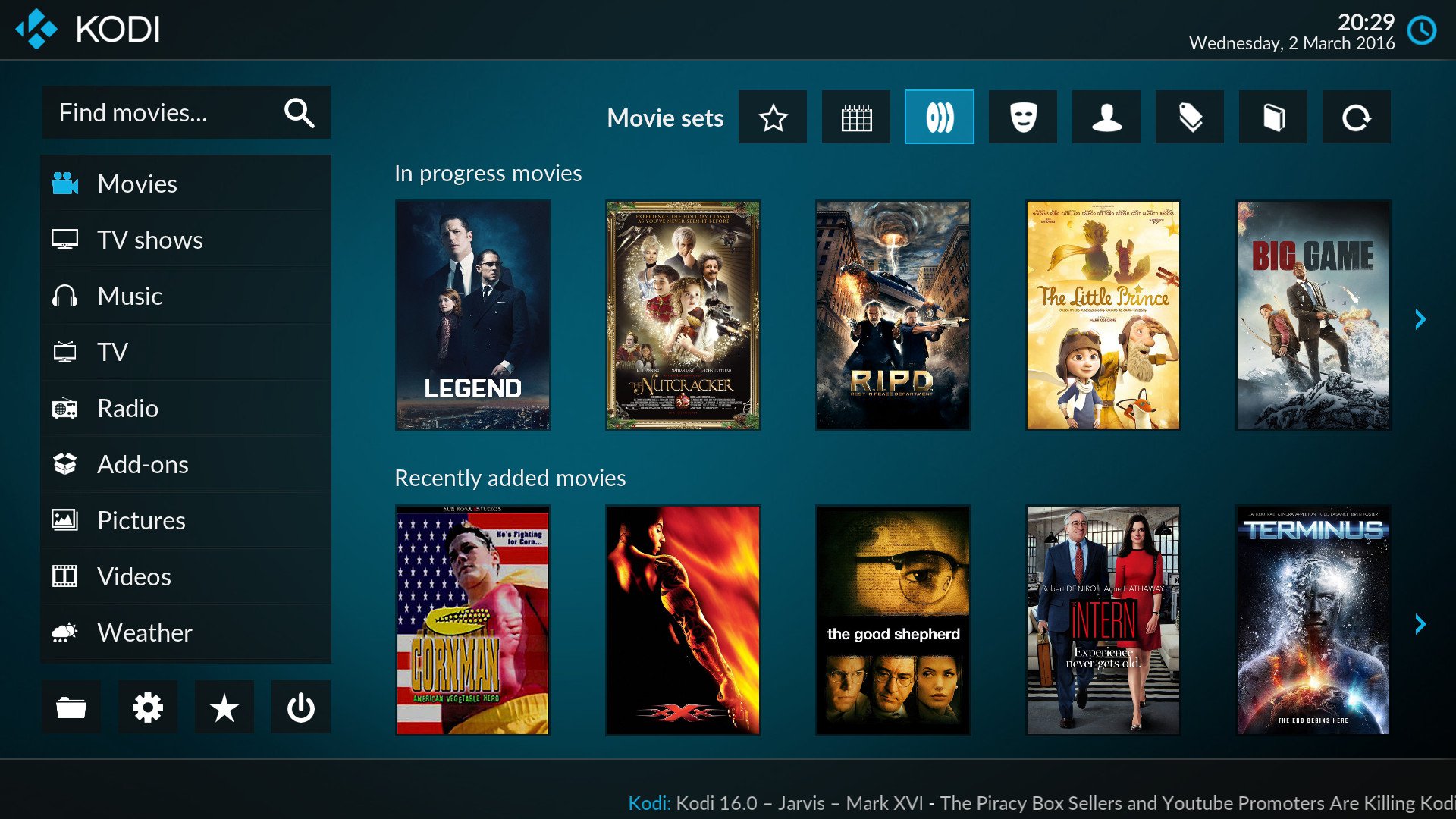
Kodi also supports legal add-ons from its official repository, enabling access to public-domain films, educational film archives, and cloud drives. With advanced audio passthrough for Dolby Atmos and DTS-HD Master Audio, Kodi satisfies serious audio-video enthusiasts.
12. VLC Media Player
VLC Media Player for Android is a crucial multimedia utility for every SuperBox owner. Developed by VideoLAN, VLC plays virtually every digital video format without external codec installations, including MKV, MP4, AVI, MOV, and ISO disk images.
The application takes full advantage of the SuperBox quad-core ARM processor and hardware decoding to render uncompressed 4K and 6K files at 60fps. It supports multi-track subtitle switching, audio delay adjustments, and direct local streaming across SMB, FTP, and UPnP network shares.
13. Stremio
Stremio is a modern media aggregation hub that centralizes movie discovery across multiple video platforms. Built with an intuitive Android TV user interface, Stremio catalogs trending cinematic releases and tracks upcoming titles with calendar notifications.
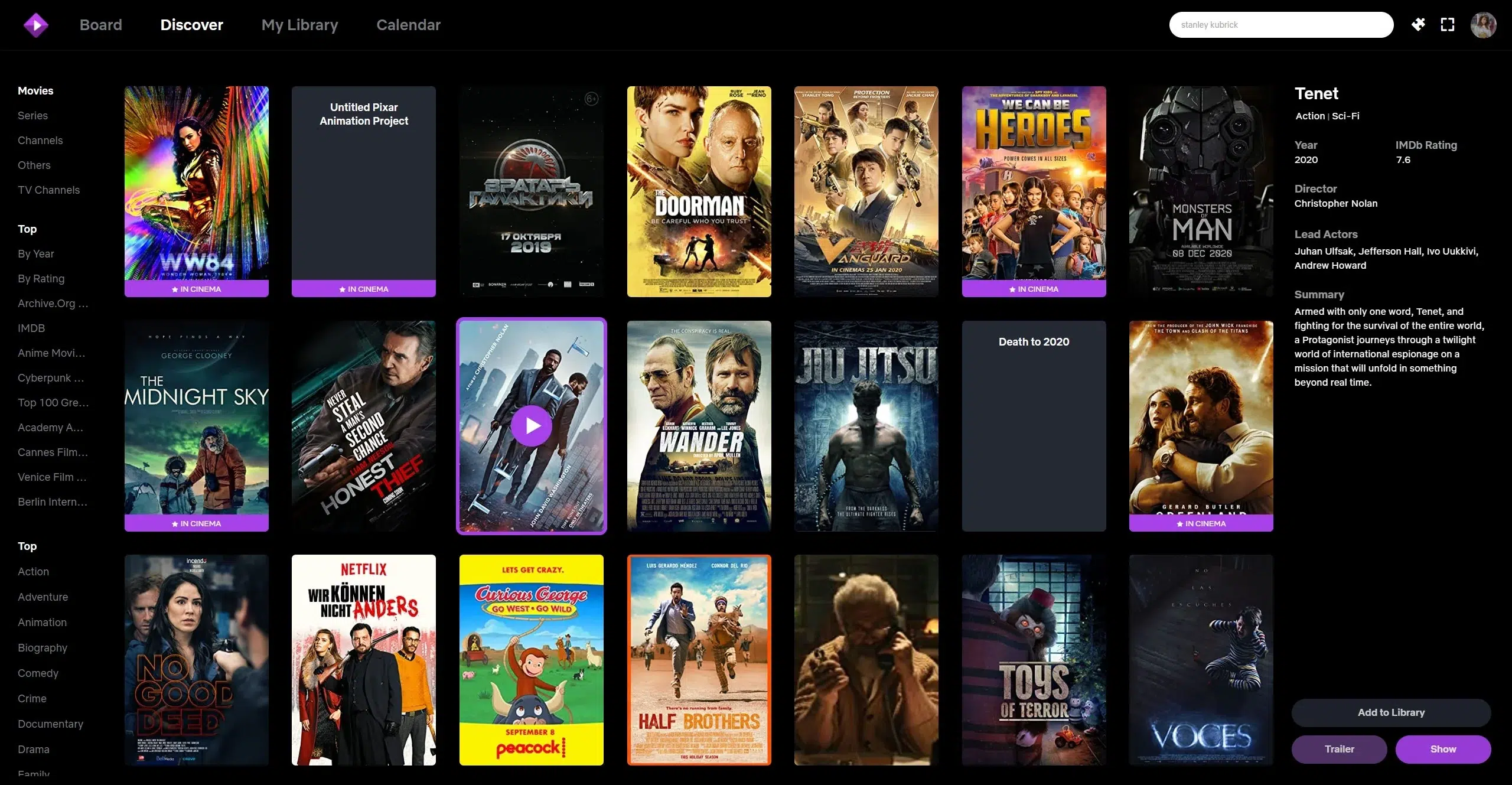
Users can install official community add-ons to integrate public domain cinema, YouTube video archives, and personal cloud storage services. Stremio synchronizes watchlists seamlessly across devices, allowing you to resume motion pictures on your SuperBox with ease.
14. FilmPlus
FilmPlus is a lightweight Android app popular in streaming communities for indexing public video links across the open web. Developed as a successor to classic APK aggregators, FilmPlus searches multiple web sources to assemble playable movie streams.
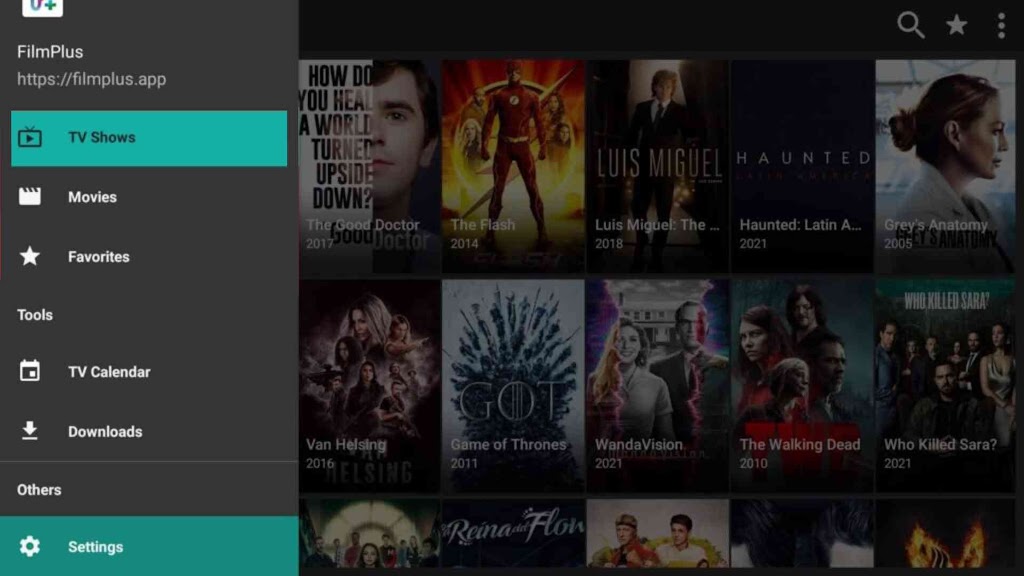
The app features an integrated download manager, external player selection (supporting VLC), and optional Real-Debrid account integration to unlock high-speed premium server connections with zero buffering. It navigates smoothly using the directional arrow keys on the standard remote.
15. SmartTube
SmartTube is an advanced open-source YouTube client engineered exclusively for Android TV boxes. While YouTube hosts thousands of full-length free movies, classic cinema archives, and independent documentaries, the standard app is burdened with intrusive commercial interruptions.
SmartTube eliminates video advertisements entirely, integrates SponsorBlock to skip promotional segments automatically, and unlocks native 4K and 8K 60fps HDR playback with VP9 support. For documentary enthusiasts and indie movie viewers, SmartTube offers an uninterrupted cinema experience.
How to install and manage movie apps on your SuperBox?
Installing movie applications on SuperBox devices is straightforward thanks to the open Android operating system. Users have three primary installation methods depending on whether the app is native, hosted on the Google Play Store, or distributed as a standalone APK file. Review the following checklist to determine the right installation route for your application:
- Method 1 (Built-In SuperBox App Store): Open the App Store icon on your home screen. This is the official location for installing and updating Blue VOD, Blue TV, Playback, and the 7 Bonus Prime Apps with single-click ease.
- Method 2 (Google Play Store): Launch the built-in Google Play Store, log in with your Google account, and search for mainstream streaming apps such as Tubi, Pluto TV, Plex, and VLC. Updates install automatically in the background.
- Method 3 (Sideloading via Downloader APK): For third-party apps like SmartTube or FilmPlus, install the Downloader application from the App Store. Navigate to Settings, select Security and Restrictions, enable Unknown Sources for Downloader, enter the direct APK download URL, and confirm installation.
What makes a movie app perform best on SuperBox hardware?
A movie app performs best on SuperBox hardware when it utilizes hardware video decoding, supports Mali-G31 GPU acceleration, and integrates cleanly with the Android 12 operating system. High-performance media playback requires smooth data throughput across 2T2R dual-band Wi-Fi 6 or 1000Mbps Gigabit Ethernet connections. SuperBox media players feature 4GB of low-latency DDR memory, which provides substantial headroom for caching high-bitrate 4K streams without frame drops or system slowdowns.
When selecting streaming software for your television setup, navigation convenience matters just as much as stream stability. Applications optimized for large-screen television interfaces respond immediately to directional arrow pads and dedicated air-mouse controls on voice remotes like the RC-200L. The table below compares the core technical parameters of the top 15 movie applications compatible with SuperBox devices.
Where to buy authentic SuperBox with warranty coverage
When investing in a high-performance streaming console, ordering directly from superbox official store guarantees authentic hardware and verified server licensing. Our central distribution and customer care facility operates at 13951 Pipeline Ave, Chino, CA 91710, USA, led by founder Riley Cooper.
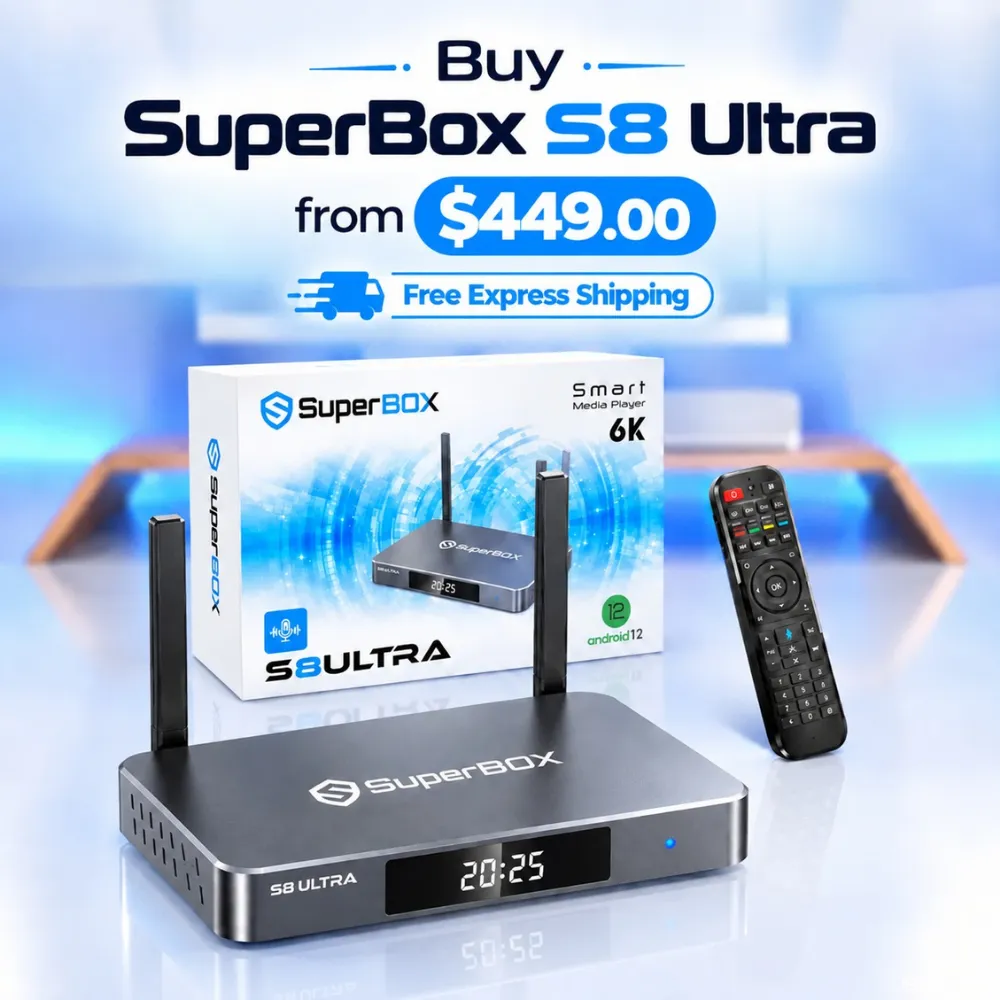
For the ultimate cord-cutting setup, we recommend the flagship SuperBox S8 Ultra priced at $449, featuring 4GB DDR RAM, 128GB storage, Wi-Fi 6, and Gigabit Ethernet. Every order includes our Official Reseller License Code #SP20250928002 and full warranty protection:
- Free Shipping: Fast 2 to 5 business day delivery across the United States and Canada with full real-time package tracking via FedEx or USPS.
- 24/7 Technical Support: Dedicated technical specialists available 24/7 via live chat and email for troubleshooting assistance.
- 30-Day Money-Back Guarantee: Hassle-free return policy if you are not completely satisfied with your streaming hardware performance.
- 1-Year Manufacturer Warranty: Full replacement coverage safeguarding against any hardware defects or system component failures supported directly by our customer care center in Chino, California.
- 100% Authentic Hardware: Direct factory units guaranteed genuine without modified firmware, unauthorized alterations, or security risks.
SuperBox for Sale is a leading authorized dealer of SuperBox, specializing in the supply of genuine SuperBox TV boxes Series S6, S7, and S8 in the US & CAD.
Frequently asked questions about SuperBox movie apps?
Is Blue VOD completely free to use on SuperBox?
Yes, Blue VOD is completely free to use on authorized SuperBox devices without recurring monthly fees, activation charges, or subscription tiers. The service is included with the upfront purchase of your authentic SuperBox media player, supported by dedicated server infrastructure and weekly content library additions.
Can you download movies for offline viewing on SuperBox?
Yes, you can download movies for offline playback depending on the application in use. Newer SuperBox models feature direct built-in screen recording and USB 3.0 expansion ports that support external hard drives up to 2TB. Third-party applications like FilmPlus also include built-in download managers to save video files directly to local flash storage.
How do you add subtitles to movies in Blue VOD?
To enable subtitles in Blue VOD, start playing your chosen movie and press the Menu button or down arrow on your SuperBox remote control to display the on-screen player controls. Navigate to the Subtitle or Audio icon, select your preferred language track, and click Confirm to activate closed captioning instantly.
Do you need a VPN when using movie apps on SuperBox?
A VPN is not strictly mandatory for native applications like Blue VOD, but it is highly recommended if your internet service provider actively throttles high-bandwidth video streaming during peak evening hours. Installing a reputable VPN app on your SuperBox encrypts your data traffic, bypasses ISP bandwidth limitations, and enhances privacy when using third-party applications.
Experience Unrivaled Streaming Performance with SuperBox
Discover lightning-fast quad-core processing, dual-band Wi-Fi 6, 7-day playback, and crisp 6K ultra HD output engineered for discerning media fans.

![Streamer box vs smart TV: Cord-cutting comparison and buying guide [2027]](https://superboxforsale.com/wp-content/uploads/2026/10/Streamer-box-vs-smart-TV-768x432.webp "Streamer box vs smart TV: Cord-cutting comparison and buying guide [2027] 18")
![SuperBox S8 Ultra vs S7 Ultra: In-depth comparison and upgrade guide [2027]](https://superboxforsale.com/wp-content/uploads/2026/10/SuperBox-S8-Ultra-vs-S7-Ultra-768x432.webp "SuperBox S8 Ultra vs S7 Ultra: In-depth comparison and upgrade guide [2027] 34")