![SuperBox S8 Ultra vs NVIDIA Shield Pro: Cord-cutting comparison [2027]](https://superboxforsale.com/wp-content/uploads/2026/10/SuperBox-S8-Ultra-vs-NVIDIA-Shield-Pro.webp "SuperBox S8 Ultra vs NVIDIA Shield Pro: Cord-cutting comparison [2027] 6")
Comparing the SuperBox S8 Ultra and NVIDIA Shield TV Pro reveals distinct strengths. The SuperBox S8 Ultra is the superior choice for cord-cutters wanting live television and sports without monthly fees. The NVIDIA Shield TV Pro remains the top pick for home theater purists needing lossless audio passthrough and local media playback.
This matchup represents two fundamentally different streaming philosophies. The flagship SuperBox S8 Ultra costs $399 as an all-in-one package with lifetime live channels and Quad Multi-View. The NVIDIA Shield TV Pro costs $199 but requires ongoing paid subscriptions like YouTube TV or Netflix that quickly exceed $1,000 annually.
Quick Takeaways & Key Highlights
- Total Cost: SuperBox S8 Ultra charges a single upfront cost with zero monthly fees, while Shield Pro requires $75 to $100 monthly in subscriptions.
- Live Sports: SuperBox S8 Ultra includes Quad Multi-View for four simultaneous games, whereas Shield Pro streams only one game at a time.
- Internal Storage: SuperBox S8 Ultra offers 128GB flash storage, compared to 16GB on the NVIDIA Shield Pro.
- Video Processing: NVIDIA Shield Pro features Tegra X1+ AI upscaling, while S8 Ultra uses Allwinner H618 hardware decoding.
- Audio Codecs: Shield Pro leads in lossless Dolby TrueHD passthrough, while S8 Ultra delivers standard Dolby Audio.
Technical specifications comparison: SuperBox S8 Ultra vs NVIDIA Shield TV Pro
Comparing technical specifications shows how each console targets distinct user priorities. SuperBox focuses on storage capacity, Wi-Fi 6 wireless speed, and turnkey live television playback. NVIDIA emphasizes raw graphic processing power, gaming utility, and advanced surround sound handling. Review this side-by-side technical evaluation:
| Hardware Specification | SuperBox S8 Ultra | NVIDIA Shield TV Pro | Functional Distinction |
|---|---|---|---|
| Processor Silicon | Allwinner H618 Quad-Core A53 | NVIDIA Tegra X1+ (256-Core GPU) | Shield leads in raw computing |
| System Memory (RAM) | 4GB DDR4 High-Bandwidth | 3GB DDR4 High-Bandwidth | S8 Ultra has 33% more RAM |
| Internal Storage | 128GB eMMC High-Speed Flash | 16GB eMMC Flash Memory | S8 Ultra has 8x more storage |
| Operating System | Android 12 TV (Modern Build) | Android TV 11 (Legacy Interface) | S8 Ultra runs newer Android |
| Content Ecosystem | Turnkey 2,000+ Live Channels | Google Play Store Subscriptions | S8 Ultra has zero fees |
| Sports Multi-Viewing | Quad Multi-View (4 Screens) | Single Stream Display Only | S8 Ultra splits 4 screens |
| Video Upscaling Engine | Hardware 6K/4K Decoder | AI-Enhanced 4K Real-Time Upscaler | Shield excels in 1080p scaling |
| Audio Format Support | Dolby Audio & DTS Stereo 5.1 | Dolby Atmos TrueHD Passthrough | Shield leads for audiophiles |
| Local DVR Recording | Native USB DVR Scheduling | Third-Party App Setup Required | S8 Ultra records directly |
| Network Connectivity | Gigabit Ethernet + Wi-Fi 6 | Gigabit Ethernet + Wi-Fi 5 | S8 Ultra offers newer Wi-Fi |
This technical breakdown highlights clear architectural trade-offs. The S8 Ultra delivers vastly larger internal storage and modern Wi-Fi 6 networking. The Shield Pro retains an edge in graphic processing horsepower and high-end home theater audio passthrough.
Key differences between SuperBox S8 Ultra and NVIDIA Shield TV Pro
Examining everyday software performance, monthly expenses, sports features, and audio decoding reveals substantial practical differences between both premium streaming devices.
Content ecosystem and subscription models
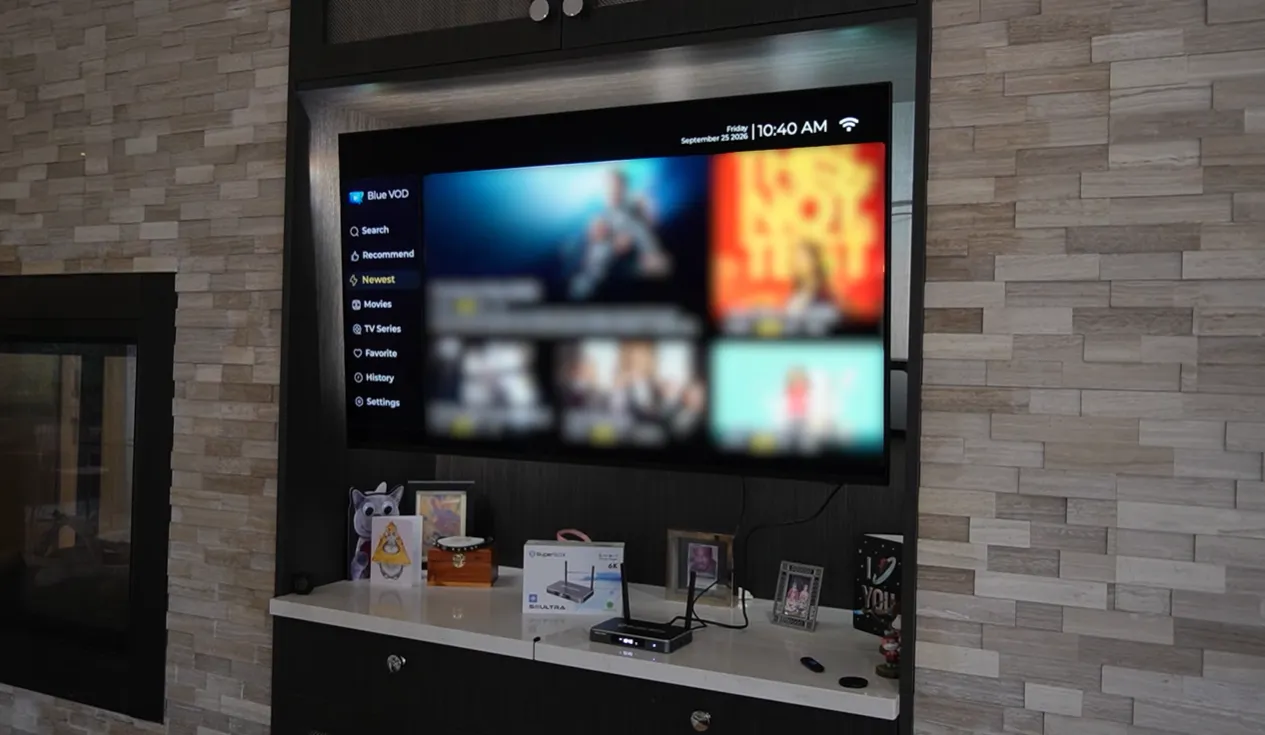
The financial model is the biggest divider between these consoles. SuperBox S8 Ultra is a complete turnkey entertainment hub. It includes lifetime access to over 2,000 live channels, premium sports networks, pay-per-view events, and over 15,000 on-demand titles without recurring charges.
The NVIDIA Shield TV Pro contains no pre-configured live television channels. To access live sports, regional networks, and broadcast television, Shield owners must subscribe to services like YouTube TV or FuboTV. Those services cost $75 to $95 every month.
Live sports multi-viewing vs single stream
Sports fans will find a huge operational difference between both devices. SuperBox S8 Ultra includes exclusive Quad Multi-View technology. This feature allows users to display four live sports feeds simultaneously. You can monitor multiple games at once on one screen.
Viewers toggle audio between screens instantly using remote buttons. On NVIDIA Shield TV Pro, users are restricted to a single video stream. Watching multiple games requires manually switching apps or relying on limited multi-view features inside specific paid services.
Hardware silicon and AI video upscaling
Silicon architecture reflects the differing goals of each device. NVIDIA Shield TV Pro runs on NVIDIA’s custom Tegra X1+ processor paired with a 256-core Maxwell GPU. Its signature asset is AI-enhanced upscaling, which sharpens lower resolution feeds into clean 4K output.
SuperBox S8 Ultra uses an Allwinner H618 processor with 4GB of DDR4 memory. This silicon focuses on rapid video decoding, thermal efficiency, and reliable multitasking across four video quadrants. It decodes native 4K streams smoothly with zero frame drops.
Audio and video decoding capabilities
Home theater enthusiasts often prioritize lossless audio formats. NVIDIA Shield TV Pro supports Dolby Vision HDR and full bitstream passthrough for Dolby TrueHD and DTS-HD Master Audio. This makes the Shield the top client for local Plex media servers.
SuperBox S8 Ultra outputs clean Dolby Audio and 5.1 surround sound through HDMI. This setup satisfies standard soundbars and TV speakers. However, it does not support uncompressed lossless audio formats found on physical Blu-ray discs.
Remote control usability and local recording
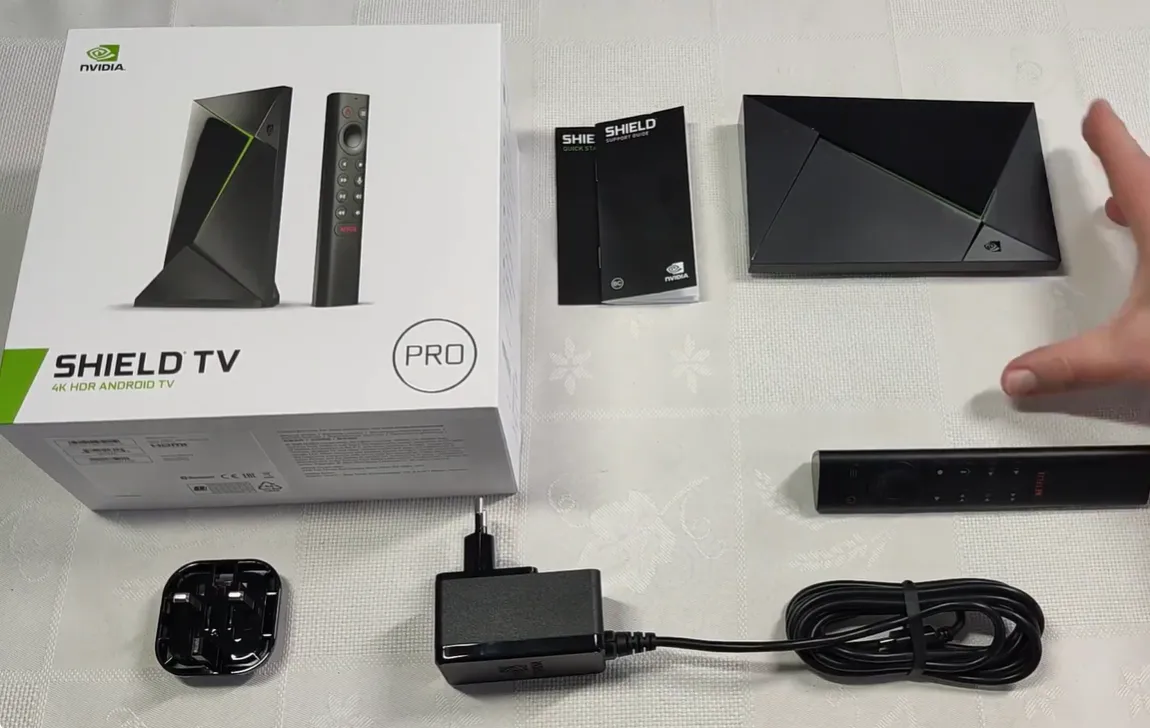
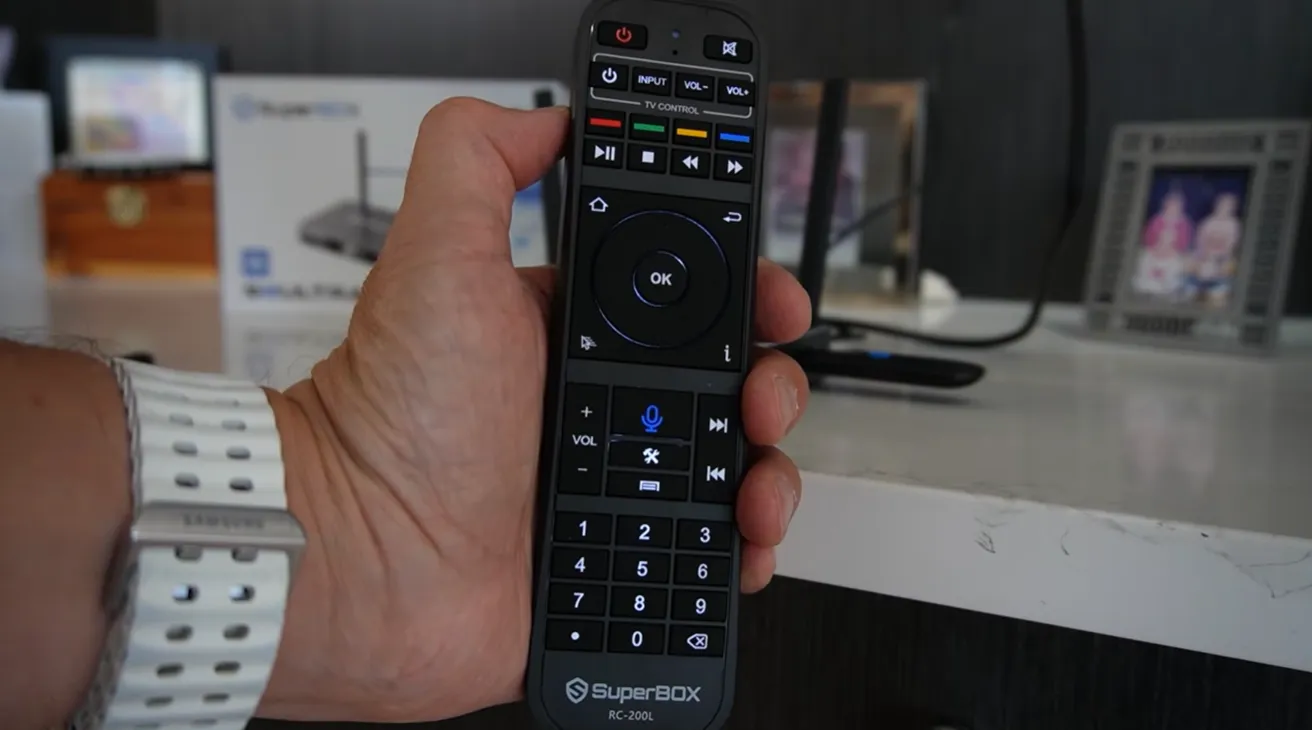
Hardware accessories and storage management also diverge. SuperBox S8 Ultra ships with an illuminated backlit voice remote for effortless navigation in dark rooms. It also features a built-in USB DVR tool to record live games directly onto external storage.
NVIDIA Shield TV Pro includes a triangular remote with motion backlighting. However, the device has only 16GB of internal storage and lacks native recording software. Setting up DVR on the Shield requires complex third-party software and external servers.
Watch this video review breaking down what is genuinely new on the S8 Ultra series:
Pros and cons of SuperBox S8 Ultra and NVIDIA Shield TV Pro
SuperBox S8 Ultra pros and cons
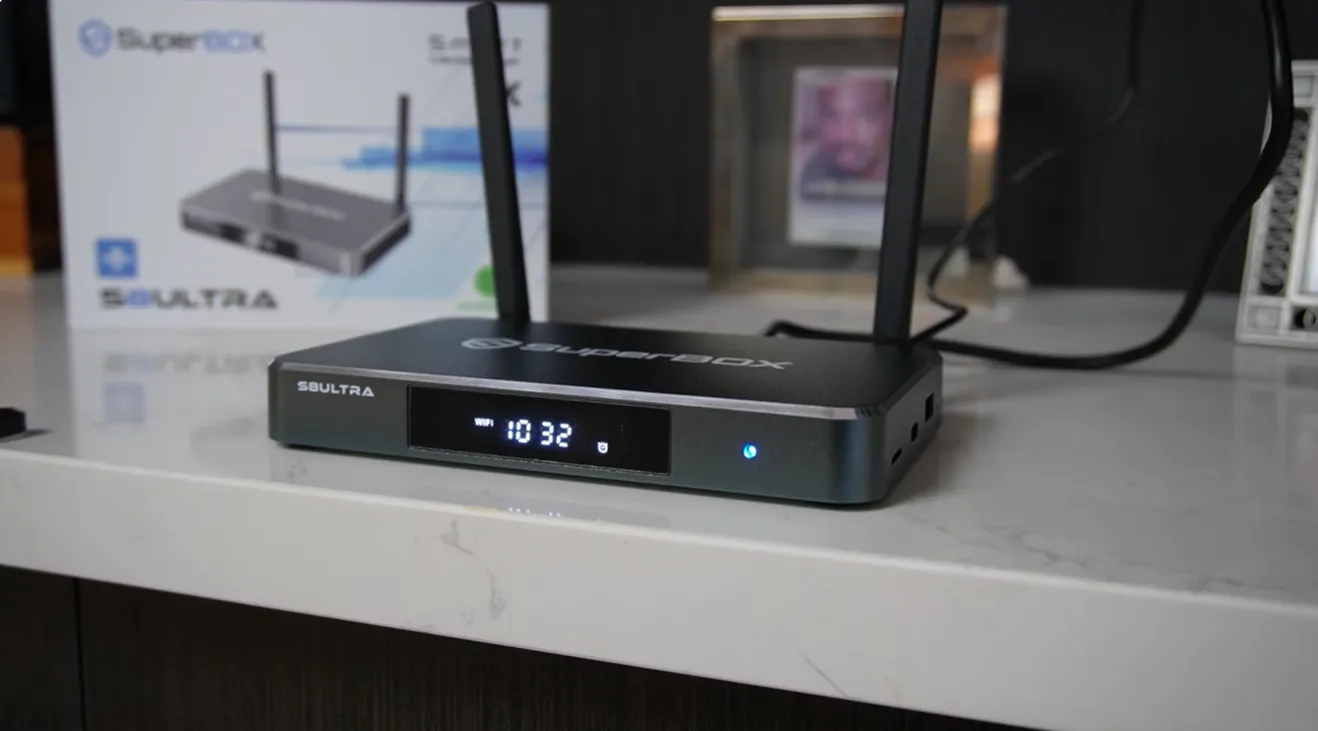
- Pros: Turnkey access to 2,000+ live channels with zero monthly fees; Quad Multi-View displays four games at once; massive 128GB internal storage; native USB DVR recording; fast Wi-Fi 6 connectivity.
- Cons: Higher upfront retail hardware cost; does not support lossless Dolby TrueHD audio passthrough for dedicated home theater receivers.
NVIDIA Shield TV Pro pros and cons
- Pros: Exceptional AI-enhanced 4K upscaling; lossless Dolby TrueHD and DTS-HD MA passthrough; official Google certification; robust Plex media server hosting.
- Cons: Zero free live channels without expensive subscriptions; limited 16GB storage; lacks native multi-screen sports viewing; older 2019 hardware platform.
Which streaming box is better: SuperBox S8 Ultra or NVIDIA Shield TV Pro?
The SuperBox S8 Ultra is the better streaming box for cord-cutters wanting live sports and broadcast television without recurring bills. Meanwhile, the NVIDIA Shield TV Pro remains superior for audiophiles hosting private local media libraries. Your choice depends on whether you seek content access or pure playback silicon.
Prominent technology reviewers on YouTube underline this practical division. In hardware evaluations by How To Do It Tech and TORR3NT’s Tech, testers praise the S8 Ultra for eliminating buffering and delivering instant multi-game streaming. Reviewers note that the box replaces expensive cable bundles entirely.
Watch this in-depth hardware review evaluating real-world streaming on the S8 Ultra:
Community feedback across forums reflects this exact dynamic. Tech critics note that the Shield Pro relies on an aging 2019 platform with limited storage. Meanwhile, Facebook user groups report that the SuperBox S8 Ultra pays for itself within four months by eliminating cable bills.
Which one should you buy?
Buy the SuperBox S8 Ultra if you want to cancel cable and eliminate monthly television fees. It is the perfect choice for sports enthusiasts who love watching multiple games at once. The plug-and-play setup delivers instant access without configuration hassles or subscriptions.
Buy NVIDIA Shield TV Pro if you already maintain a dedicated Plex media server with high-bitrate 4K Blu-ray rips. It is also the right fit for cloud gamers using GeForce NOW who have already budgeted for monthly live television subscriptions.
Frequently asked questions about SuperBox S8 Ultra vs NVIDIA Shield Pro
Can the NVIDIA Shield TV Pro watch live television for free like SuperBox?
No, the NVIDIA Shield TV Pro does not include free live television channels. Users must subscribe to paid streaming services like YouTube TV or Sling TV, or configure external OTA antenna tuners.
Which streaming box is better for watching live sports?
SuperBox S8 Ultra is significantly better for sports thanks to Quad Multi-View and bundled major sports networks. Viewers can watch four concurrent games without subscribing to multiple expensive sports tiers.
Does the SuperBox S8 Ultra support 4K streaming resolution?
Yes, the SuperBox S8 Ultra supports 4K Ultra HD and 6K hardware video decoding at 60 frames per second. It streams compatible live channels and on-demand movies in sharp high definition.
How much money does SuperBox S8 Ultra save compared to NVIDIA Shield Pro?
SuperBox S8 Ultra saves approximately $750 to $1,000 in the first year alone. Adding $80 monthly live television subscriptions to the Shield Pro pushes total first-year expenses past $1,150.
Where to buy authentic SuperBox with warranty coverage
To avoid counterfeit units or inactive server licenses, always order your console through an authorized distributor like SuperBox Shop. Our primary warehouse operations are located at 13951 Pipeline Ave, Chino CA 91710, established under founder Riley Cooper.
Customers choosing the flagship SuperBox S8 Ultra at $399 receive guaranteed authentic hardware protected by complete customer care policies:
- Free Shipping: Fast 2 to 5 business day delivery across the United States with full real-time package tracking via FedEx or USPS.
- 24/7 Technical Support: Dedicated technical specialists available 24/7 via live chat and email for troubleshooting assistance.
- 30-Day Money-Back Guarantee: Hassle-free return policy if you are not completely satisfied with your streaming hardware performance.
- 1-Year Manufacturer Warranty: Full replacement coverage safeguarding against any hardware defects or system component failures supported directly by our customer care center in Chino, California.
- 100% Authentic Hardware: Direct factory units guaranteed genuine without modified firmware, unauthorized alterations, or security risks.
SuperBox for Sale is a leading authorized dealer of SuperBox, specializing in the supply of genuine SuperBox TV boxes Series S6, S7, and S8 in the US & CAD.
Experience Unrivaled Streaming Performance with SuperBox
Discover lightning-fast quad-core processing, dual-band Wi-Fi 6, 7-day playback, and crisp 6K ultra HD output engineered for discerning media fans.